
Discover Blackmagic Design – DaVinci Resolve Studio 20
Take your visuals and audio to a cinematic level with DaVinci Resolve Studio 20, the industry-leading video editing, color grading, visual effects, and audio post-production software. Designed for filmmakers, producers, composers, and modern content creators, it delivers a complete workflow in a single, powerful application.
🎞️ Professional Editing Suite: Advanced non-linear editing (NLE) with precision tools
🎨 Hollywood-Grade Color Grading: Industry-standard DaVinci color engine
🎧 Integrated Audio Production: Full Fairlight DAW for mixing and mastering
Explore product features & full description
🎬 BLACKMAGIC DESIGN DAVINCI RESOLVE STUDIO 20 – ALL-IN-ONE POST-PRODUCTION POWERHOUSE
Take your visuals and audio to a cinematic level with DaVinci Resolve Studio 20, the industry-leading video editing, color grading, visual effects, and audio post-production software. Designed for filmmakers, producers, composers, and modern content creators, it delivers a complete workflow in a single, powerful application.
🚀 WHY DAVINCI RESOLVE STUDIO 20 STANDS OUT
This isn’t just an editor — it’s a full post-production ecosystem.
- 🎞️ Professional Editing Suite: Advanced non-linear editing (NLE) with precision tools
- 🎨 Hollywood-Grade Color Grading: Industry-standard DaVinci color engine
- 🎧 Integrated Audio Production: Full Fairlight DAW for mixing and mastering
- ✨ VFX & Motion Graphics: Built-in Fusion visual effects system
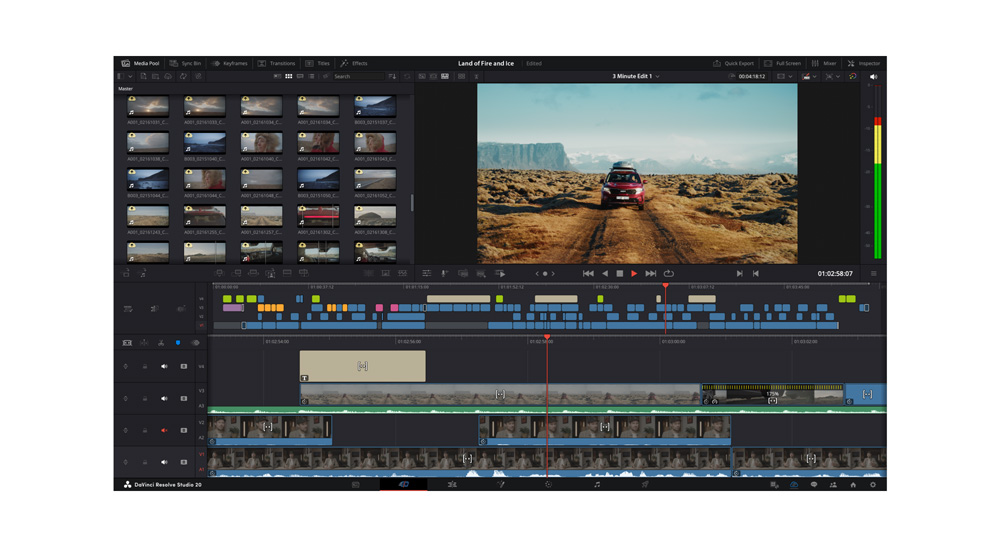
👉 One software. Total creative control. No compromises.
🎞️ ADVANCED VIDEO EDITING FOR MODERN CREATORS
Edit faster, smarter, and with complete precision.
- ⚡ High-performance timeline for smooth playback and editing
- 🎬 Multi-cam editing & smart trimming tools
- 🎯 AI-powered features for speed and automation
💡 Perfect for music videos, YouTube content, films, and commercial projects.
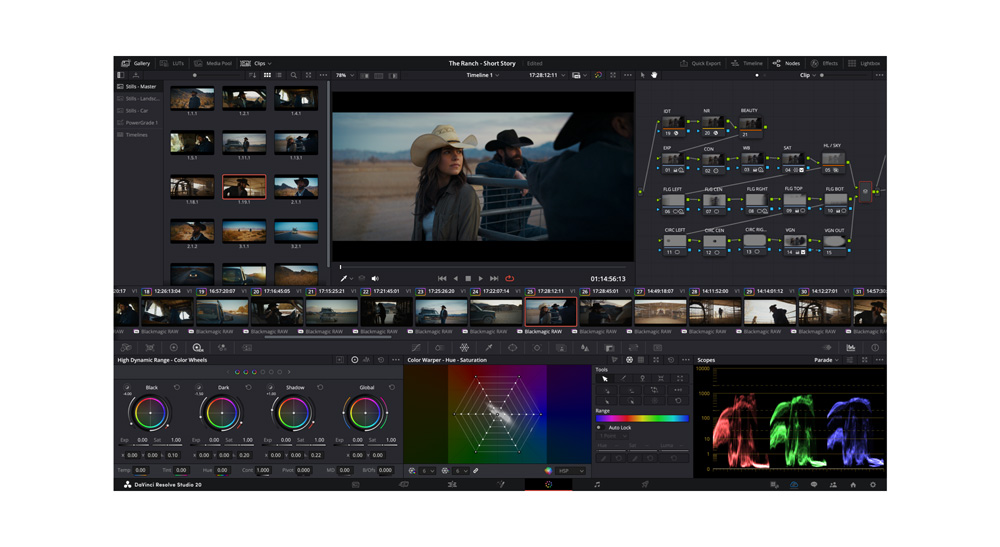
🎨 HOLLYWOOD-LEVEL COLOR GRADING
Create stunning visuals with unmatched color precision.
- 🎨 Advanced HDR grading tools
- 🌈 Node-based color workflow for detailed control
- 📽️ Industry-standard scopes and LUT support
🔥 Achieve cinematic color used in blockbuster films and Netflix productions.
✨ FUSION VFX & MOTION GRAPHICS BUILT-IN
Bring your visuals to life with high-end effects.
- 💥 2D & 3D compositing environment
- 🎞️ Advanced keying, tracking, and rotoscoping tools
- 🎨 Create motion graphics and visual effects without third-party plugins
👉 Professional VFX pipeline integrated directly into your workflow.
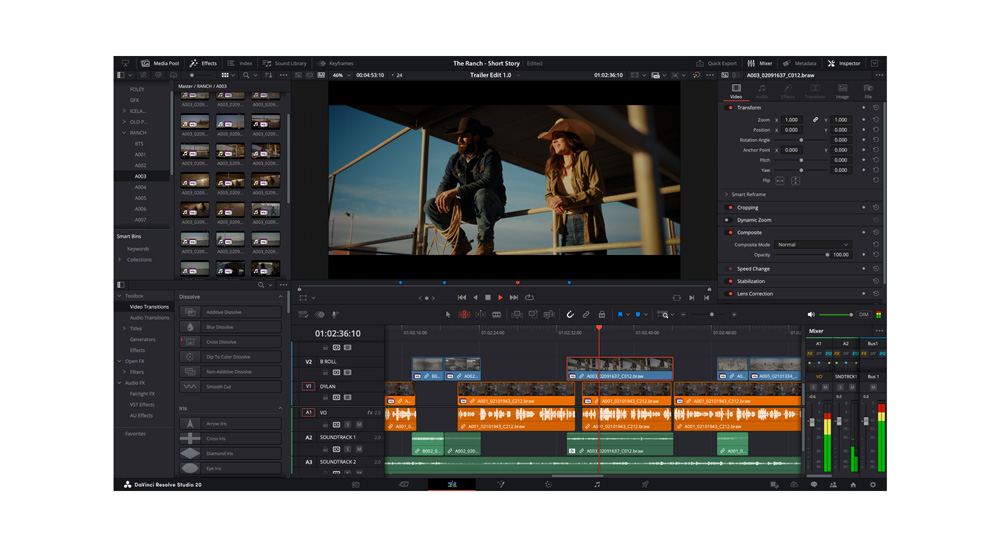
🎧 FAIRLIGHT – PROFESSIONAL AUDIO POST-PRODUCTION
Designed for producers and composers who demand pro-level sound.
- 🎚️ Full digital audio workstation (DAW) inside Resolve
- 🎼 Multi-track recording, editing, and mixing
- 🔊 Advanced EQ, dynamics, and spatial audio tools
💡 Perfect for scoring, dialogue editing, and final audio mastering.
⚡ AI-POWERED TOOLS FOR FASTER WORKFLOW
Work smarter with cutting-edge artificial intelligence.
- 🤖 Automatic object tracking & scene detection
- 🎙️ Voice isolation and dialogue enhancement
- 🧠 Smart reframing and facial recognition tools
🎯 Save time while maintaining professional-quality results.
🔗 SEAMLESS WORKFLOW & COLLABORATION
Built for modern production pipelines.
- 🌐 Multi-user collaboration for team projects
- 📂 Unified workflow across editing, color, VFX, and audio
- ⚡ Optimized performance for high-resolution media (4K, 8K)
👉 No need to switch between multiple software tools.
🆕 WHAT’S NEW IN DAVINCI RESOLVE STUDIO 20
- ⚡ Enhanced AI tools for faster editing and audio processing
- 🎨 Improved color grading workflows and HDR tools
- 🎧 Upgraded Fairlight audio engine
- 🎞️ Better performance and optimized rendering speeds
Compatibility checklist
- Windows 10, 11 (64-Bit Only)
- Full Version
- VST 3 Only
- Formats: VST3
Requirements vary by supplied version. Confirm your setup with support before purchasing.
Delivery & activation
- Complete your purchaseReview compatibility and purchase details.
- Download your filesAccess available downloads through your order and account.
- Follow the included setup guideContact GetPlugins if you need installation help.
Activation, where included, is provided by GetPlugins. Publisher-account registration, transferable publisher keys and a publisher-issued licence are not included. Read the activation policy.
Frequently asked questions
How do I receive my download?
After payment, access available files from your order details and GetPlugins account. Contact support if a download is missing.
What activation is included?
Follow the activation instructions supplied with your download. Activation is provided by GetPlugins. Confirm device allowances and reinstall arrangements before ordering.
Will this work with my computer and DAW?
Check the compatibility information for this listing and ask us to confirm the exact supplied build. Libraries may require a compatible sampler or additional software.
What if I need installation help?
Email support@getplugins.io with your order number, operating system, DAW and any error message.
Which updates are included?
Activation and updates are separate. Confirm the available version and update arrangements before ordering; do not assume access to future publisher releases.
How do I request a refund?
Contact support with your order number and issue details. Read our Refund Policy for eligibility and the request process.
Reviews
There are no reviews yet.