SnappySnap – AI-Powered Audio Plugin with MCP Integration | Smart Sound Design & Preset Control
Step into the future of music production with SnappySnap, the world’s first audio plugin featuring Model Context Protocol (MCP) integration. This revolutionary tool allows AI assistants like ChatGPT and Claude to control, automate, and shape your sound in real time—transforming the way you create music.
AI-Driven Sound Design
- Conversational Control: Simply describe what you want—“make it darker” or “add a slow attack”—and let AI handle the adjustments
- Intelligent Automation: AI can browse presets, tweak parameters, and manage snapshots for you
- Universal Compatibility: Works seamlessly with MCP-compatible AI tools
- Creative Workflow: Focus on ideas while AI handles technical fine-tuning
Advanced Preset & Snapshot System
- Meta Presets: Store plugin state, snapshots, macros & morph settings in one file
- Auto Plugin Loading: Automatically loads the correct plugin when opening presets
- Preset Banks: 16 banks with up to 128 presets each
- Universal Preset Manager: Modernize and organize any VST3 plugin workflow
Snapshot & Morph Engine
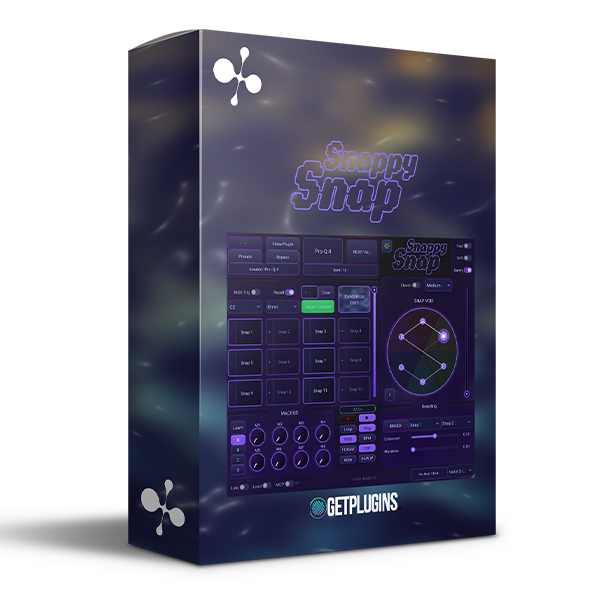
- 12 Snapshot Slots arranged in a circular “clock” layout
- 1D Morph Knob: Smoothly blend between snapshots
- 2D XY Pad: Dynamic interpolation based on cursor position
- Bounce Mode: Physics-based motion for creative effects
- Drift Mode: Organic movement using Perlin noise
Creative Randomization & Crossbreeding
- Relative Drift: Controlled parameter randomization
- Strength Control: From subtle variation to full chaos
- Crossover Engine: Blend two presets to create entirely new sounds
- Mutation Control: Add randomness for unique sonic results
MIDI & Performance Integration
- Trigger snapshots via MIDI notes
- Use Program Change & CC controls for preset navigation
- Assign modulation wheel and controllers for real-time performance
- Seamless integration for live and studio environments
Why Choose SnappySnap?
- First plugin with real-time AI control
- Eliminates complex menu navigation
- Enhances creativity with intelligent assistance
- Works with any plugin as a universal controller
- Perfect for both beginners and advanced producers
Perfect For
- Music producers & beat makers
- Sound designers & experimental artists
- Live performers & electronic musicians
- Anyone looking to integrate AI into music production
SnappySnap isn’t just a plugin—it’s your AI-powered creative partner, redefining how music is made.









Reviews
There are no reviews yet.