Venomode – DeeQ
Dynamic EQ Plugin for Intelligent Frequency Control
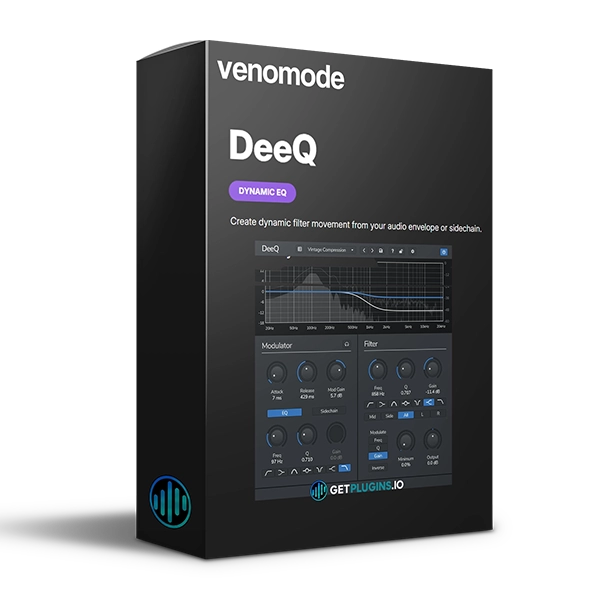
Venomode DeeQ is a flexible single-band dynamic equalizer plugin designed to automatically adjust frequency, gain, and Q based on the incoming audio envelope or an external sidechain signal.
Unlike a traditional static EQ, DeeQ responds dynamically to the audio, allowing you to control problematic frequencies only when they appear. Its detector can also be filtered so the EQ responds specifically to selected frequency ranges.
With sidechain detection and Mid/Side processing, DeeQ provides powerful options for mixing, frequency management, stereo shaping, and creative sound design.
Explore our EQ and mixing plugins for more professional audio-processing tools.
Advanced Dynamic EQ
DeeQ provides dynamic control over three important equalizer parameters:
The processing can respond to the incoming audio envelope or an external sidechain, making it possible to create EQ movements that follow the dynamics of your track.
This makes DeeQ useful for controlling frequencies that become problematic only at certain moments.
Flexible Frequency Detection
The built-in detector can be processed through a pre-filter, allowing DeeQ to focus its response on specific frequency areas.
This gives you greater control over when and why the dynamic EQ responds.
Use it to:
- Control resonances
- Reduce harsh frequencies
- Manage low-end buildup
- Control vocal frequencies
- Shape drum transients
- Create dynamic tonal changes
Sidechain Detection
With external sidechain detection, one audio signal can control the EQ processing of another.
For example, you can use a vocal to dynamically reduce competing midrange frequencies or use a kick or drum hit to control low-frequency content.
This makes DeeQ useful for creating space between instruments without relying on constant static EQ cuts.
Mid/Side Processing
DeeQ includes Mid/Side processing, providing independent possibilities for managing the center and sides of a stereo signal.
Use it to:
- Keep bass frequencies centered
- Control stereo width dynamically
- Expand high frequencies
- Create space around vocals
- Shape stereo instruments
- Improve mix clarity
For additional mixing and mastering plugins, explore our audio production collection.
Creative Dynamic Processing
DeeQ can be used for both corrective mixing and creative sound shaping.
Its dynamic response allows EQ changes to happen naturally with the performance rather than applying the same processing continuously.
This makes it suitable for vocals, drums, bass, guitars, synths, buses, and complete mixes.
Key Features
- Single-band dynamic EQ
- Automatic EQ parameter adjustment
- Dynamic frequency control
- Dynamic gain control
- Dynamic Q control
- Internal envelope detection
- External sidechain detection
- Detector pre-filter
- Mid/Side processing
- Dynamic stereo shaping
- Frequency-specific processing
- Useful for mixing and sound design
Perfect For
- Music Producers
- Mixing Engineers
- Mastering Engineers
- Vocal Producers
- EDM Producers
- Electronic Music Producers
- Beat Makers
- Sound Designers
- Recording Engineers
- Home Studio Producers
Why Choose Venomode DeeQ?
Venomode DeeQ combines dynamic equalization, sidechain detection, detector filtering, and Mid/Side processing in a focused single-band design. Instead of applying fixed EQ cuts, you can make frequency processing respond directly to the dynamics of your music.
Whether you're controlling vocal harshness, managing drum frequencies, creating space between instruments, or dynamically shaping stereo content, DeeQ provides a flexible approach to modern EQ processing.
Explore more audio mixing plugins and dynamic processing tools for your production workflow.
For official product information, visit the Venomode website







Reviews
There are no reviews yet.