🥷 The Him DSP – Kick Ninja (Windows): The Ultimate Kick Drum Designer 🥁⚡
🚀 Want perfect kicks that punch, thump, and cut through any mix? Step into the dojo with Kick Ninja – the revolutionary kick drum synth and sampler from The Him DSP that gives you full creative control over your low-end weaponry. Whether you're sculpting cinematic thuds, electronic punch, or hip-hop boom, Kick Ninja is your secret weapon for creating and recreating any kick imaginable. 🎚️🎶
Powered by AI-enhanced technology, Kick Ninja lets you drag-and-drop any kick sample and instantly recreate it with precision-matched pitch and amplitude curves. With up to 28 envelopes, 3 customizable sample layers, and phase-locked tails, you can dial in everything from the initial transient to the final tail with microscopic control. 💥🔍
🌟 Key Features of Kick Ninja
🤖 AI Import Magic – Drop in any kick sample and let the intelligent algorithm analyze and rebuild the pitch and amp curves. Recreate your favorite kicks in seconds! 🧠💻
🎯 Pitch & Amp Envelopes Galore – Sculpt your sound with 28 editable, automatable envelopes. Add tension curves and skew time for maximum envelope precision. 📈🕹️
🎵 Pitch Snapping & MIDI Tracking – Tune your kicks perfectly to your track with pitch snapping, or control the pitch dynamically via MIDI. 🔄🎼
🎚️ Multi-Layered Sound Design – Use 3 sample layers to blend attacks, textures, noise, or tonal elements. Add punch, presence, or character with full filter and envelope control. 🧩🎧
🔒 Phase Locking & Tail Control – Lock in any point of your pitch curve so your tail stays phase-perfect while you tweak the front. Your kicks have never sounded this clean. 🔐💨
🔥 Built-in FX Powerhouse – Two fully oversampled FX sections featuring 9 distortion types, compressor, and automatable filters for extra sonic sculpting. 🎛️🚀
💾 Export-Ready Samples – Design your kick, then drag & export it as a WAV for use in any DAW or sampler. Perfect for sound designers and producers alike. 📦🎶🖥️ Fast Workflow Features
✔️ 70 Ready-to-use presets
✔️ Sample-accurate automation
✔️ Copy/paste & undo/redo functions
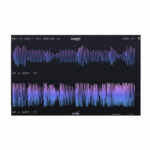
✔️ Visual feedback with zoom & section rulers
✔️ Simplified envelopes in just two clicks
💼 Perfect For:
✔️ EDM, Hip-Hop, Trap, Pop, and Film Music
✔️ Custom Kick Design & Sample Recreation
✔️ Sound Design for Trailers and Games
✔️ Low-End Mixing & Precision Layering










Reviews
There are no reviews yet.