
Discover Zynaptiq – Unchirp (Windows)
Zynaptiq UNCHIRP for Windows is the ultimate audio restoration plugin designed to remove unwanted digital artifacts like chirping, warbling, transient smearing, and high-frequency loss — all caused by lossy compression, over-processing, or low-quality recordings. Whether you're working with podcasts, music, film, or game audio, UNCHIRP delivers surgical precision and studio-grade results. 🎶🔧
Explore product features & full description
🐦 Zynaptiq – UNCHIRP (Windows) 🎧
Eliminate Audio Artifacts. Enhance Clarity. Revive Your Mix. 🎚️💥
Zynaptiq UNCHIRP for Windows is the ultimate audio restoration plugin designed to remove unwanted digital artifacts like chirping, warbling, transient smearing, and high-frequency loss — all caused by lossy compression, over-processing, or low-quality recordings. Whether you're working with podcasts, music, film, or game audio, UNCHIRP delivers surgical precision and studio-grade results. 🎶🔧

🔍 Key Features That Make UNCHIRP a Must-Have:
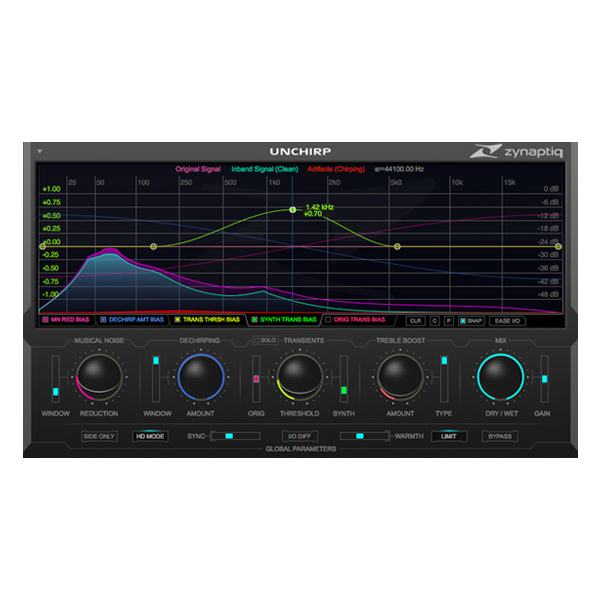
🐤 De-Chirping Engine – Eliminate harsh "tweeties" and high-frequency distortion
🎵 Musical Noise Reduction – Smooth out FFT-induced warbling without muffling detail
⚡ Transient Synthesis – Rebuild flattened transients for punchy, dynamic audio
🌈 Psychoacoustic Treble Boost – Recover brilliance with Enhancer & Exciter modes
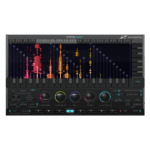
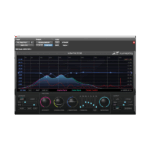
📊 Breakpoint Curve Editors – Dial in frequency-dependent precision like a pro
🎚️ Side-Only Mode – Perfect for stereo or joint-stereo encoded material
🧠 SYNC Mode – Align processing to audio transients for sharper clarity
🚦 Output Limiter – Safe, unattended batch processing with no overs
💾 Preset Manager – Save, export, and apply settings across projects
🌀 HD Processing Mode – Crank up the quality for critical mastering sessions
🎯 Who Is It For?
🎙️ Voice Artists & Podcasters – Clean up mobile or compressed dialogue instantly
🎬 Film & TV Editors – Fix archival audio and low-bitrate recordings with ease
🎧 Music Producers – Add air and polish to over-processed stems and samples
🎮 Sound Designers – Restore character to compressed SFX and atmospheres
🛠️ Audio Engineers – The secret sauce in professional post-production workflows
🧠 Built with Audio Science & AI Power
Powered by Zynaptiq’s advanced DSP and perceptual modeling, UNCHIRP thinks like your ears. It intelligently identifies distortions that traditional EQs and plugins miss — and removes them without touching what makes your audio shine. 🔍🎛️
✨ Not Just Restoration — It’s Enhancement
UNCHIRP isn’t just for fixing bad audio. Use the Exciter and Enhancer modes to add sheen, sparkle, and dimension to already great-sounding mixes. It's your go-to plugin for treble sweetening and transient clarity. 💫🎤
✅ Why Professionals Trust UNCHIRP:
🔧 Remove chirps, warbles & FFT artifacts
🎵 Restore highs, shape transients & preserve tone
🚀 Batch process large files with confidence
🎛️ Deep control with intuitive interface
🌍 Used by top audio pros in film, music & broadcast
Compatibility checklist
- Windows 10,11 (64-bit Only)
- VST,VST3
- Formats: VST3 · VST
Requirements vary by supplied version. Confirm your setup with support before purchasing.
Delivery & activation
- Complete your purchaseReview compatibility and purchase details.
- Download your filesAccess available downloads through your order and account.
- Follow the included setup guideContact GetPlugins if you need installation help.
Activation, where included, is provided by GetPlugins. Publisher-account registration, transferable publisher keys and a publisher-issued licence are not included. Read the activation policy.
Frequently asked questions
How do I receive my download?
After payment, access available files from your order details and GetPlugins account. Contact support if a download is missing.
What activation is included?
Follow the activation instructions supplied with your download. Activation is provided by GetPlugins. Confirm device allowances and reinstall arrangements before ordering.
Will this work with my computer and DAW?
Check the compatibility information for this listing and ask us to confirm the exact supplied build. Libraries may require a compatible sampler or additional software.
What if I need installation help?
Email support@getplugins.io with your order number, operating system, DAW and any error message.
Which updates are included?
Activation and updates are separate. Confirm the available version and update arrangements before ordering; do not assume access to future publisher releases.
How do I request a refund?
Contact support with your order number and issue details. Read our Refund Policy for eligibility and the request process.









Reviews
There are no reviews yet.