Xfer Records – Nerve (Windows)

Nerve runs as a VSTi or AudioUnit plugin. Nerve was designed and coded by veteran dance music producers,…
Formats: AAX · VST

£30.00

Discover Xfer Records – Nerve (Windows)

Nerve runs as a VSTi or AudioUnit plugin. Nerve was designed and coded by veteran dance music producers, with a diverse sample library included from many of today's top sound designers. Create your own beats entirely from scratch using sounds you already have (AIF/WAV/REX/RX2/AKAI .SND), or utilize the factory-included Drum Kits, Presets, Patterns, and Sounds.

Explore product features & full description

Nerve

Powerful beat manipulation and creation

Plugin Power

Nerve runs as a VSTi or AudioUnit plugin. Nerve was designed and coded by veteran dance music producers, with a diverse sample library included from many of today's top sound designers. Create your own beats entirely from scratch using sounds you already have (AIF/WAV/REX/RX2/AKAI .SND), or utilize the factory-included Drum Kits, Presets, Patterns, and Sounds.

Powerful Internal Step Sequencer

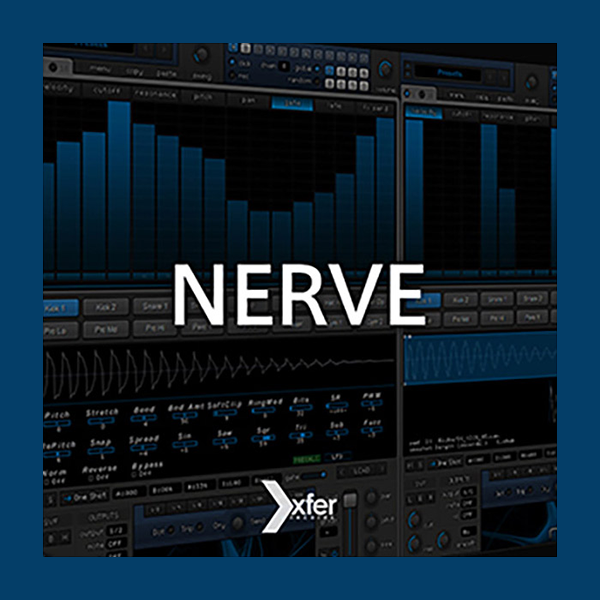
Nerve has an ergonomic mouse-driven Step Sequencer which allows you to program beats visually or by clicking rhythmically, with minimal mousing.

Compact, hassle-free interface

Everything you frequently want to control is instantly accessible in Nerve - no fumbling and excessive paging around to get things sounding how you want, in a window that won't consume your entire screen real estate.

Thousands of Original Sounds Included

Nerve contains a large, comprehensive 2-gigabyte library containing full presets, drumkits, patterns, one-shots, and loops made by a variety of world-class sound designers, including SampleMagic, PowerFX, Richard Devine, Dom Kane, SampleSquad, Bitword, Noise Inc., and many others, catering to a wide variety of musical genres.

Sculpt your own original sounds

You can drag-and-drop sound files you already have on your hard disk (WAV/AIF/REX/RX2/AKAI SND format) and audition different samples instantly using navigation buttons. Random sample selection from the current folder (for one or all pads) is possible with hotkeys, for the exploration of new sound combinations effortlessly. On-board editing with 22 simultaneous pre-calculated DSP types allows you to slice/trim, sculpt, stretch, bend, and re-synthesize sounds into completely new sounds, with no play-time CPU expense.

Slice and Re-arrange loops

Nerve allows for a single pad to contain up to 16 slices of a loop, with adjustable slice points, which will automatically get read from REX/RX2 files. For traditional WAV/AIF loops, three different user-selectable time-stretching options are available (slice+fill, granular stretch, resample) to get your loop to match your host sequencer BPM.


Compatibility checklist

  • Windows 10,11 (32, 64 Bit Supported)
  • VST, AAX
  • Formats: AAX · VST

Requirements vary by supplied version. Confirm your setup with support before purchasing.

Delivery & activation

  1. Complete your purchaseReview compatibility and purchase details.
  2. Download your filesAccess available downloads through your order and account.
  3. Follow the included setup guideContact GetPlugins if you need installation help.

Activation, where included, is provided by GetPlugins. Publisher-account registration, transferable publisher keys and a publisher-issued licence are not included. Read the activation policy.

Frequently asked questions

How do I receive my download?

After payment, access available files from your order details and GetPlugins account. Contact support if a download is missing.

What activation is included?

Follow the activation instructions supplied with your download. Activation is provided by GetPlugins. Confirm device allowances and reinstall arrangements before ordering.

Will this work with my computer and DAW?

Check the compatibility information for this listing and ask us to confirm the exact supplied build. Libraries may require a compatible sampler or additional software.

What if I need installation help?

Email support@getplugins.io with your order number, operating system, DAW and any error message.

Which updates are included?

Activation and updates are separate. Confirm the available version and update arrangements before ordering; do not assume access to future publisher releases.

How do I request a refund?

Contact support with your order number and issue details. Read our Refund Policy for eligibility and the request process.

Customer Reviews

Reviews

There are no reviews yet.

Be the first to review “Xfer Records – Nerve (Windows)”

Your email address will not be published. Required fields are marked *