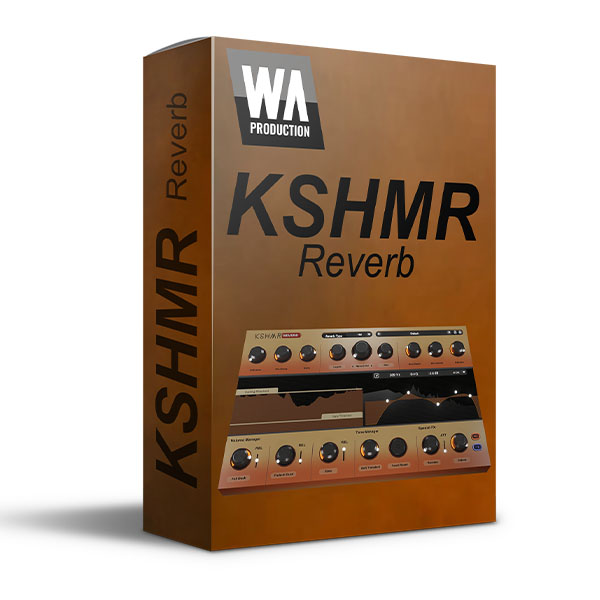
Presenting a stunning next-level reverb plugin from KSHMR & WA Production. This exclusive artist collaboration is a modern and totally transformative unit with tons of possibilities to shape and sculpt the perfect reverb sound. KSHMR Reverb features state-of-the-art algorithms, a user-friendly interface, and unique ducking, gating, and special FX. This plugin is the perfect addition to any producer's toolkit, sporting a wide range of customizable settings and loads of high-quality reverb presets. KSHMR knows what sounds great and keeps things simple with intuitive controls that outputs professional-grade audio with just a few clicks. Achieving a stadium-ready, yet totally controlled reverb sound has never been so easy!
About KSHMR
KSHMR is a world-renowned DJ and producer who has taken the electronic music scene by storm. Originally from Berkeley, California, he began his career as a member of the group The Cataracs, producing hit after hit, before launching his solo career in 2014. KSHMR quickly became one of the most sought-after names in electronic music. His unique blend of EDM and world music influences has earned him devoted following and numerous accolades, including several DJ awards. From chart-topping tracks to the worldwide festival circuit, to launching his own record label, KSHMR knows the dance music industry inside out. More recently he has released plugins for fellow producers to sculpt their sound with his signature processing chains.
Unique Controls
In addition to the “standard” reverb controls that you know and love, KSMR Reverb hosts several panels of special features; Volume Manager, Tone Manager and Special FX. These functions help to shape your reverb tail in unique ways. This enables your original signal to hit hard, then have the reverb surgically shaped to give a controlled feel of silky ambience (or far more powerful effects if you prefer).
Volume Manager
With ducking, fade-in and gating controls, the Volume Manager is the easiest way to sculpt the tail of your reverb. Set a Ducking Threshold level and the reverb signal will be lowered every time the original signal volume exceeds the threshold. Then set fade-in time for a smooth tail fade. The Gate control silences your reverb completely when it falls below the level of the Gate Threshold, taming pesky tails that run rampant over your audio.
Tone Manager
Audio with frequent chord changes and long reverb tails can be challenging to work with. Tone Manager assists by eliminating harsh attacks from the reverb signal, enhancing its tonality. Tonal Reset is another invaluable tool, restarting the reverb every time a new transient is detected; making chords that bleed into one another a thing of the past.
Special FX
Reverse mode continually ramps up the volume of the reverb tail until a new transient is detected. You can also dial in an additional harmony Octave to thicken the timbre. This processing sounds awesome on synths and vocals.
Beyond Regular Reverb
You know how the standard controls of a reverb work, right? KSHMR Reverb includes all the controls you’re already familiar with (and much more too). Set the size and presence with parameters for Diffusion, Width, Length and Size. Modulation controls bring a whole new character to the signal, introducing subtle changes to the processing. DeEsser is a useful control; a dial for removing unwanted fizz from the reverb tail.
Six-node EQ
With 6 fully-customizable nodes, and 5 shapes, you can easily fine-tune the frequencies of your reverb tail to achieve the desired sound. Whether you want a smooth and natural decay or a more upfront pronounced feel, it’s easy to tailor-make reverb tails to suit every application.
Visual Feedback
KSHMR Reverb is built on vector graphics with a resizable interface. The live visuals of the Threshold and EQ displays show exactly what’s happening to the signal as it travels through the plugin stages in real time. This allows for accurate monitoring, EQ and Threshold settings at every step of the chain.
Presets
With many included presets, it’s easy to find an ideal starting point for your reverb exploits. Named and categorised, these presets can be applied to all kinds of different audio and include every kind of reverb. from subtle shaping to ethereal spaces, and hard-gated slapbacks.
W. A. Production are real-life producers making creative plugins to help you achieve studio quality processing quickly and easily. Enjoy!
KEY FEATURES:
- Artist curated plugin from KSHMR
- Creative reverb with special FX
- Auto-ducking & auto-gating for taming reverb tails
- Inspiring tonal, reverse & octave settings
- Standard parameters for everyday use
- Resizable interface
- Responsive & CPU friendly
- Categorized factory presets
- Full PDF Manual & Tutorial video










Reviews
There are no reviews yet.