

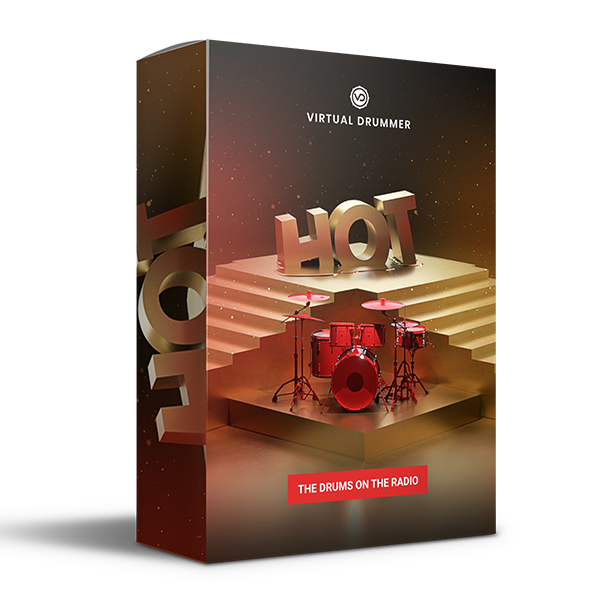
Discover UJAM – Virtual Drummer HOT (Windows)
When it comes to popular music, the standards are quite high. World-class recording engineers track the most talented drummers in the shiniest of studios. Yet today’s top charts all have two things in common: infectious drum grooves and punchy drums, processed to perfection.
Explore product features & full description
The Drums on the Radio
Fire drums for famous hits

Straight up gold
When it comes to popular music, the standards are quite high. World-class recording engineers track the most talented drummers in the shiniest of studios. Yet today’s top charts all have two things in common: infectious drum grooves and punchy drums, processed to perfection.
Platinum Potential
The majority of today’s charting tracks use electronic drum samples or highly processed combinations of sample layers. However, these samples must undergo extensive engineering to sit properly in a radio-ready mix, as they are often stale, lifeless, and difficult to manipulate.
Virtual Drummer HOT provides real drum performances with punchy drum machine-like processing to replace your sample library with more lively and energizing drum grooves.
Get with it
Virtual Drummer HOT is your one-stop shop to professional, radio-ready drums – regardless of genre! These drums really pop... Hear ‘em in action:
Compatibility checklist
- Windows 10,11 (64Bit Only)
- VST, VST3
- Formats: VST3 · VST
Requirements vary by supplied version. Confirm your setup with support before purchasing.
Delivery & activation
- Complete your purchaseReview compatibility and purchase details.
- Download your filesAccess available downloads through your order and account.
- Follow the included setup guideContact GetPlugins if you need installation help.
Activation, where included, is provided by GetPlugins. Publisher-account registration, transferable publisher keys and a publisher-issued licence are not included. Read the activation policy.
Frequently asked questions
How do I receive my download?
After payment, access available files from your order details and GetPlugins account. Contact support if a download is missing.
What activation is included?
Follow the activation instructions supplied with your download. Activation is provided by GetPlugins. Confirm device allowances and reinstall arrangements before ordering.
Will this work with my computer and DAW?
Check the compatibility information for this listing and ask us to confirm the exact supplied build. Libraries may require a compatible sampler or additional software.
What if I need installation help?
Email support@getplugins.io with your order number, operating system, DAW and any error message.
Which updates are included?
Activation and updates are separate. Confirm the available version and update arrangements before ordering; do not assume access to future publisher releases.
How do I request a refund?
Contact support with your order number and issue details. Read our Refund Policy for eligibility and the request process.

Reviews
There are no reviews yet.