SubMission Audio – Flatline (Windows)
£10.00
Discover SubMission Audio – Flatline (Windows)
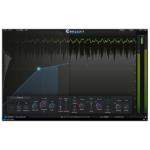
Flatline is a complete audio mastering plugin: Featuring clipping, limiting, and the acclaimed 'Hybrid' intelligent maximizer algorithm.
Multi-Mode Audio Mastering Maximizer: Clip, Limit & Hybrid.
Clipping: Variable soft saturation for the classic 2000s 'radio' mastering sound.
Limiting: Brickwall limiter with adjustable release for 90s-style transient control.
Explore product features & full description
Description
Flatline is a complete audio mastering plugin: Featuring clipping, limiting, and the acclaimed 'Hybrid' intelligent maximizer algorithm.
Hybrid unifies the best aspects of clipping and limiting into an intelligent package that can master music to unbelievable volumes, all while keeping the mix perfectly intact. It must be heard to be believed.
Whether music, post-production, broadcast, or live sound - you can now Master Everything.
Features
- Multi-Mode Audio Mastering Maximizer: Clip, Limit & Hybrid.
- Clipping: Variable soft saturation for the classic 2000s 'radio' mastering sound.
- Limiting: Brickwall limiter with adjustable release for 90s-style transient control.
- Hybrid: The punch of clipping with the distortion resistance of limiting, in an elegant, intelligent solution. Features envelope control, tailored charge times, multi-stage release, lookahead, and channel linking for both transient and sustain portions of the signal.
- Metering: Comprehensive LUFS (Integrated, Short-Term, Momentary, Range) with targets for major platforms like Spotify, Apple Music, YouTube, and more.
- Extras: Oversampling to 64x, DC Offset Filter, Multi-bitrate Dither, Delta Monitoring.
- Preset collection from top producers and mastering engineers.

Compatibility checklist
- Windows 10,11 (64Bit Only)
- Full Version
- VST3, AAX
- Formats: VST3 · AAX
Requirements vary by supplied version. Confirm your setup with support before purchasing.
Delivery & activation
- Complete your purchaseReview compatibility and purchase details.
- Download your filesAccess available downloads through your order and account.
- Follow the included setup guideContact GetPlugins if you need installation help.
Activation, where included, is provided by GetPlugins. Publisher-account registration, transferable publisher keys and a publisher-issued licence are not included. Read the activation policy.
Frequently asked questions
How do I receive my download?
After payment, access available files from your order details and GetPlugins account. Contact support if a download is missing.
What activation is included?
Follow the activation instructions supplied with your download. Activation is provided by GetPlugins. Confirm device allowances and reinstall arrangements before ordering.
Will this work with my computer and DAW?
Check the compatibility information for this listing and ask us to confirm the exact supplied build. Libraries may require a compatible sampler or additional software.
What if I need installation help?
Email support@getplugins.io with your order number, operating system, DAW and any error message.
Which updates are included?
Activation and updates are separate. Confirm the available version and update arrangements before ordering; do not assume access to future publisher releases.
How do I request a refund?
Contact support with your order number and issue details. Read our Refund Policy for eligibility and the request process.

Reviews
There are no reviews yet.