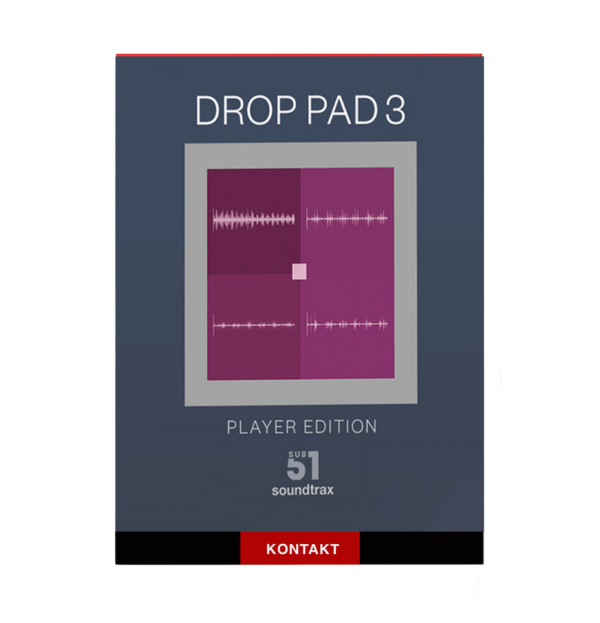
🎹 Sub51 & Soundtrax – Drop Pad 3 | Advanced Sample-Based Instrument
Push your sound design beyond boundaries with Drop Pad 3, the next-generation sample-based virtual instrument from Sub51 & Soundtrax, built for producers, composers, and modern electronic music creators who demand speed, depth, and total creative freedom. 🎶✨
🚀 The Evolution of Creative Sound Design
Drop Pad 3 represents the ultimate evolution of the Drop Pad concept—retaining its intuitive drag-and-drop workflow while introducing powerful new features that make complex sound design effortless.
Blend up to four custom sound sources at once and sculpt cinematic textures, electronic pads, rhythmic beds, and experimental soundscapes with ease.
🎛️ Full NKS Integration – Total Hardware Control
Enjoy full NKS support, delivering:
-
Instant compatibility with supported Native Instruments hardware
-
Pre-mapped controls for expressive performance
-
Seamless hands-on workflow without manual setup
Create faster and stay focused on the music. 🎚️🔥
🖥️ Clean, Intuitive Interface
Navigate your sound effortlessly through a streamlined layout:
-
Main
-
Edit
-
Mod
-
FX
-
Preset Browser
Everything is designed for clarity, speed, and creative flow—no distractions, no menu diving.
🌈 Morph Controls – Living, Evolving Sounds
Shape movement and evolution with auto or manual morphing between layers.
Perfect for:
Your sounds never stay static. ✨
📥 Drag & Drop Sampling Made Effortless
Import your own samples instantly with:
From field recordings to synth hits, everything becomes an instrument in seconds.
🎲 Sample Randomizer – Instant Inspiration
Stuck for ideas?
The Sample Randomizer generates fresh, creative combinations at the click of a button—perfect for discovering unexpected textures and happy accidents. 🌟
🔄 Advanced LFO & Modulation Engine
Take control of motion with powerful Warp LFOs:
Ideal for modern electronic and cinematic sound design.
🎚️ Modular Effects for Total Sonic Control
Drop Pad 3 features an expansive modular FX section, including:
Shape, polish, and transform your sounds without external plugins. 🎧🔥
🎼 Built for a Modern DAW Workflow
-
Full host automation support
-
DAW-friendly performance
-
Designed for speed, flexibility, and reliability
Perfect for fast-paced production environments.
🌟 Why Choose Drop Pad 3?
-
Blend up to four sound sources
-
Full NKS hardware integration
-
Drag-and-drop sample import
-
Morphing, randomization & deep modulation
-
Ideal for cinematic, electronic & experimental music


Reviews
There are no reviews yet.