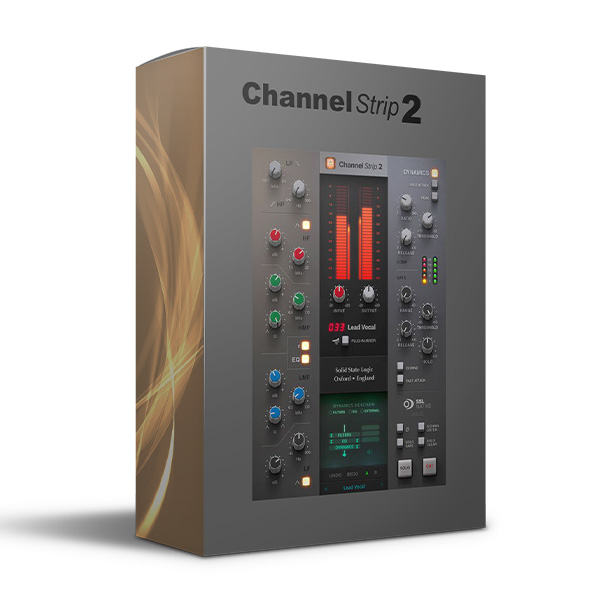
SSL Native Channel Strip 2 (Windows)
£10.00
Discover SSL Native Channel Strip 2 (Windows)
SSL 9000K console Channel Strip Processing The SSL Native Channel Strip 2 Plug-in delivers the legendary tone, features, and workflow of an SSL 9000K console channel strip, now featuring SSL's proprietary 'Anti-Cramping' technology and external Side Chain input.
SSL console channel strip features, workflow, and sound
Compatible with UC1 controller
4-band EQ, two shelving sections, and two parametric
Explore product features & full description
SSL 9000K console Channel Strip Processing
The SSL Native Channel Strip 2 Plug-in delivers the legendary tone, features, and workflow of an SSL 9000K console channel strip, now featuring SSL's proprietary 'Anti-Cramping' technology and external Side Chain input.
The EQ section is a classic 4-band design with parametric LMF & HMF and shelving LF & HF sections (LF & HF switch to Bell). The whole EQ can be switched between E & G Series characteristics and can be applied to the dynamics side chain.
The Dynamics section offers a separate Compressor and Gate/Expander. The Compressor can be switched between soft and hard knees. Both the Compressor and Gate/Expander sections feature fast/slow attack switches and independent side chains. The plug-in also features High and Low Pass Filters which can also be applied to the side chain. Perfect for smoothing, controlling, and adding presence to any source material.
KEY FEATURES:
- SSL console channel strip features, workflow, and sound
- Compatible with UC1 controller
- 4-band EQ, two shelving sections, and two parametric
- Variable low-pass and high-pass filter
- Switchable EQ characteristics between E Series and G Series
- EQ section featuring SSL's 'Anti-Cramping' technology
- “Over-Easy” soft ratio compression characteristic for smooth transitions
- Variable process order routing
- External side-chain input
- Dynamics side-chain processing with independent side chains for compressor and expander/gate

Compatibility checklist
- Confirm the supplied build, operating system and required host before ordering.
Requirements vary by supplied version. Confirm your setup with support before purchasing.
Delivery & activation
- Complete your purchaseReview compatibility and purchase details.
- Download your filesAccess available downloads through your order and account.
- Follow the included setup guideContact GetPlugins if you need installation help.
Activation, where included, is provided by GetPlugins. Publisher-account registration, transferable publisher keys and a publisher-issued licence are not included. Read the activation policy.
Frequently asked questions
How do I receive my download?
After payment, access available files from your order details and GetPlugins account. Contact support if a download is missing.
What activation is included?
Follow the activation instructions supplied with your download. Activation is provided by GetPlugins. Confirm device allowances and reinstall arrangements before ordering.
Will this work with my computer and DAW?
Check the compatibility information for this listing and ask us to confirm the exact supplied build. Libraries may require a compatible sampler or additional software.
What if I need installation help?
Email support@getplugins.io with your order number, operating system, DAW and any error message.
Which updates are included?
Activation and updates are separate. Confirm the available version and update arrangements before ordering; do not assume access to future publisher releases.
How do I request a refund?
Contact support with your order number and issue details. Read our Refund Policy for eligibility and the request process.

Reviews
There are no reviews yet.