SSL LMC+ (Windows)

The LMC+ Plug-in brings a new and significantly enhanced version of the classic SSL Listen to Mic Compressor…
Formats: confirm before ordering

£10.00

Discover SSL LMC+ (Windows)

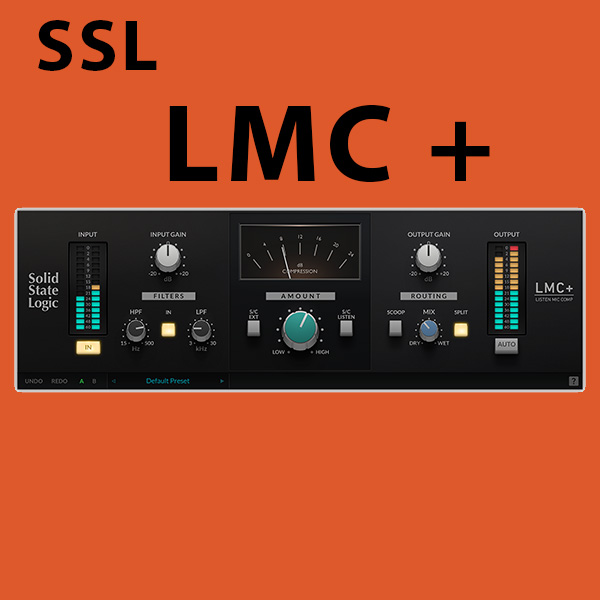
The LMC+ Plug-in brings a new and significantly enhanced version of the classic SSL Listen to Mic Compressor as originally found in the center section of the legendary SL 4000E console to your DAW, with a range of new creative tools for artists, producers, and engineers.

Apple M1 Native Support: LMC+ is a universal binary, and features M1 Native support.

Modeled on the legendary SSL 4000E  console

Fixed attack and release curves

Explore product features & full description

CLASSIC SSL LMC COMPRESSION + NEW CREATIVE TOOLS

The LMC+ Plug-in brings a new and significantly enhanced version of the classic SSL Listen to Mic Compressor as originally found in the center section of the legendary SL 4000E console to your DAW, with a range of new creative tools for artists, producers, and engineers.
Key Features 

  • Apple M1 Native Support: LMC+ is a universal binary, and features M1 Native support.
  • Modeled on the legendary SSL 4000E  console
  • Fixed attack and release curves
  • External sidechain
  • SSL high and low pass filters
  • Simple to use, just dial in the AMOUNT
  • 'SCOOP' phase inverts the wet signal
  • 'SPLIT': engages bandpass subtraction mode
  • Combine 'SCOOP' and 'SPLIT' for creative variations
  • Subtle changes to destroying and deconstructing the signal
  • Smash EVERYTHING (back to the '80s)

Compatibility checklist

  • Confirm the supplied build, operating system and required host before ordering.

Requirements vary by supplied version. Confirm your setup with support before purchasing.

Delivery & activation

  1. Complete your purchaseReview compatibility and purchase details.
  2. Download your filesAccess available downloads through your order and account.
  3. Follow the included setup guideContact GetPlugins if you need installation help.

Activation, where included, is provided by GetPlugins. Publisher-account registration, transferable publisher keys and a publisher-issued licence are not included. Read the activation policy.

Frequently asked questions

How do I receive my download?

After payment, access available files from your order details and GetPlugins account. Contact support if a download is missing.

What activation is included?

Follow the activation instructions supplied with your download. Activation is provided by GetPlugins. Confirm device allowances and reinstall arrangements before ordering.

Will this work with my computer and DAW?

Check the compatibility information for this listing and ask us to confirm the exact supplied build. Libraries may require a compatible sampler or additional software.

What if I need installation help?

Email support@getplugins.io with your order number, operating system, DAW and any error message.

Which updates are included?

Activation and updates are separate. Confirm the available version and update arrangements before ordering; do not assume access to future publisher releases.

How do I request a refund?

Contact support with your order number and issue details. Read our Refund Policy for eligibility and the request process.

Customer Reviews

Reviews

There are no reviews yet.

Be the first to review “SSL LMC+ (Windows)”

Your email address will not be published. Required fields are marked *






