

Discover Softube – Summit Audio Grand Channel (Windows)
Combining the smooth operating EQF-100 parametric passive equalizer with the mild but authoritative TLA-100A compressor, Summit Audio Grand Channel is a highly versatile channel strip that will cover a large part of your mixing needs.
Flexible and easy to use with a huge sonic range
Individual bypass for each of the two units saves CPU power
Change the order of the equalizer and compressor with a single switch
Explore product features & full description
System Requirements
- Windows 10 (older Windows versions may work but are not tested) (Windows 11 Pending) (64-bit only).
- Windows: Intel Core i3 / i5 / i7 / Xeon / AMD Quad-Core or newer.
- 8 GB RAM or more is recommended, as well as at least 8 GB hard disk space for installation (individual plug-ins take less space, while sample libraries may require additional disk space).
Combining the smooth operating EQF-100 parametric passive equalizer with the mild but authoritative TLA-100A compressor, Summit Audio Grand Channel is a highly versatile channel strip that will cover a large part of your mixing needs.
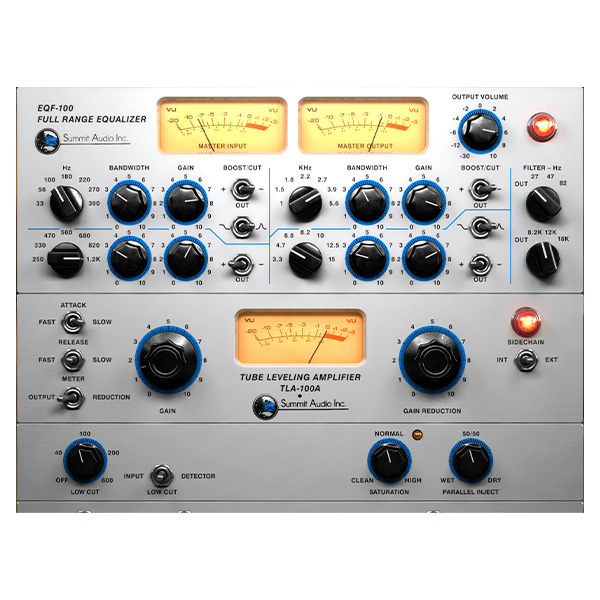
The Grand Channel combines the warm and smooth tone sculpting Summit Audio EQF-100 Full Range Equalizer with the rich-sounding and dead-easy-to-use Summit Audio TLA-100A Compressor. Having the two combined in a single plug-in makes adjustments easier, as you will often find that the compressor affects the equalizer and vice versa. By default, the sound reaches the equalizer before the compressor, but you can easily reverse the order with a single switch.
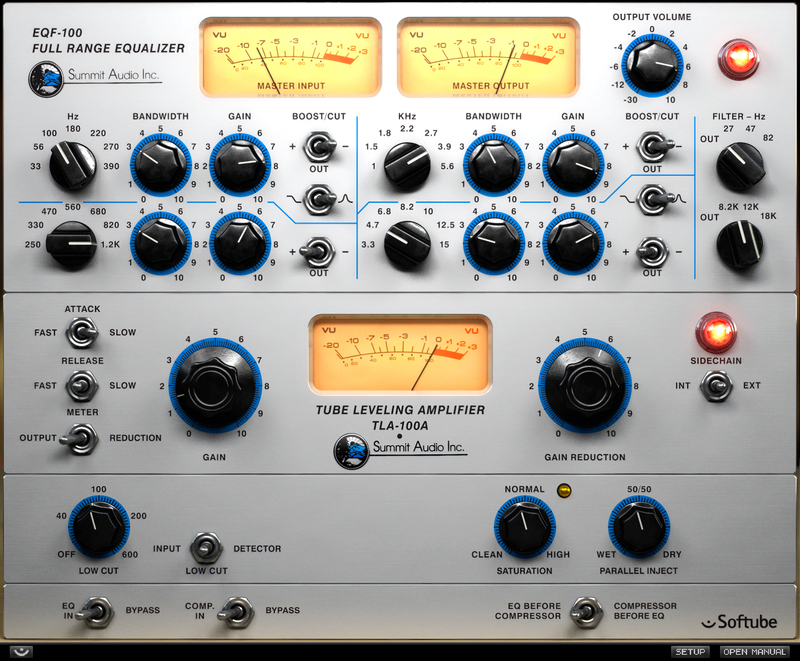
When the EQF-100 and TLA-100A were designed, Summit Audio made sure to combine the finest of what vintage tube designs had to offer with a modern sense of how these units should stand the test of time. The result was remarkable, and today you can experience the Summit Audio grandeur in digital form, just reach for the Grand Channel! As a modern addition to the classic TLA-100A, the plug-in also includes Parallel Compression, Saturation Control, and Low Cut Filtering on input or detector.
Features
- Flexible and easy to use with a huge sonic range
- Individual bypass for each of the two units saves CPU power
- Change the order of the equalizer and compressor with a single switch
- Each and every component is carefully modeled
- Extremely analog behavior of frequencies, phase, distortion, attack, release, et
Compatibility checklist
- Confirm the supplied build, operating system and required host before ordering.
Requirements vary by supplied version. Confirm your setup with support before purchasing.
Delivery & activation
- Complete your purchaseReview compatibility and purchase details.
- Download your filesAccess available downloads through your order and account.
- Follow the included setup guideContact GetPlugins if you need installation help.
Activation, where included, is provided by GetPlugins. Publisher-account registration, transferable publisher keys and a publisher-issued licence are not included. Read the activation policy.
Frequently asked questions
How do I receive my download?
After payment, access available files from your order details and GetPlugins account. Contact support if a download is missing.
What activation is included?
Follow the activation instructions supplied with your download. Activation is provided by GetPlugins. Confirm device allowances and reinstall arrangements before ordering.
Will this work with my computer and DAW?
Check the compatibility information for this listing and ask us to confirm the exact supplied build. Libraries may require a compatible sampler or additional software.
What if I need installation help?
Email support@getplugins.io with your order number, operating system, DAW and any error message.
Which updates are included?
Activation and updates are separate. Confirm the available version and update arrangements before ordering; do not assume access to future publisher releases.
How do I request a refund?
Contact support with your order number and issue details. Read our Refund Policy for eligibility and the request process.






Reviews
There are no reviews yet.