PSPaudioware PSP Xenon (Windows)
£10.00
Discover PSPaudioware PSP Xenon (Windows)
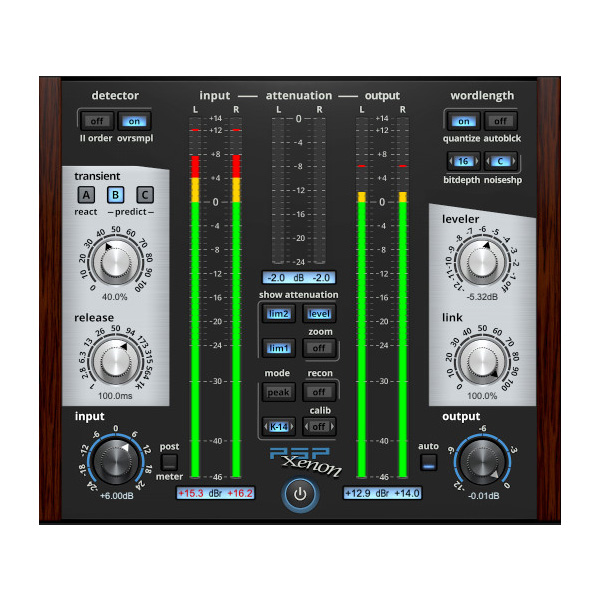
PSP Xenon is a full band, dual-stage limiter plug-in featuring an integrated leveler, advanced K-System metering, and psychoacoustically optimized word-length reduction. PSP Xenon offers pristine 64-bit precision processing throughout its entire signal path, and can operate at sample rates up to 192kHz.
64-bit VST3 compatible application
64-bit VST-compatible application
64-bit Pro Tools 11, 12 or Pro Tools HD 11, 12 or Pro Tools Ultimate
Explore product features & full description
PSP Xenon
PSP Xenon is a full band, dual-stage limiter plug-in featuring an integrated leveler, advanced K-System metering, and psychoacoustically optimized word-length reduction. PSP Xenon offers pristine 64-bit precision processing throughout its entire signal path, and can operate at sample rates up to 192kHz.
Once you experience for yourself the pristine, transparent response and intuitive design of this plug-in, we believe it will become your "go to" limiter for mastering and other critical audio applications.

PC
VST3
-
Windows 7 – Windows 11
-
64-bit VST3 compatible application
VST
-
Windows 7 – Windows 11
-
64-bit VST-compatible application
AAX
-
Windows 7 – Windows 11
-
64-bit Pro Tools 11, 12 or Pro Tools HD 11, 12 or Pro Tools Ultimate
Compatibility checklist
- Confirm the supplied build, operating system and required host before ordering.
Requirements vary by supplied version. Confirm your setup with support before purchasing.
Delivery & activation
- Complete your purchaseReview compatibility and purchase details.
- Download your filesAccess available downloads through your order and account.
- Follow the included setup guideContact GetPlugins if you need installation help.
Activation, where included, is provided by GetPlugins. Publisher-account registration, transferable publisher keys and a publisher-issued licence are not included. Read the activation policy.
Frequently asked questions
How do I receive my download?
After payment, access available files from your order details and GetPlugins account. Contact support if a download is missing.
What activation is included?
Follow the activation instructions supplied with your download. Activation is provided by GetPlugins. Confirm device allowances and reinstall arrangements before ordering.
Will this work with my computer and DAW?
Check the compatibility information for this listing and ask us to confirm the exact supplied build. Libraries may require a compatible sampler or additional software.
What if I need installation help?
Email support@getplugins.io with your order number, operating system, DAW and any error message.
Which updates are included?
Activation and updates are separate. Confirm the available version and update arrangements before ordering; do not assume access to future publisher releases.
How do I request a refund?
Contact support with your order number and issue details. Read our Refund Policy for eligibility and the request process.

Reviews
There are no reviews yet.