🎛️ PSPaudioware – PSP InfiniStrip (Windows)
Experience ultimate channel strip versatility with PSPaudioware – PSP InfiniStrip, the configurable plug-in engineered for producers, composers, and modern music creators. Designed for tracking, mixing, and mastering, InfiniStrip offers infinite processor configurations and studio-grade sound quality for every production scenario.
🔥 Infinite Processor Configurations, Limitless Creativity
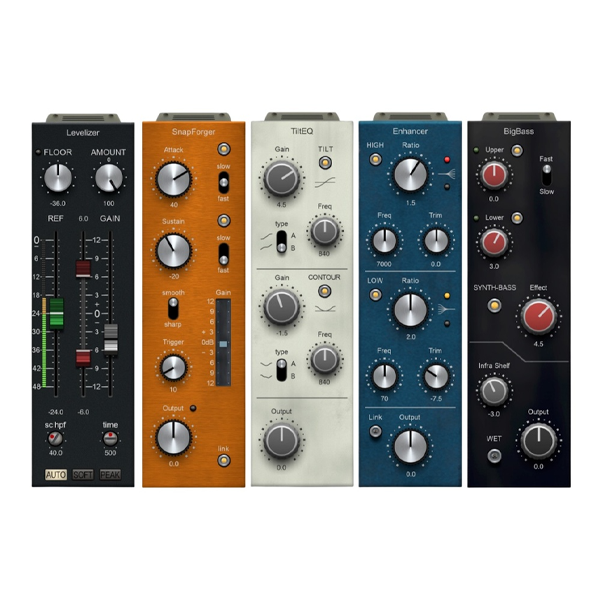
With 24 independent processors spread across 8 module types—preamps, filters, gate/expander/duckers, compressors, EQs, limiters, dynamic module control, and special modules—InfiniStrip delivers total control over your signal chain. Featuring 7 dedicated slots and 2 flexible slots, you can mix, match, and tailor processors to suit any audio situation with precision and flexibility.
Perfect for:
🎼 Music production • 🎧 Mixing & mastering • 🎹 Live sound processing
🎛️ Advanced Modules for Complete Control
From transparent preamps to dynamic shaping, EQ sculpting, and creative effects, InfiniStrip provides studio-grade modules for every step of your workflow. Its flexible architecture lets you build custom channel strips for vocals, instruments, or entire mixes with ease.
Key Features Include:
-
Zero-latency operation for real-time tracking and live performance
-
Over 150 professional presets to accelerate your workflow
-
Customizable module placement with dedicated and flexible slots
-
Precise control over dynamics, tone, and signal flow
⚙️ Seamless Integration with All Major DAWs
InfiniStrip works effortlessly with major DAWs on Windows & Mac, providing a fast, intuitive, and efficient workflow. Whether you’re tracking guitars, mixing vocals, or mastering full projects, InfiniStrip ensures consistent, professional results every time.
Ideal for:
✨ Modern music producers • 🧠 Audio engineers • 🎞️ Cinematic scoring & live performance
⚡ Professional Results, Instant Creativity
With infinitely configurable processing, studio-quality modules, and over 150 pro presets, PSP InfiniStrip empowers you to shape your sound with ultimate flexibility. From subtle enhancements to bold, creative effects, it’s a must-have tool for modern audio production.
Why Choose PSP InfiniStrip?
✔ Full-featured, configurable channel strip
✔ 24 processors across 8 versatile module types
✔ 7 dedicated + 2 flexible slots for custom signal chains
✔ Zero-latency operation for studio & live use
✔ Over 150 professional presets for instant workflow
✔ Compatible with all major DAWs on Windows & Mac
🚀 Elevate Your Audio Production
PSPaudioware – PSP InfiniStrip is more than a channel strip—it’s a professional-grade audio workstation. Craft dynamic, polished mixes, enhance every track with precision control, and unlock limitless sonic possibilities for pro-level productions.







Reviews
There are no reviews yet.