

Discover Muze Effects
You Must Purchase Kontakt Pro From Us To Install & Use This Library In Full Version Click Here
Includes sounds of space, textures & hits processed on digital effects
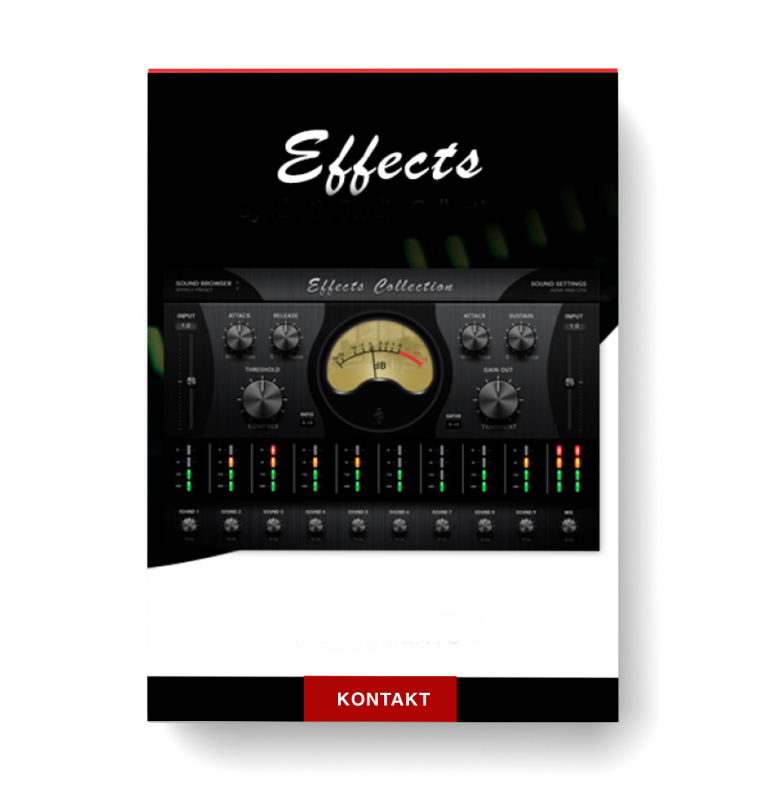
Compressor controls: attack, release threshold, ratio, input level
Transient control: attack, sustain, output gain, input level
Explore product features & full description
MUZE EFFECTS COLLECTION
AN EXTENSIVE COLLECTION OF UNIQUE EFFECTS, TEXTURES AND HITS


SOURCES
Includes 594 Textures and 586 Hits
1080 Sounds For Film & Electronic Music
9 Channels With Individual Sounds

QUALITY
24BIT / 48KHZ Quality
Over 5,32 GB Content
Recorded With Analog Gear

KONTAKT
NI Kontakt 5.6 Format And higher
With NCW Lossless Compressed Samples
Full Version Required
INTERFACE OVERVIEW
INTERFACE THAT ALLOWS YOU TO CONTROL ALL ASPECTS OF THE SOUND

MAIN INTERFACE
You have a total of 1080 source sounds
to explore, transform, combine,
and create your own.
- Includes sounds of space, textures &
hits processed on digital effects - Compressor controls: attack, release
threshold, ratio, input level - Transient control: attack, sustain,
output gain, input level

BROWSER
Sound Browser and 9 channel Mixer
for changing sound and fx settings
on each sound source.
- Volume control, pan, mute & solo
of each channel - Simple selection of sound sources
and mixing to get new ones. - Envelope and LFO settings for
each channel.

EFFECTS
Instrument Main Effects: delay, chorus
algorithmic reverb, phaser, gainer
and flanger.
- Reverb controls: predelay,
size (of the simulated room), colour,
stereo and damping - Delay controls: time, damping, pan
feedback and gain - Chorus control: depth, phase, speed
and gain - Phaser controls: depth, speed,
phase, feedback & gain - Flanger control: speed, phase,
depth, feedback, color and gain
DEMO VIDEO

Muze Effects Collection: Introducing Texture & Hits Sounds
EFFECTS COLLECTION
TEXTURES & HITS
Demo recorded by Mark Russell for Muze.
Compatibility checklist
- Confirm the supplied build, operating system and required host before ordering.
Requirements vary by supplied version. Confirm your setup with support before purchasing.
Delivery & activation
- Complete your purchaseReview compatibility and purchase details.
- Download your filesAccess available downloads through your order and account.
- Follow the included setup guideContact GetPlugins if you need installation help.
Activation, where included, is provided by GetPlugins. Publisher-account registration, transferable publisher keys and a publisher-issued licence are not included. Read the activation policy.
Frequently asked questions
How do I receive my download?
After payment, access available files from your order details and GetPlugins account. Contact support if a download is missing.
What activation is included?
Follow the activation instructions supplied with your download. Activation is provided by GetPlugins. Confirm device allowances and reinstall arrangements before ordering.
Will this work with my computer and DAW?
Check the compatibility information for this listing and ask us to confirm the exact supplied build. Libraries may require a compatible sampler or additional software.
What if I need installation help?
Email support@getplugins.io with your order number, operating system, DAW and any error message.
Which updates are included?
Activation and updates are separate. Confirm the available version and update arrangements before ordering; do not assume access to future publisher releases.
How do I request a refund?
Contact support with your order number and issue details. Read our Refund Policy for eligibility and the request process.

Reviews
There are no reviews yet.