Krotos Audio – Dehumaniser 2
Professional Monster Voice Generator & Advanced Vocal Sound Design Plugin
Krotos Audio Dehumaniser 2 is a professional vocal sound-design plugin designed to transform ordinary voices into convincing monsters, demons, aliens, robots, and other fictional characters. Built for film production, television, video games, animation, music production, and live performance, it combines advanced vocal processing with a flexible modular workflow.
With 10 specialized processing modules, over 100 factory presets, and a node-based interface, Dehumaniser 2 enables sound designers, composers, producers, and voice actors to create distinctive character voices while retaining the timing, expression, and intensity of the original performance.
Advanced Vocal Transformation & Creature Sound Design
Dehumaniser 2 transforms recorded dialogue and live microphone input into complex, otherworldly vocal effects. From deep monster growls and demonic voices to robotic speech and futuristic alien characters, its processing tools provide extensive creative control over vocal texture, pitch, resonance, and tonal character.
Process live performances or prerecorded audio to create expressive character voices for cinematic scenes, game dialogue, trailers, animations, and experimental music projects.
Modular Node-Based Processing Workflow
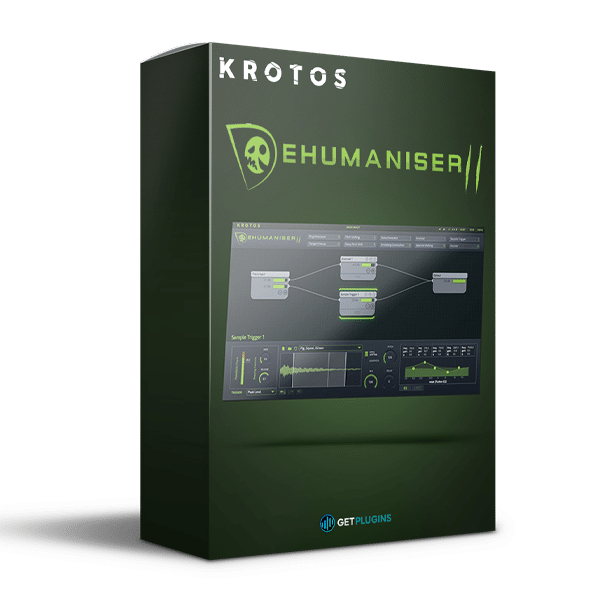
The flexible node-based interface allows you to connect processing modules in serial or parallel configurations. Build straightforward vocal chains, combine multiple effects, or layer different processing paths to create intricate and evolving vocal textures.
Individual parameters can be automated within compatible DAWs, allowing vocal characteristics to change throughout a performance or scene. Save customized processing setups as presets to maintain consistent character voices across multiple projects.
10 Specialized Sound Design Modules
Dehumaniser 2 includes a collection of dedicated processing modules for creating distinctive vocal transformations:
- Pitch Shifter: Changes vocal pitch to create deeper, heavier, or higher-pitched character voices.
- Delay Pitch Shifting: Adds delayed, layered, and detuned vocal effects.
- Granular: Produces fragmented, stretched, and unconventional vocal textures.
- Noise Generator: Introduces noise-based elements for breath, grit, and synthetic detail.
- Scrubbing Convolution: Combines vocal material with other recordings to create unusual sonic characteristics.
- Flanger and Chorus: Adds modulation, movement, and layered stereo effects.
- Ring Modulation: Creates metallic, robotic, and distorted vocal tones.
- Spectral Shifting: Alters spectral characteristics for unnatural and futuristic textures.
- Sample Trigger: Triggers additional samples in response to incoming audio.
- Vocoder: Combines vocal articulation with synthesized tonal material for electronic and robotic voices.
These modules can be combined to create complex transformations that extend far beyond conventional vocal effects.
100+ Factory Presets & Custom Sound Creation
The included 100+ factory presets provide starting points for monster voices, creatures, demons, robots, science-fiction characters, and processed dialogue.
Adjust individual modules, experiment with alternative signal paths, and save your own configurations to develop unique sounds for recurring characters or specialized production requirements.
Real-Time Voice Processing & Performance
Dehumaniser 2 supports real-time vocal transformation, allowing voice actors and sound designers to hear processed voices while performing. This interactive workflow helps performers adapt their delivery to the resulting character.
The plugin also processes prerecorded dialogue and other audio sources, making it suitable for post-production, detailed sound editing, and experimental sound design.
Beyond Creature Voices: Creative Audio Production
Although designed primarily for creature and character vocalization, Dehumaniser 2 can also transform synthesizers, drums, guitars, vocals, and field recordings.
Use its granular processing, pitch shifting, convolution, and modulation capabilities to develop cinematic drones, aggressive impacts, unusual transitions, distorted textures, and experimental sound effects.
Explore more production tools through our VST Plugins and Audio Effects Plugins collections.
Key Features of Krotos Audio Dehumaniser 2
- Professional monster voice generator and vocal sound-design plugin
- Real-time processing for live microphone input
- Transforms prerecorded dialogue and audio material
- 10 specialized processing modules
- 100+ factory presets
- Flexible node-based processing interface
- Serial and parallel signal routing
- Advanced pitch-shifting and granular processing
- Spectral shifting, ring modulation, and vocoder effects
- Scrubbing convolution and sample triggering
- Automation support in compatible DAWs
- Custom sound creation and preset saving
- Supports processing up to 192 kHz/24-bit
- Designed for film, television, video games, animation, and music production
Who Is Dehumaniser 2 For?
Krotos Dehumaniser 2 is suitable for:
- Sound Designers: Create distinctive creatures, monsters, and fictional character voices.
- Film and Game Composers: Develop vocal textures and sound effects for cinematic productions.
- Voice Actors: Perform through real-time vocal transformations.
- Music Producers: Experiment with unconventional vocal effects and processed instruments.
- Post-Production Engineers: Transform dialogue and develop specialized audio effects.
- Electronic Music Creators: Design robotic vocals, experimental textures, and futuristic sound elements.
Official Product Information
Visit the official Krotos Dehumaniser 2 website for developer information, demonstrations, and current system compatibility details.













Reviews
There are no reviews yet.