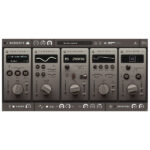
iZotope – Cascadia (Windows)
£20.00
Discover iZotope – Cascadia (Windows)
Discover intelligent delay without distraction. Enhance your beats and create deep echoes, tight slapbacks, and creative textures – all while keeping instruments and vocals the focus of the mix with easy adaptive unmasking.
Explore product features & full description
Meet Cascadia
Discover intelligent delay without distraction. Enhance your beats and create deep echoes, tight slapbacks, and creative textures – all while keeping instruments and vocals the focus of the mix with easy adaptive unmasking.
Intelligent Delay for Clean Mixes
Shape your space with beat-synced or time-based delays, ping-pong and reverse delay modes, vintage pitch drift, width control, and an adjustable unmasking section. Say goodbye to long plugin chains and tedious routing. Find your flow quickly with Cascadia’s intuitive controls.
Adaptive unmasking
Keep your mixes clean and focused without distracting delays. Cascadia reacts to your audio and dynamically creates space in the delay signal, keeping your instruments and vocals in the mix without complex routing and long plugin chains.
Flexible delays
Cascadia is far from versatile. Cover everything from subtle echoes to creative textures with a ping-pong mode, reverse delays, adjustable modulation controls for vintage pitch drift , and more. Plus, with Cascadia’s streamlined, intuitive interface, it’s never been easier to make room for your sound.
Tons of Presets
Over 50 professional presets cover spatial, textural, and creative sounds, adding intrigue and depth to any production.
Compatibility checklist
- Windows 10,11 (64Bit Only)
- VST3, AAX
- Formats: VST3 · AAX
Requirements vary by supplied version. Confirm your setup with support before purchasing.
Delivery & activation
- Complete your purchaseReview compatibility and purchase details.
- Download your filesAccess available downloads through your order and account.
- Follow the included setup guideContact GetPlugins if you need installation help.
Activation, where included, is provided by GetPlugins. Publisher-account registration, transferable publisher keys and a publisher-issued licence are not included. Read the activation policy.
Frequently asked questions
How do I receive my download?
After payment, access available files from your order details and GetPlugins account. Contact support if a download is missing.
What activation is included?
Follow the activation instructions supplied with your download. Activation is provided by GetPlugins. Confirm device allowances and reinstall arrangements before ordering.
Will this work with my computer and DAW?
Check the compatibility information for this listing and ask us to confirm the exact supplied build. Libraries may require a compatible sampler or additional software.
What if I need installation help?
Email support@getplugins.io with your order number, operating system, DAW and any error message.
Which updates are included?
Activation and updates are separate. Confirm the available version and update arrangements before ordering; do not assume access to future publisher releases.
How do I request a refund?
Contact support with your order number and issue details. Read our Refund Policy for eligibility and the request process.

Reviews
There are no reviews yet.