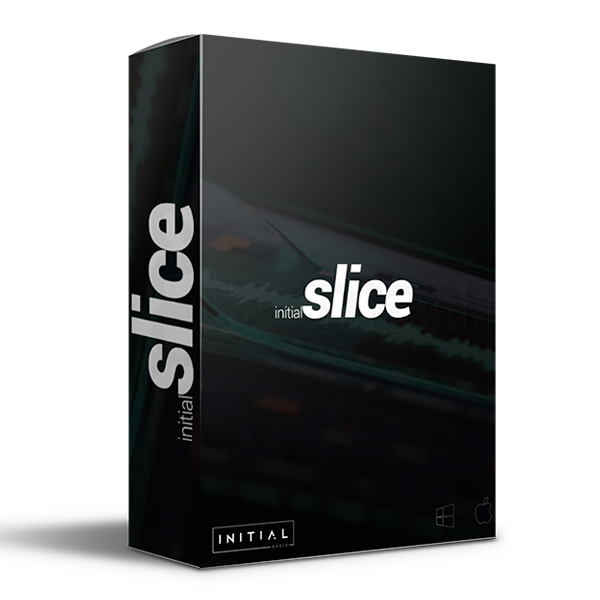
Initial Slice is a loop slicer and beat maker plugin. Load audio loops with drag and drop to chop, loop, flip, change pitch, or even time-stretch them. Initial Slice also comes with several built-in piano rolls so you can create sequences right out of the box. On top of that, we have an advanced drum…
Over 300 unique royalty-free factory samples.
Over 300 unique factory beat starters.
Over 160 drum sounds.
Explore product features & full description
Initial Slice is a loop slicer and beat maker plugin. Load audio loops with drag and drop to chop, loop, flip, change pitch, or even time-stretch them. Initial Slice also comes with several built-in piano rolls so you can create sequences right out of the box. On top of that, we have an advanced drum sequencer, bass sequencer, playlist editor, 4 effects racks (each with 11 built-in effects), and a ton of high-quality content. Producers from all over the world have come together to create a huge library of over 300 melodic trap, hip-hop, drill, and R&B loops, drum patterns and beat starters.
Create your own libraries, drum patterns and beat starters and share them with others or even sell them online. Slice saves all the samples and drum sounds you use in a project file, users do not need to deal with files and folders, they can simply upload new content using drag and drop.
Slice is powered by ZTX, an algorithm based on Zynaptics AI, which is one of the best in the world and can handle multi-timbral audio like no other. Load as a plugin in your DAW, everything will be in sync and will always match the set tempo of your chosen DAW. Slice is a high-quality and easy-to-use tool for music producers and a great platform for content creators to share content with other music producers around the world.
Complete your purchaseReview compatibility and purchase details.
Download your filesAccess available downloads through your order and account.
Follow the included setup guideContact GetPlugins if you need installation help.
Activation, where included, is provided by GetPlugins. Publisher-account registration, transferable publisher keys and a publisher-issued licence are not included. Read the activation policy.
Frequently asked questions
How do I receive my download?
After payment, access available files from your order details and GetPlugins account. Contact support if a download is missing.
What activation is included?
Follow the activation instructions supplied with your download. Activation is provided by GetPlugins. Confirm device allowances and reinstall arrangements before ordering.
Will this work with my computer and DAW?
Check the compatibility information for this listing and ask us to confirm the exact supplied build. Libraries may require a compatible sampler or additional software.
What if I need installation help?
Email support@getplugins.io with your order number, operating system, DAW and any error message.
Which updates are included?
Activation and updates are separate. Confirm the available version and update arrangements before ordering; do not assume access to future publisher releases.
How do I request a refund?
Contact support with your order number and issue details. Read our Refund Policy for eligibility and the request process.
Customer Reviews
Reviews
There are no reviews yet.
Be the first to review “Initial Audio – Slice (Windows)” Cancel reply

Reviews
There are no reviews yet.