In The Mix – Bandwidth | Professional Stereo Imaging & Width Enhancement Plugin
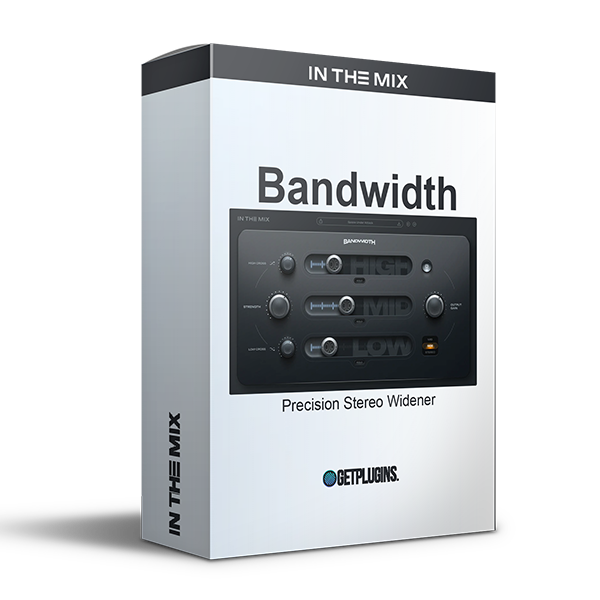
In The Mix Bandwidth is an advanced stereo imaging plugin designed to give your mixes exceptional width, depth, and clarity while maintaining perfect mono compatibility. Built for modern music production, Bandwidth allows producers and mixing engineers to precisely control the stereo field across different frequency ranges, making it easy to create wide, immersive mixes without introducing unwanted phase issues.
Unlike traditional stereo widening plugins that process the entire signal equally, Bandwidth uses intelligent multiband crossover technology, allowing you to enhance only the frequencies that benefit from additional width while leaving the rest of your mix untouched. The result is a cleaner, more focused stereo image that translates beautifully across headphones, studio monitors, streaming platforms, and mobile devices.
Whether you're mixing vocals, guitars, synths, pianos, drums, orchestral instruments, or full master buses, Bandwidth provides complete control over stereo placement with an intuitive interface that delivers professional results in seconds.
Create Wider Mixes Without Losing Clarity
A wide stereo image can make a mix sound larger, more exciting, and more immersive—but excessive stereo processing often leads to phase cancellation and poor mono compatibility.
Bandwidth solves this problem by applying intelligent stereo enhancement only where it's needed. You can expand high frequencies for additional air and openness while keeping low frequencies centered and punchy, ensuring your mix remains balanced and powerful.
The result is a professional stereo image that sounds spacious while preserving detail and focus.
Precision Multiband Stereo Processing
One of Bandwidth's standout features is its ultra-precise multiband crossover system.
Instead of widening your entire mix, you can target specific frequency ranges independently, allowing complete control over how each part of the spectrum is processed.
This makes it easy to:
- Keep bass frequencies perfectly centered
- Add width to vocals and instruments
- Expand synth pads and ambient textures
- Create spacious reverbs and delays
- Enhance stereo depth without affecting punch
The flexible crossover system ensures transparent processing with excellent phase accuracy.
100% Mono Compatible
Many stereo imaging plugins create width by introducing phase differences that disappear when summed to mono.
Bandwidth is engineered to remain fully mono compatible, ensuring your mixes retain their impact across every playback system—including club sound systems, smartphones, Bluetooth speakers, radio broadcasts, and streaming platforms.
You can confidently create wide mixes knowing they will translate consistently everywhere.
Professional Stereo Control
Bandwidth offers multiple stereo processing modes that allow everything from subtle stereo enhancement to dramatic spatial expansion.
Whether you're mastering a commercial release or adding width to individual tracks, the plugin provides smooth and natural control without introducing harsh artifacts or unnatural coloration.
Its transparent processing makes it suitable for both creative sound design and precision mixing applications.
Fast, Simple Workflow
Bandwidth is designed to keep you focused on creativity rather than technical complexity.
Its clean interface provides instant visual feedback, making it easy to dial in the perfect amount of stereo enhancement within seconds.
From beginners to experienced audio engineers, anyone can achieve professional stereo imaging with minimal effort.
Perfect for Every Production Style
Bandwidth is suitable for virtually every genre and production environment, including:
- EDM
- House
- Techno
- Hip-Hop
- Trap
- Pop
- Rock
- Metal
- Indie
- Lo-Fi
- Cinematic Music
- Podcast Production
- Film & TV Audio
Whether you're widening a lead vocal, opening up synth pads, enhancing acoustic guitars, or polishing an entire mix, Bandwidth delivers precise stereo control with professional-quality results.
Key Features
- Professional stereo imaging and width enhancement
- Intelligent multiband crossover processing
- Widen selected frequency ranges independently
- 100% mono-compatible stereo processing
- Transparent sound with excellent phase accuracy
- Adjustable stereo width from subtle to extreme
- Precise frequency-dependent stereo control
- Clean, intuitive interface for fast workflow
- Ideal for vocals, guitars, synths, drums, pianos, and master bus processing
- Low CPU usage for efficient sessions
- Suitable for mixing, mastering, and sound design
- Compatible with all major DAWs on Windows
Perfect For
- Music Producers
- Mixing Engineers
- Mastering Engineers
- Recording Studios
- Home Studio Musicians
- Sound Designers
- Content Creators
- Film & Game Audio Professionals
Whether you're producing chart-ready tracks, cinematic soundscapes, or professional podcast mixes, In The Mix Bandwidth gives you complete control over your stereo image. With intelligent multiband processing, outstanding mono compatibility, and transparent sound quality, it is an essential stereo imaging plugin for achieving wide, balanced, and professional mixes.








Reviews
There are no reviews yet.