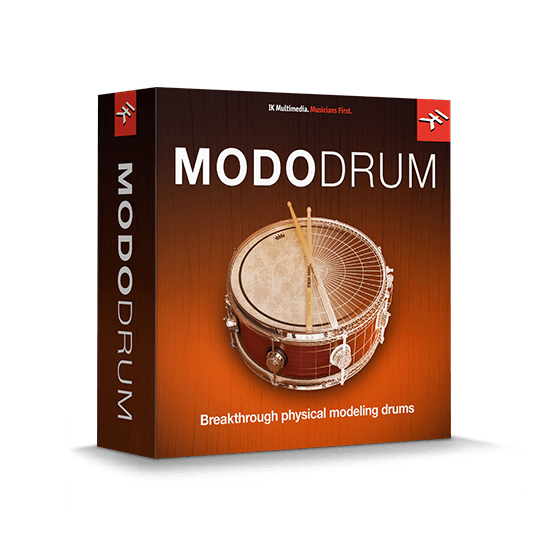
IK Multimedia – MODO DRUM (Windows)
£27.99
Discover IK Multimedia – MODO DRUM (Windows)
Using modal synthesis instead of pre-recorded drum samples, the IK Multimedia Modo Drum software instrument sets a new standard for virtual drums. Thanks to its physical modeling engine, you can adjust every parameter for every drum in real time — instead of searching for a sampled kit that sounds "close enough," you can shape any…
The first virtual drum program based on physical modeling
Amazing control over every aspect of your drums, from dimensions and head material to playing position and technique
Physical modeling enables you to adjust every parameter of every drum in real time
Explore product features & full description
IK Brings the Creative Power of Physical Modeling to Virtual Drums
Using modal synthesis instead of pre-recorded drum samples, the IK Multimedia Modo Drum software instrument sets a new standard for virtual drums. Thanks to its physical modeling engine, you can adjust every parameter for every drum in real time — instead of searching for a sampled kit that sounds "close enough," you can shape any kit to fit your mix. And with nine virtual rooms created with convolution processing, you have incredible control over the sonic space your drums occupy as well. Factor in 10 pre-designed kits, over 1,400 MIDI grooves, and a dedicated mixing interface, and it's clear that IK Multimedia Modo Drum is ready to be your go-to solution for virtual drums.
Unprecedented control over your virtual drum sound
Because it uses physical modeling to generate lifelike drum sounds, instead of relying on pre-recorded samples, IK Multimedia's Modo Drum software instrument gives you more control than ever over your drum sounds. Change the dimensions of your drums, the head material, the profile of the bearing edge, and even playing position and technique — you can even adjust these parameters in real time if you wish.
Nine virtual rooms for convolution-based ambience
As Modo Drum's sounds aren't pre-recorded, you have a ton of flexibility when it comes to placing them in a cohesive sonic space. Modo Drum offers nine virtual rooms, based on convolution processing to deliver exceptional detail. Whether you're after a small room sound or a cavernous hall, you'll be able to dial in just the right ambience with precision.
Mixing and effects with tools from AmpliTube and T-RackS
When it comes to pre-mixing your drum sound for use in your DAW session, Modo Drums doesn't disappoint. Beyond panning and volume levels, Modo Drum's mixer gives you access to premium processing tools such as gating and expansion, compression, and more. And with processors derived from IK Multimedia's acclaimed AmpliTube and T-RackS software, you can be sure your results will stand up to critical listening
IK Multimedia Modo Drum Virtual Drum Software Features:
- The first virtual drum program based on physical modeling
- Amazing control over every aspect of your drums, from dimensions and head material to playing position and technique
- Physical modeling enables you to adjust every parameter of every drum in real time
- 10 pre-created kits, with near-infinite customization options
- Includes over 1,400 MIDI grooves played by pro drummers
- Realistic convolution-based ambience with nine virtual rooms to place your drums in
- Integrated mixing environment, with effects derived from IK Multimedia's AmpliTube and T-RackS
Compatibility checklist
- Confirm the supplied build, operating system and required host before ordering.
- Formats: VST3 · VST2 · AAX
Requirements vary by supplied version. Confirm your setup with support before purchasing.
Delivery & activation
- Complete your purchaseReview compatibility and purchase details.
- Download your filesAccess available downloads through your order and account.
- Follow the included setup guideContact GetPlugins if you need installation help.
Activation, where included, is provided by GetPlugins. Publisher-account registration, transferable publisher keys and a publisher-issued licence are not included. Read the activation policy.
Frequently asked questions
How do I receive my download?
After payment, access available files from your order details and GetPlugins account. Contact support if a download is missing.
What activation is included?
Follow the activation instructions supplied with your download. Activation is provided by GetPlugins. Confirm device allowances and reinstall arrangements before ordering.
Will this work with my computer and DAW?
Check the compatibility information for this listing and ask us to confirm the exact supplied build. Libraries may require a compatible sampler or additional software.
What if I need installation help?
Email support@getplugins.io with your order number, operating system, DAW and any error message.
Which updates are included?
Activation and updates are separate. Confirm the available version and update arrangements before ordering; do not assume access to future publisher releases.
How do I request a refund?
Contact support with your order number and issue details. Read our Refund Policy for eligibility and the request process.

Reviews
There are no reviews yet.