

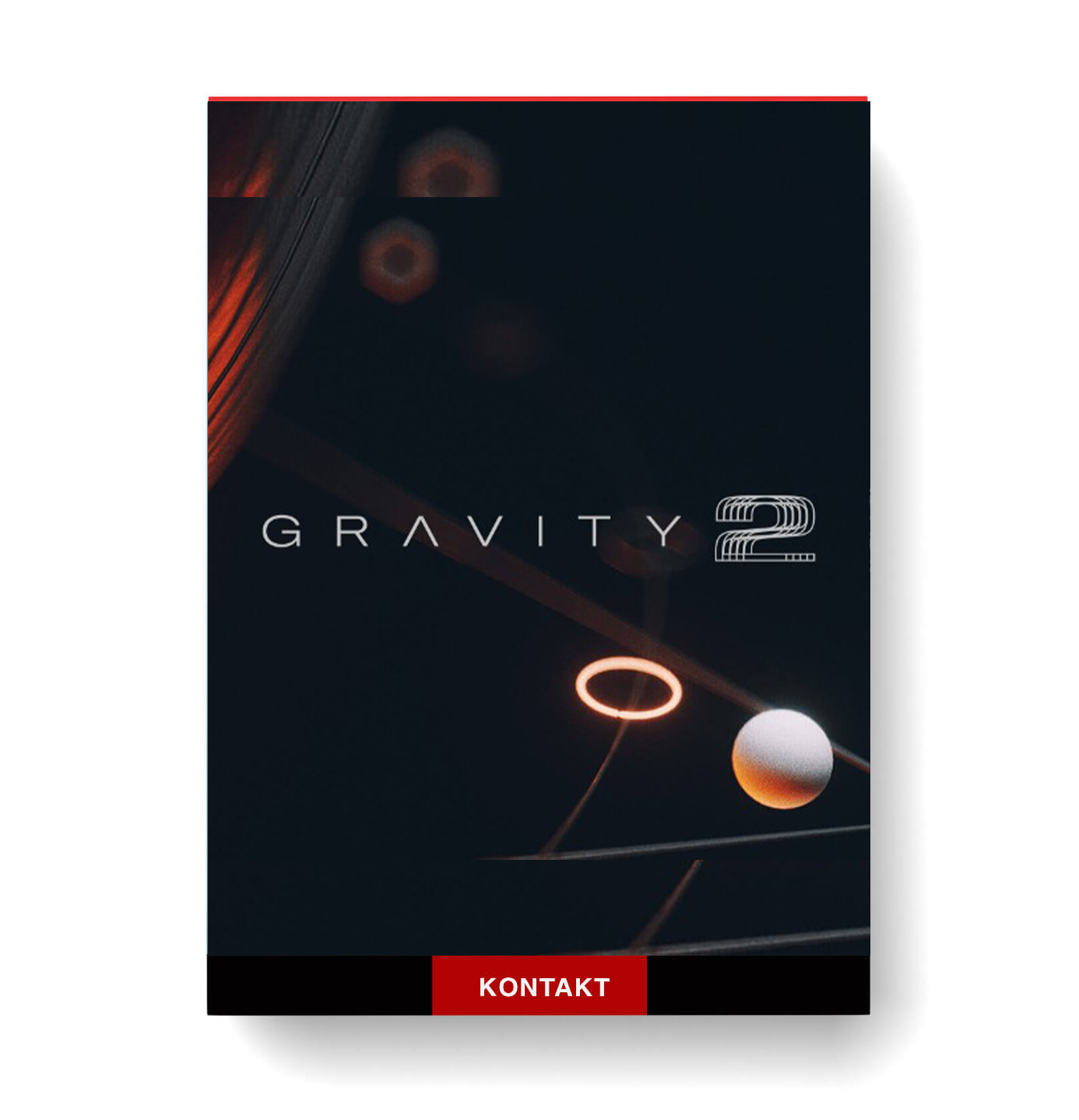
Discover Heavyocity – Gravity 2
You Must Purchase Kontakt Pro From Us To Install & Use This Library In Full Version Click Here
Epic software instrument for sound design and scoring for films, shows, video games, and more
3 distinct engines — Menu, Menu XL, and Designer — designed to meet 2 different workflows: bank-based or creative layering
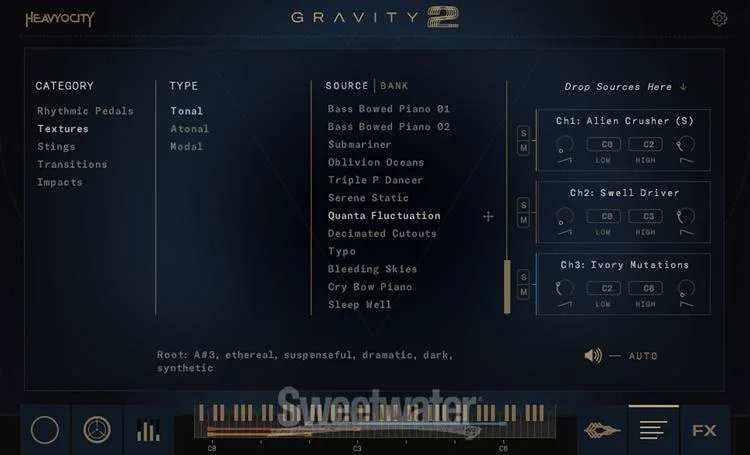
Menu engine lets you load 3 banks per instance
Explore product features & full description
https://www.youtube.com/watch?v=1OzHmCyZ_yI
Featuring three distinct engines and more than 1,000 sound sources, Gravity 2 represents what many consider to be the forefront of modern cinematic sound design. Its 1,000+ sound sources are grouped in convenient, orderly banks for easy locating and combining, and its 600 snapshots (presets) provide you with immediate firepower for scoring films, games, and more. Three engines — Menu, Menu XL, and Designer — accommodate any bank-based or creative layering workflow, and a Master FX page lets you apply global reverbs, delays, drive, and much more in any signal flow arrangement that you like. Lastly, Gravity 2’s Mixer offers recordable automation as well as Drift and Scatter controls to help you precisely craft the most epic sounds this side of the universe.
Note: Gravity 2 requires Kontakt Player version 7.6.0 (or later). Please consult your Sweetwater Sales Engineer if you have questions or concerns.
More than a thousand sound sources
Heavyocity’s first Gravity software instrument became a household name among composers and sound designers virtually overnight, and Gravity 2 offers even more depth than its predecessor. At its heart are more than 1,000 distinct sound sources ranging from mechanical mayhem to beautiful analog synth sounds and everything in between. To get you up and running, Gravity 2 includes 600 snapshots (presets) that make use of Gravity 2’s extensive sound source library. While they sound amazing on their own, they give you a sampling of Gravity 2’s capability.
Three distinct engines
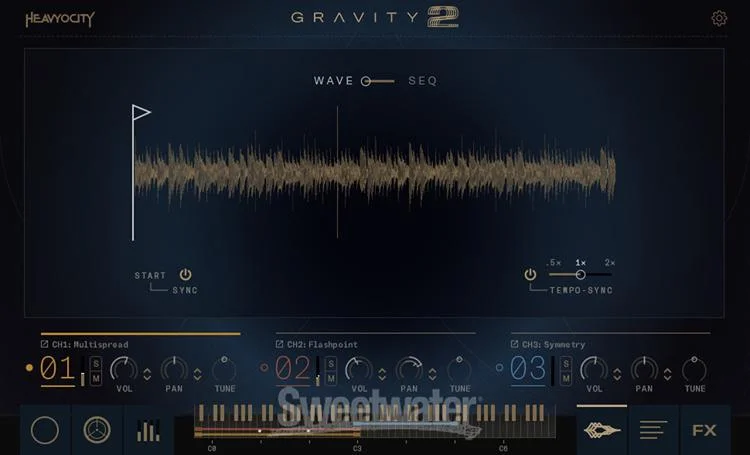
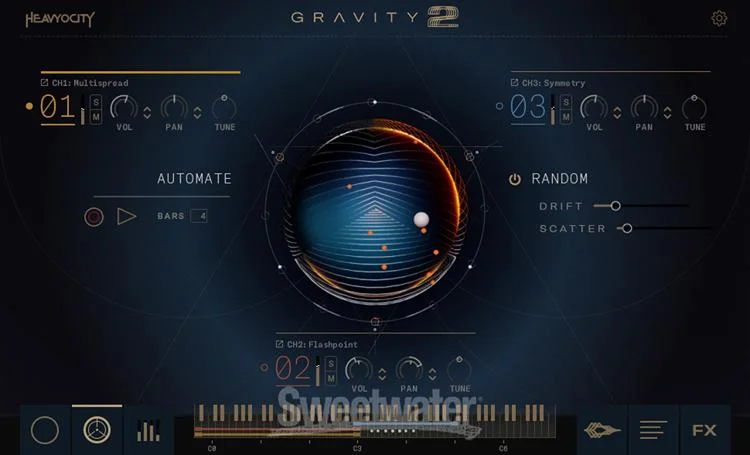
Whether you want a convenient bank-based workflow or you’d rather jump off the deep end into tweaking your sonic creations, Gravity 2 has you covered. Utilize its Menu or Menu XL engines for selecting sounds that are mappable to the entire keyboard, select their start and stop times, and then further shape them via filters, EQs, and more. Or, if you really want to get your ears dirty, try Gravity 2’s Designer engine on for size. Its three separate channels each have mix and FX controls, so you can layer sources and craft some truly unique and gnarly sounds.
Endless options for customization
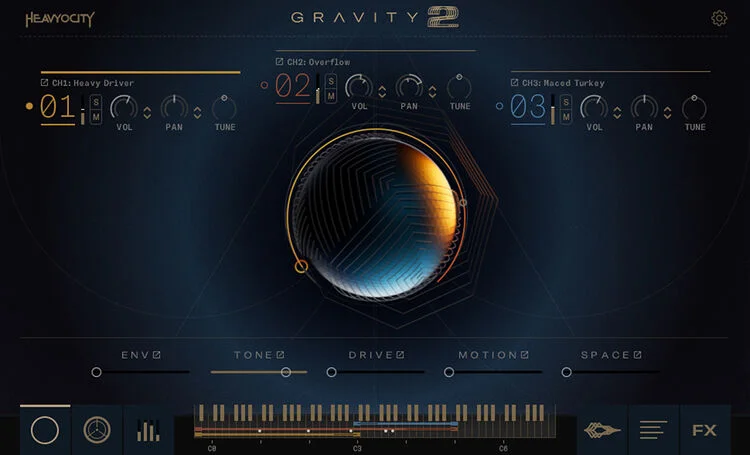
While the onboard stock sounds and snapshots are incredible, Gravity 2’s seemingly infinite possibilities for customization have really captivated our Sweetwater composers. The Macro page features a Macro Knob that can be assigned to control a sequence or an LFO, thus lending incredible motion to your sounds. Gravity 2’s Master FX page also has a signal chain with EQ, compressor, reverb, and other modules that you can arrange in your preferred order. Finally, its advanced Mixer section features Drift, Scatter, and writable automation. Trust us when we say that you won’t get bored of Gravity 2 anytime soon … if ever!
Heavyocity Gravity 2 Software Instrument Features:
- Epic software instrument for sound design and scoring for films, shows, video games, and more
- 3 distinct engines — Menu, Menu XL, and Designer — designed to meet 2 different workflows: bank-based or creative layering
- Menu engine lets you load 3 banks per instance
- Menu XL engine hosts 72 sounds (6 octaves) at once
- Menu and Menu XL engines allow you to select, tweak, filter, EQ, start and stop times, and more and are expandable to the entire keyboard with Expand Source function
- Designer engine gives you 3 separate channels with individual effects and mix controls
- 1,000+ snapshots (presets) across 5 different source categories: Rhythmic Pedals, Textures, Stings, Transitions, and Impacts
- 144 Rhythmic Pedal sources that have been multi-sampled and tempo-synched with straight and triplet feels
- 137 Texture sources with tonal, atonal, and modal sounds that provide harmonic color for your compositions
- 252 single-shot Sting sources to add intense hybrid and organic SFX
- 324 Transition sources that add movement to your pieces via tonal/atonal swells, 36 risers, and reverses
- 144 Impact sources with 36 sounds in 4 variations: full, sub, mid, and tail
- Source Browser page provides easy locating and combining of different sources
- Macro page lets you shape global effects such as ASDR envelope, tone, drive, motion, and space, plus its Macro Knob is shapable via a Macro Sequence and Macro LFO for additional user-defined modulation
- Master FX page enables you to rearrange your desired signal flow with a filter, compressor, EQ, modulation, delay, reverb, and Punish (in 3 stages of intensity)
- Mixer features Drift, Scatter, and recordable automation for fine-tuning sounds
Additional Media
Compatibility checklist
- Confirm the supplied build, operating system and required host before ordering.
Requirements vary by supplied version. Confirm your setup with support before purchasing.
Delivery & activation
- Complete your purchaseReview compatibility and purchase details.
- Download your filesAccess available downloads through your order and account.
- Follow the included setup guideContact GetPlugins if you need installation help.
Activation, where included, is provided by GetPlugins. Publisher-account registration, transferable publisher keys and a publisher-issued licence are not included. Read the activation policy.
Frequently asked questions
How do I receive my download?
After payment, access available files from your order details and GetPlugins account. Contact support if a download is missing.
What activation is included?
Follow the activation instructions supplied with your download. Activation is provided by GetPlugins. Confirm device allowances and reinstall arrangements before ordering.
Will this work with my computer and DAW?
Check the compatibility information for this listing and ask us to confirm the exact supplied build. Libraries may require a compatible sampler or additional software.
What if I need installation help?
Email support@getplugins.io with your order number, operating system, DAW and any error message.
Which updates are included?
Activation and updates are separate. Confirm the available version and update arrangements before ordering; do not assume access to future publisher releases.
How do I request a refund?
Contact support with your order number and issue details. Read our Refund Policy for eligibility and the request process.



Reviews
There are no reviews yet.