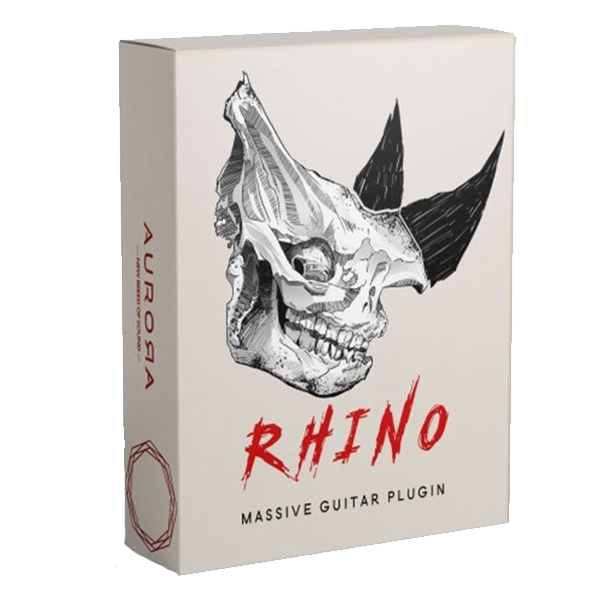
Aurora DSP – Rhino (Windows)
£15.00
Discover Aurora DSP – Rhino (Windows)
A powerful guitar plugin that rises to the challenge. From delicate, clean tones, all the way to the heaviest wall of sound filling the entire mix. Rhino advances a proven formula, containing everything that’s needed to achieve a wide spectrum of guitar sound, all within a single plugin.
dial in the gate’s attack and release times
select the low-pass filter’s slope
choose between 3 different input signal characteristics
Explore product features & full description
Cross the borders of guitar sound
A powerful guitar plugin that rises to the challenge. From delicate, clean tones, all the way to the heaviest wall of sound filling the entire mix. Rhino advances a proven formula, containing everything that’s needed to achieve a wide spectrum of guitar sound, all within a single plugin.
What’s inside
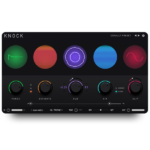
7 sections for a virtually unlimited range of sounds Each section can be expanded, revealing more controls, additional subsections, and options. With all that, the Main Window stays clear and simple, allowing you to quickly make general adjustments.
Expanded:
- dial in the gate’s attack and release times
- select the low-pass filter’s slope
- choose between 3 different input signal characteristics
Standalone
There is no need to open your DAW to use Rhino. We do care about guitar players who simply want to have an easy-to-use rig at their fingertips. That is why we are providing a standalone version of the plugin for everyone.
Easy and advanced
The Main Window is a hub for quick, all-around changes to the sound. Pick a preset, change a few main parameters and you’re ready to go. Expanded sections unveil the true power of Rhino, revealing options and parameters that open up a whole new world of guitar sound.
Demos and examples
Compatibility checklist
- Windows 10,11 (64Bit Only)
- VST3, AAX, Standalone
- Formats: VST3 · AAX · Standalone
Requirements vary by supplied version. Confirm your setup with support before purchasing.
Delivery & activation
- Complete your purchaseReview compatibility and purchase details.
- Download your filesAccess available downloads through your order and account.
- Follow the included setup guideContact GetPlugins if you need installation help.
Activation, where included, is provided by GetPlugins. Publisher-account registration, transferable publisher keys and a publisher-issued licence are not included. Read the activation policy.
Frequently asked questions
How do I receive my download?
After payment, access available files from your order details and GetPlugins account. Contact support if a download is missing.
What activation is included?
Follow the activation instructions supplied with your download. Activation is provided by GetPlugins. Confirm device allowances and reinstall arrangements before ordering.
Will this work with my computer and DAW?
Check the compatibility information for this listing and ask us to confirm the exact supplied build. Libraries may require a compatible sampler or additional software.
What if I need installation help?
Email support@getplugins.io with your order number, operating system, DAW and any error message.
Which updates are included?
Activation and updates are separate. Confirm the available version and update arrangements before ordering; do not assume access to future publisher releases.
How do I request a refund?
Contact support with your order number and issue details. Read our Refund Policy for eligibility and the request process.

Reviews
There are no reviews yet.