Apulsoft – splitS
Advanced Sibilance Separation and Vocal Processing Plugin
Apulsoft splitS is an advanced audio-processing plugin designed to identify and separate sibilant sounds from the rest of an audio signal. Unlike conventional de-essers that rely on compression, dynamic EQ, or frequency-band filtering, splitS uses an intelligent detection and separation approach to give engineers precise control over vocal sibilance while preserving the natural tone and clarity of a recording.
Designed for music producers, vocal engineers, mixing professionals, and sound designers, splitS separates audio into two full-range components: the S channel, containing detected sibilant events, and the NOS channel, containing the remaining non-sibilant signal. These components can be balanced independently, routed to separate outputs, or processed with additional effects inside a compatible DAW.
Whether you are refining lead vocals, controlling harsh consonants in backing vocals, or building creative vocal effects, Apulsoft splitS provides a flexible alternative to conventional sibilance-control techniques.
A DIFFERENT APPROACH TO SIBILANCE CONTROL
Traditional de-essing typically reduces selected high-frequency content when sibilance is detected. Depending on the source and settings, this can affect vocal brightness, introduce unwanted artifacts, or make a performance sound dull.
Apulsoft splitS takes a different approach by separating detected sibilant events from the remaining audio. Its detection process considers spectral brightness, pitch, and signal level to distinguish sibilance from other vocal content.
The resulting components can be mixed independently, allowing engineers to reduce harsh consonants without applying the same gain reduction to the entire vocal signal.
Key Benefits:
- Separate sibilant events from non-sibilant audio
- Preserve the natural character of the original performance
- Avoid conventional compression-based de-essing
- Retain full-range audio components for flexible processing
- Create more precise vocal-processing workflows
FULL-RANGE SIBILANT AND NON-SIBILANT SEPARATION
At the core of splitS is its ability to divide audio into two distinct components without relying on a conventional crossover-based design.
- S (Sibilant Signal): Contains the detected sibilant events and consonants that require additional control.
- NOS (Non-Sibilant Signal): Contains the remaining audio outside the detected sibilant events.
Both components retain full-range signal content, providing greater flexibility than processing based solely on a fixed frequency split.
When no gain adjustments are applied, the reconstructed output maintains signal integrity, making splitS suitable for precise processing where preserving the original recording is a priority.
INTELLIGENT S-RANGE CONTROL
The S-Range feature provides additional control over which detected sibilant events are included in the separated signal. By analysing the peak level of each detected event, the plugin allows users to establish minimum and maximum thresholds.
This makes it possible to target prominent, harsh consonants while excluding quieter or less significant events from the sibilant channel.
S-Range Control Benefits:
- Set minimum and maximum sibilant-event levels
- Focus on louder, more problematic consonants
- Reduce unnecessary processing of subtle vocal details
- Improve consistency across uneven vocal performances
- Reduce reliance on extensive manual clip-gain editing
These controls are particularly useful when working with dynamic vocal recordings, spoken-word material, and layered backing vocals.
REAL-TIME WAVEFORM VISUALIZATION
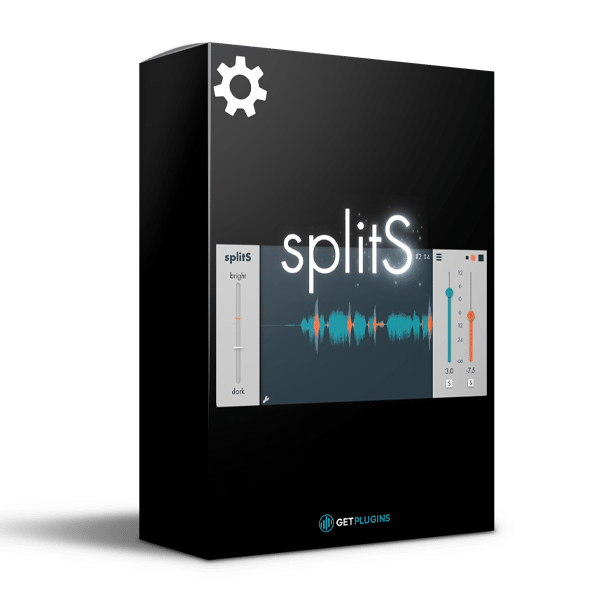
Apulsoft splitS includes a scrolling waveform display that provides visual feedback on detected sibilant sections and gain adjustments. This allows engineers to monitor the detection process and refine settings while listening to the audio.
The visual interface helps identify problematic sections, evaluate processing behaviour, and make informed adjustments for a more natural result.
INDEPENDENT PROCESSING AND MULTI-OUTPUT ROUTING
The separated S and NOS signals can be balanced independently or routed to separate outputs in compatible DAW environments. This creates opportunities for both corrective processing and creative sound design.
For example, you can reduce the sibilant component while leaving the rest of the vocal relatively untouched. Alternatively, you can process the separated signals differently using saturation, reverb, delay, or other audio effects.
Creative Applications Include:
- Precise lead-vocal de-essing workflows
- Controlling harsh consonants in backing vocals
- Independent processing of sibilant and non-sibilant material
- Creative vocal effects and sound design
- Advanced routing and parallel-processing techniques
KEY FEATURES OF APULSOFT SPLITS
- Intelligent sibilance detection and separation
- Two independent full-range audio components: S and NOS
- No reliance on conventional compression, dynamic EQ, or crossover filtering
- Signal integrity when no gain adjustments are applied
- S-Range minimum and maximum threshold controls
- Real-time scrolling waveform display
- Multi-output routing for separated audio components
- Approximately 30 ms of parameter-dependent latency
- Preset saving and exporting
- SoundFlow integration available for Pro Tools
- Developed with mixing engineer Thomas “Mister T.” Gloor
- Designed for professional vocal processing and advanced audio workflows
SYSTEM COMPATIBILITY
- Operating System: Windows 10 or newer
- System Architecture: Compatible 64-bit systems
- Plugin Formats: AAX, VST3
- Pro Tools: Version 11 or newer required for AAX operation
- Additional Integration: SoundFlow integration available for Pro Tools
Check the official product page for the latest requirements and compatibility information before installation.
WHY CHOOSE APULSOFT SPLITS?
Apulsoft splitS offers a specialized approach to vocal sibilance management by separating detected consonants from the remaining audio instead of simply reducing selected frequencies. This gives producers and mixing engineers greater flexibility when handling harsh vocal details, maintaining tonal clarity, and designing advanced processing chains.
From transparent vocal cleanup to independent effects processing, splitS is a valuable tool for studios seeking more control over the relationship between sibilance and the rest of a performance.
Explore more professional tools in our Vocal Processing Plugins collection. You can also browse our Mixing & Mastering Plugins for additional tools to refine vocals and complete mixes.
Visit the official Apulsoft splitS product page for detailed specifications, downloads, and the latest compatibility information.








Reviews
There are no reviews yet.