🎧 APU Loudness Compressor (Windows) – Intelligent Dynamics for Loudness-Aware Audio 🎛️
Take total control of your dynamics with APU Loudness Compressor, the next-generation LUFS-based audio compressor built for the realities of modern production. From music mastering and streaming content to broadcast, post-production, and Dolby Atmos®, this precision plugin delivers transparent, perceptually accurate compression designed for today's loudness standards.
🧠 Loudness-Based Compression That Listens Like You Do
Ditch outdated RMS-only workflows. APU Loudness Compressor harnesses LUFS metering to dynamically shape your audio based on how we actually hear loudness—offering smoother results and crystal-clear mixes every time.
Supported detection types include:
⚡ Instant LUFS (400ms) – Fast and transparent response
🌊 Short-Term LUFS (3s) – Ideal for musical phrasing and broader dynamics
🔐 True Peak (1ms) – Inter-sample accurate peak control
🎚️ RMS (150ms) – Warm, analog-style compression
🚨 Peak (1ms) – Super-fast response for detailed shaping
🔗 Channel linking and splitting make it easy to control stereo, surround, or immersive audio like Dolby Atmos® with precision.
🎚️ Smart Compression Modes – Built for Creative Control
Break free from fixed thresholds and static ratios. With adaptive compression modes, APU Loudness Compressor introduces a flexible new way to tame dynamics:
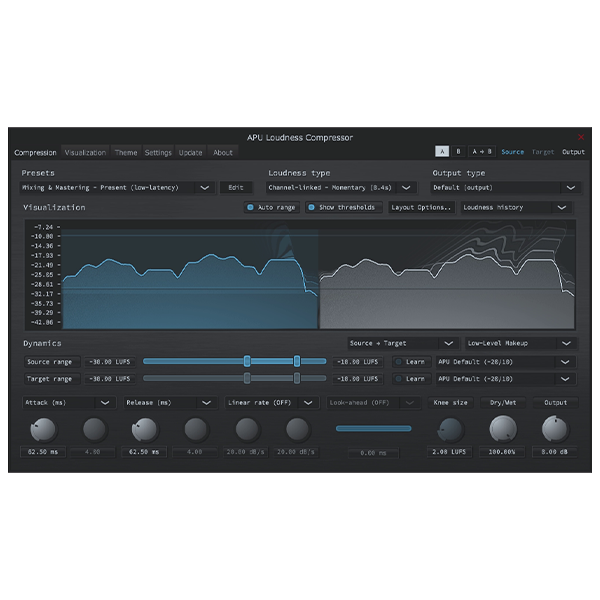
📊 Source/Target Range Mode – Define your input and output loudness zones and let the plugin auto-adjust
🧱 Classic Mode – Prefer traditional settings? Use manual threshold and ratio controls
📉 Expander & Limiter Modes – Swap compression styles on the fly via dropdown selector
✨ Learn Mode – Automatically analyzes your source and dials in a starting point for fast results
🔊 Customize Your Compression for Any Session
Whether you’re applying subtle mastering glue or tightening up a cinematic mix, you’ll get total control over your signal with features like:
✅ K-weighting & channel weighting for perceptual precision
🔁 Adjustable time constants & block sizes for tailored response
📏 Support for LUFS, RMS, Peak, and True Peak detection
This flexibility makes APU Loudness Compressor an essential tool for mixing, mastering, post-production, and immersive formats alike.
💼 Engineered for the Modern Audio Professional
🎵 Music Mastering
🎬 Film & Dialogue Post-Production
📺 Streaming & Broadcast Loudness Compliance
🎮 Game Audio & Dolby Atmos® Integration
Whatever your workflow, APU Loudness Compressor (Windows) delivers clean, compliant dynamics with intuitive control and pro-grade accuracy.
✅ Key Features at a Glance:
🎯 LUFS-based compression for modern loudness compliance
🔍 Multiple detection modes: LUFS, RMS, True Peak, Peak
📊 Adaptive Source/Target Range Mode
💡 Intelligent Learn Mode for auto-detection
🔗 Channel linking & independent multichannel control
🌐 Perfect for stereo, surround, and Dolby Atmos®









Reviews
There are no reviews yet.