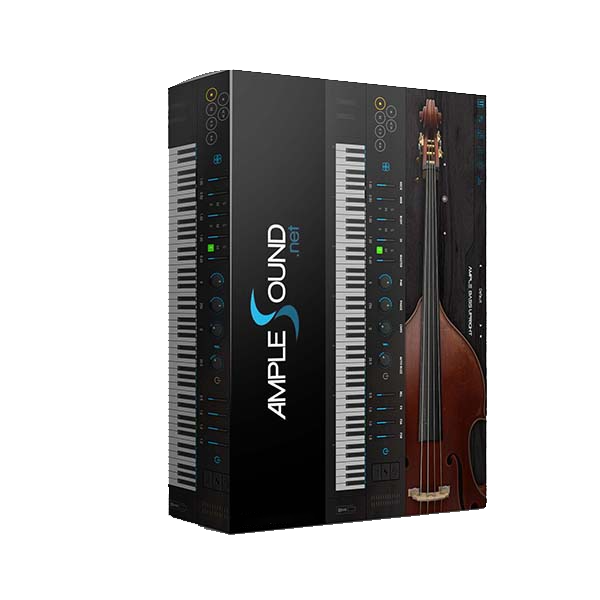
🎻✨ Ample Sound – Ample Bass Upright 4.0.1 (Windows)
Authentic Upright Bass VST with Expressive, Studio-Grade Realism 🎶
Bring the rich, woody resonance of a real upright bass directly into your DAW with Ample Bass Upright (ABU) 4.0.1. Designed for producers, composers, and modern music creators, this advanced virtual instrument delivers hyper-realistic articulation, fluid legato, and dynamic tonal depth—perfect for jazz, classical, funk, pop, and cinematic scoring.
🎶 Pure, High-Quality Sampling – True Acoustic Character
ABU features meticulously recorded upright bass samples with no destructive processing, preserving the instrument’s natural warmth and depth.
8 Detailed Articulations – Sustain, Mute, Natural Harmonic, Hammer-On & Pull-Off, Legato Slide & more
Seamless Legato Engine – Smooth transitions across any duration, speed, pitch & polyphony
Alternate Tuning (Down to D1) – Extended low-end resonance for powerful bass foundations
Capture the iconic upright bass tone for both expressive solos and supportive ensemble performances.
🎛️ Hybrid Mic & DI Engine – Ultimate Mixing Flexibility
Shape your tone with precision using ABU’s advanced recording architecture.
Hybrid Mic & DI Samples – Blend acoustic warmth with clean direct clarity 🎚️
Stereo & Mono Modes – Adjust mic width and balance for detailed sound staging
Fretless Slide System – Realistic fretless legato designed specifically for upright bass
Mix microphones and DI signals independently for professional, mix-ready upright bass sound.
🎼 Compose & Perform with Intelligent Tools
ABU transforms your DAW into a complete upright bass performance environment.
Tab Player (Redesigned for Bass) – Full articulation & notation support for realistic playback
Riffer & String Roll Editor – Edit 8 expressive parameters per note: pitch, velocity, legato, vibrato & more
Dice – Random Riff Generator 🎲 – AI-powered bassline creation based on music theory
Craft natural jazz walking lines, cinematic textures, or tight funk grooves in minutes.
🎚️ Studio-Grade FX Suite – Production-Ready Sound
Enhance and polish your bass tone without external plugins.
8-Band EQ – Precision tone shaping with real-time spectrum display 🎛️
2-Line Compressor – RMS & Peak detection with soft knee & auto makeup gain
6-Tap Echo – Adjustable delay for depth and spatial texture
IR Reverb – Room, Studio, Hall & Large Hall environments for natural ambience
Deliver warm, balanced, and professional upright bass tracks ready for final mixdown.
⭐ Why Choose Ample Bass Upright 4.0.1 (Windows)?
✔ Hyper-realistic upright bass tone with detailed articulation modeling 🎻
✔ Hybrid Mic & DI engine for versatile sound design 🎧
✔ Seamless legato & fretless slide realism
✔ Powerful Riffer, Tab Player & MIDI editing tools 🎼
✔ Ideal for jazz, classical, pop, funk & cinematic productions 🎬




Reviews
There are no reviews yet.