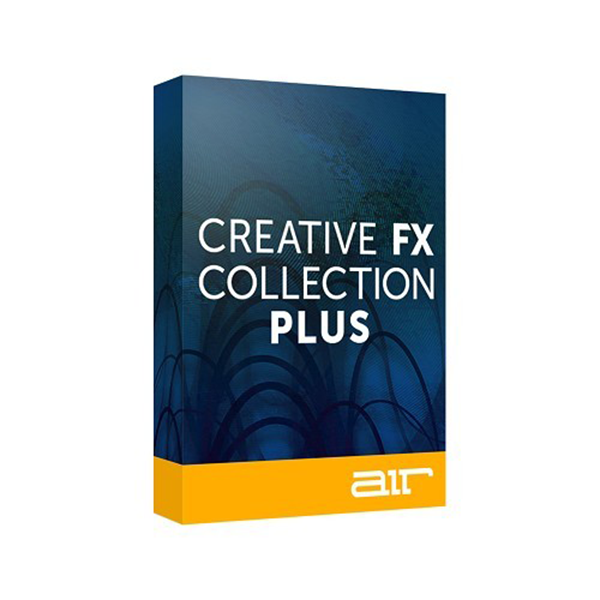
AIR is excited to announce the Creative FX Collection Plus. This world-class new collection includes our twenty classic AIR FX plugins for the first time in VST Formats plus eight all-new FX (VST/AAX), expertly created by our team based on extensive feedback and requests from customers.
The original AIR Creative FX collection has been included as part of Pro Tools® since Version 8 and is considered the reference FX suite by some of the world’s most respected audio professionals. AIR FX has been featured in many of the last decade’s top film, game, and music projects. Each plugin has been expertly designed with ease of use in mind and will ensure professional results each time.
This exclusive and diverse collection provides all you need for creative production, mixing, and mastering, including reverbs, compressors, equalizers, delays, filters and so much more.
Discover what our amazing AIR FX can do for you with our free 15-day unlimited trial!
INCLUDED FX BREAKDOWN:
Twenty Classic FX from Pro Tools ( VST2):
AIR Chorus:
Lets you apply a short modulated delay to give depth and space to an audio signal.
AIR Ensemble:
Lets you apply fluid, shimmering modulation effects to the audio signal.
AIR Flanger:
Lets you apply a short modulating delay to the audio signal.
AIR Multi-Chorus:
A plug-in that lets you apply a thick, complex Chorus effect to an audio signal.
AIR Phaser:
Applies a phaser to an audio signal for that wonderful"whooshy," "squishy" sound.
AIR Reverb:
Use the Reverb effect to apply Reverb to the audio signal, creating a sense of room or space. Typically, you'll want to use Reverb on one of the Effect Send inserts or Main Effects inserts.
AIR Non-LinearReverb:
Use the Non-Linear Reverb plug-in to apply special gated or reversed Reverb effects to the audio signal, creating a synthetic, processed ambiance.
AIR SpringReverb:
Use the Spring Reverb plug-in for that classic spring reverb sound. Just don't kick your computer trying to get the springs to rattle! The Spring Reverb plug-in models an analog spring reverb. An analog spring reverb is an electromechanical device much like a plate reverb.
AIR Multi-Delay:
Use the Multi-Delay plug-in to apply up to five delay lines to the audio signal.
AIR DynamicDelay:
Use the Dynamic Delay Plug-In for a delay line that can synchronize to the DAW session tempo and be modulated by an Envelope follower.
AIR FrequencyShifter:
Use the Frequency Shifter plug-in to shift the audio signal's individual frequencies, creating a unique effect.
AIR StereoWidth:
Plug-in that you can use to create a wider stereo presence.
AIR Distortion:
Instantly adds color to your audio signal with various types and varying amounts of distortion.
AIR Fuzz-Wah:
Lets you add color to an audio signal with various types and varying amounts of transistor-like distortion.
AIR Lo-Fi:
A plug-in that you can use to bit-crush, down-sample, clip, rectify, and mangle an input signal.
AIR Enhancer:
Enhances the low and high broadband frequencies of an audio signal.
AIR KillEQ:
Use the Kill EQ plug-in to zap out the Low, Mid, or High broadband frequency range from an audio signal. This is a popular effect with DJs and is commonly used in electronic music production (especially in dance music).
AIR VintageFilter:
A plug-in that applies a modulating, resonant filter to an audio signal. Have fun with filter sweeps or give your sounds that extra-resonant aura.
AIR FilterGate:
A highly acclaimed plug-in that you can use to chop up an audio signal into staccato rhythmic patterns with variable filtering, amplitude, and panning.
AIR Talkbox:
Plug-in that lets you add voice-like resonances to audio signals.
Eight all new plugins (AAX64, VST2):
AIR Pumper:
Pumper creates a rhythmic pumping effect, similar to that of sidechain compression, with an assignable speed, depth, and envelope shape.
AIR Spectral:
Spectral analyzes an incoming signal (its frequencies, level, MIDI notes, and other information) and determines which frequencies will and will not be part of the resynthesized output signal. Set the incoming signal with the Filter By controls, and then play with the “dissolve,” envelope, and stereo phase controls to experiment with the sound. The results may surprise you!
AIR DiffusorDelay:
Delay line effect that is synchronized to your session tempo and uses an adjustable amount of diffusion, thus emulating the dissipation of echoes in reverberant space.
AIRTubeDrive:
Tube Drive emulates the sound of the signal being played through a mildly “overdriven” tube amp, creating a warm, smooth-sounding distortion.
AIRCompressor:
The compressor changes the dynamic range of a signal by automatically reducing its gain if it exceeds a certain level (the threshold).
AIRMaximizer:
Maximizer is a limiter optimized for professional mastering.
AIRParametricEQ:
Four-band parametric equalizer with four independent EQ ranges.
AIRSaturationFilter:
A saturation Filter applies a filter to an incoming audio signal and then applies a selectable type of distortion, reduction, etc to that filtered signal.








Reviews
There are no reviews yet.