

Discover Acon Digital – Restoration Suite 2 (Windows)
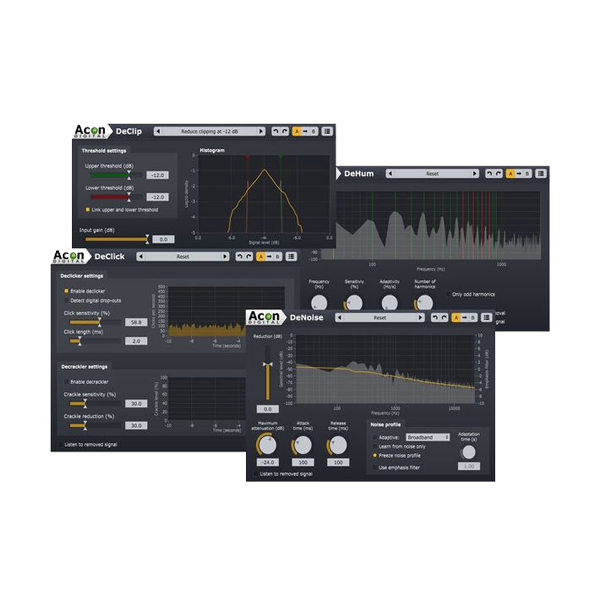
Take control of your sound with Restoration Suite 2 from Acon Digital – a powerful set of four high-end plug-ins for audio restoration and noise reduction. Designed for producers, post-production engineers, and sound designers, this suite is the secret weapon for rescuing noisy, distorted, or damaged audio files.
Adaptive & profile-based noise removal 🧠
NEW: Dynamic noise profiles for time-varying noise 🌪️
Transient-safe processing keeps attacks crisp 🎵
Explore product features & full description
🎶 Acon Digital – Restoration Suite 2
Take control of your sound with Restoration Suite 2 from Acon Digital – a powerful set of four high-end plug-ins for audio restoration and noise reduction. Designed for producers, post-production engineers, and sound designers, this suite is the secret weapon for rescuing noisy, distorted, or damaged audio files.
🧼 Clean, Clear & Professional Sound Starts Here:
🔇 DeNoise 2 – Intelligent Noise Reduction
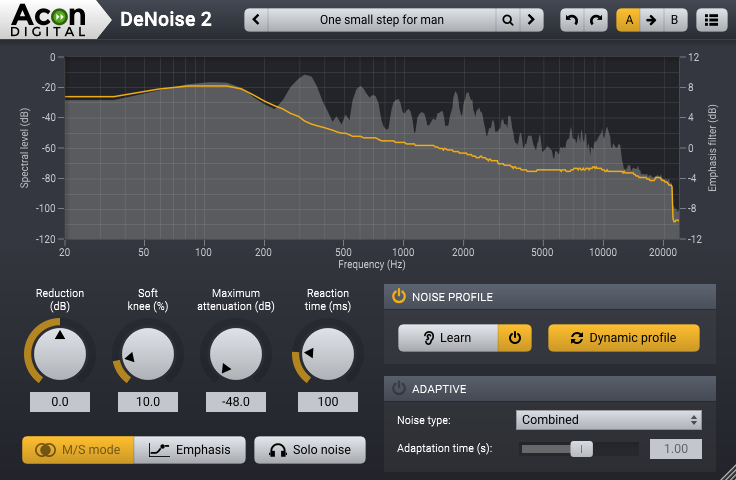
Say goodbye to hiss, wind, and background hum. DeNoise 2 introduces dynamic noise profiles, allowing it to adapt to changing noise environments like wind or lavalier rustle — perfect for field recordings, video post, and more.
✨ Top Features:
-
Adaptive & profile-based noise removal 🧠
-
NEW: Dynamic noise profiles for time-varying noise 🌪️
-
Transient-safe processing keeps attacks crisp 🎵
-
Solo Noise mode lets you hear what’s being removed 👂
-
Real-time spectrum display & frequency emphasis filters
-
Optional Mid/Side (M/S) stereo image processing
⚡ DeClick 2 – Remove Clicks, Crackle & Thumps
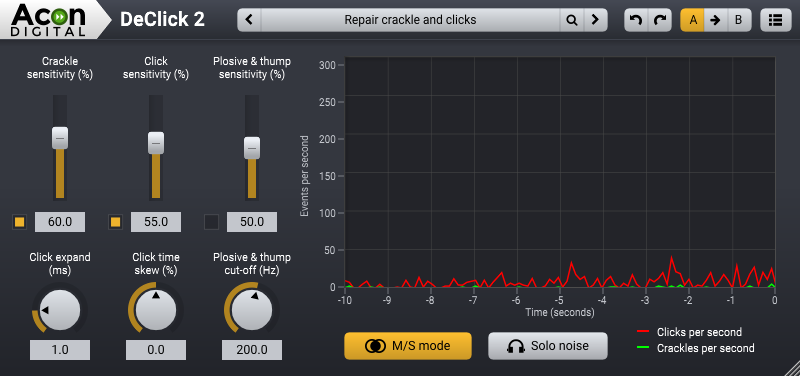
Clean up vinyl transfers, old recordings, and digital drop-outs with surgical precision. DeClick 2 handles clicks, crackle, thumps, and plosives while protecting your transients.
✨ Top Features:
-
Separate detection for different types of impulsive noise 🔍
-
Improved sensitivity without artifacts
-
CPU-friendly performance 🚀
-
Visual curve meters for removal feedback 📊
-
Optional M/S processing for stereo control
-
Residual mode to audition the removed clicks 🔉
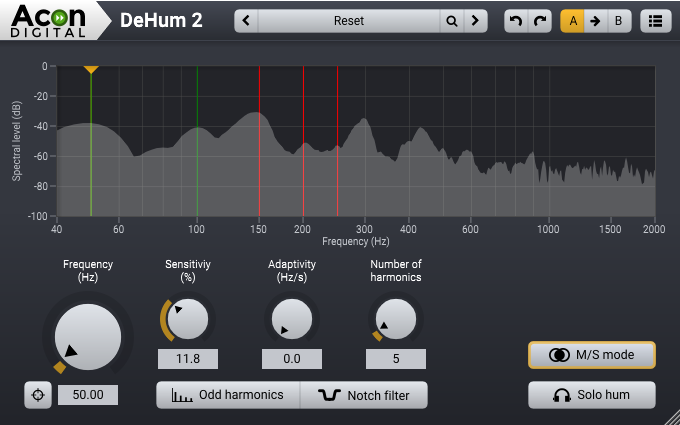
🔌 DeHum 2 – Eliminate Hum & Buzz
Fight back against grounding noise and electrical interference. With a new automatic fine-tune scan and adaptive tracking, DeHum 2 locks on to fluctuating hums and removes them without affecting the clean signal.
✨ Top Features:
-
Novel sinusoidal re-synthesis for natural results 🎼
-
NEW: Auto scan fundamental hum frequency 🔎
-
Removes up to 96 harmonics
-
Option to target only odd harmonics
-
High-resolution spectrum analyzer 🧪
-
Solo Hum mode to hear what’s gone 🧏
-
Optional M/S processing
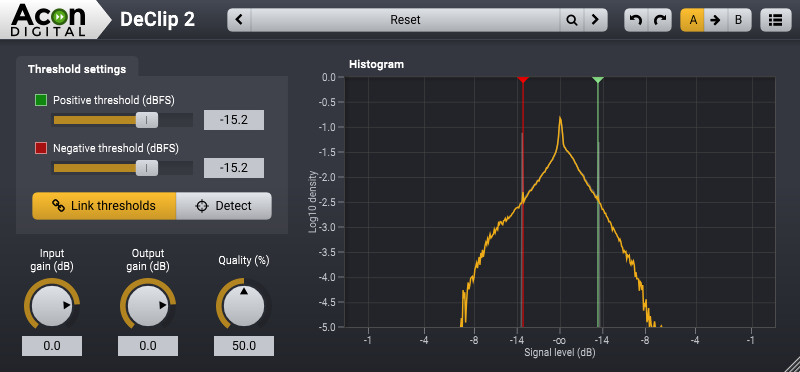
🔥 DeClip 2 – Restore Clipped Audio
Fix distortion caused by digital or analog clipping. DeClip 2 intelligently rebuilds lost waveform peaks, bringing your overdriven tracks back to life with smooth, transparent restoration.
✨ Top Features:
-
Peak reconstruction for clipped signals 🔊
-
Adjustable upper/lower thresholds
-
Symmetry lock for quick workflow 🔐
-
Input/output level histograms with visual editing
-
Improved clarity & fidelity from v1.x
🎯 Perfect For:
-
Audio post-production & film editors
-
Music producers & engineers
-
Archiving & remastering professionals
-
Podcasters & broadcasters
-
Anyone restoring legacy audio with precision and ease 🎚️
✨ Why Choose Acon Digital Restoration Suite 2?
Because your audio deserves to be heard at its best. Whether you’re tackling background noise, digital glitches, or analog distortions, this suite gives you next-level restoration power in a single, streamlined package. 🎛️
Compatibility checklist
- Windows 10,11 (64-bit Only)
- VST3, AAX
- Formats: VST3 · AAX
Requirements vary by supplied version. Confirm your setup with support before purchasing.
Delivery & activation
- Complete your purchaseReview compatibility and purchase details.
- Download your filesAccess available downloads through your order and account.
- Follow the included setup guideContact GetPlugins if you need installation help.
Activation, where included, is provided by GetPlugins. Publisher-account registration, transferable publisher keys and a publisher-issued licence are not included. Read the activation policy.
Frequently asked questions
How do I receive my download?
After payment, access available files from your order details and GetPlugins account. Contact support if a download is missing.
What activation is included?
Follow the activation instructions supplied with your download. Activation is provided by GetPlugins. Confirm device allowances and reinstall arrangements before ordering.
Will this work with my computer and DAW?
Check the compatibility information for this listing and ask us to confirm the exact supplied build. Libraries may require a compatible sampler or additional software.
What if I need installation help?
Email support@getplugins.io with your order number, operating system, DAW and any error message.
Which updates are included?
Activation and updates are separate. Confirm the available version and update arrangements before ordering; do not assume access to future publisher releases.
How do I request a refund?
Contact support with your order number and issue details. Read our Refund Policy for eligibility and the request process.







Reviews
There are no reviews yet.