🎼 510k – POLYLLOP: Advanced Polymetric & Polyphonic Sequencer
Take sequencing beyond the ordinary with POLYLLOP by 510k – a cutting-edge polymetric & polyphonic sequencer plugin that redefines rhythmic and melodic creation. Designed for producers, composers, and modern sound designers, POLYLLOP gives you four fully independent voices, each with its own rhythm, melody, duration, and playback speed. Create evolving arpeggios, layered harmonies, and intricate rhythmic textures that keep your music alive and moving.
🎹 Four Voices, Infinite Possibilities
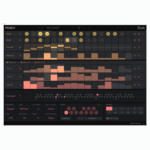
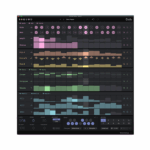
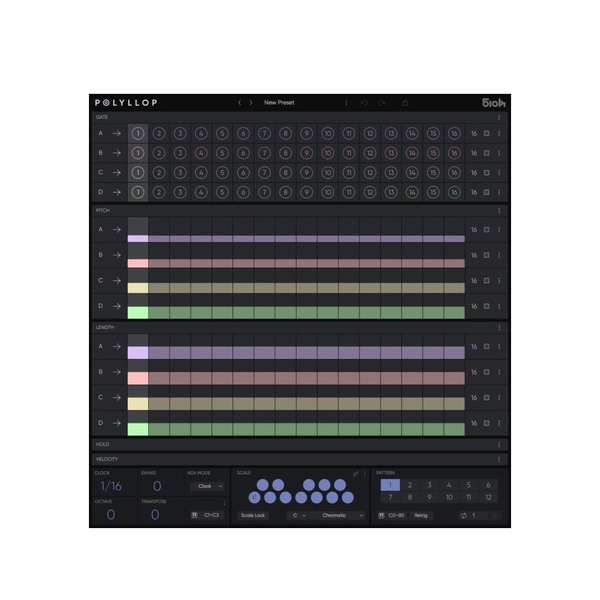
Unlike traditional sequencers, POLYLLOP gives you 4 completely independent tracks. Each one comes with Gate, Pitch, Length, Hold, and Velocity controls, plus unique step lengths and playback modes. This freedom allows you to craft complex polyrhythms, evolving chords, and shifting melodic layers that constantly surprise.
✅ 4 Independent Tracks with unique step lengths & modes
✅ Polymetric Sequencing for rich rhythmic complexity
✅ Scale Quantization to keep everything perfectly in key
🎶 Advanced Playback & Creative Tools
With multiple playback modes including forward, backward, pendulum, both ways, and dual random, POLYLLOP adapts to any creative workflow. Add depth and variation with Step Lock, or explore new directions using intelligent randomization for endless inspiration.
✨ Step Lock & Randomization for controlled creative variation
✨ Real-Time MIDI Transposition to reshape sequences live
✨ 12 Pattern Slots per preset for instant recall during performances
🎛️ Seamless DAW & MIDI Integration
POLYLLOP is built for maximum flexibility in the studio or on stage. Since it outputs MIDI (not audio), it works perfectly with VST synths, hardware instruments, and virtual instruments. You can even drag & drop MIDI sequences straight into your DAW for further editing.
🎵 Advanced MIDI Mode – drive sequences with a keyboard or clips
🎵 MIDI Export – streamline ideas into your DAW instantly
🎵 Minimalist Interface – clear, fast, and designed for creativity
🚀 Why Producers Love POLYLLOP
POLYLLOP isn’t just a sequencer—it’s a creative engine. Its combination of polyphonic sequencing, polymetric flexibility, and real-time performance tools makes it the ultimate choice for modern creators. Perfect for dynamic chord progressions, evolving arpeggios, cinematic rhythms, and experimental design, it’s a must-have for anyone who wants to push beyond traditional sequencing.

Reviews
There are no reviews yet.