Cymatics – Pluto (Windows)
£15.00
Discover Cymatics – Pluto (Windows)
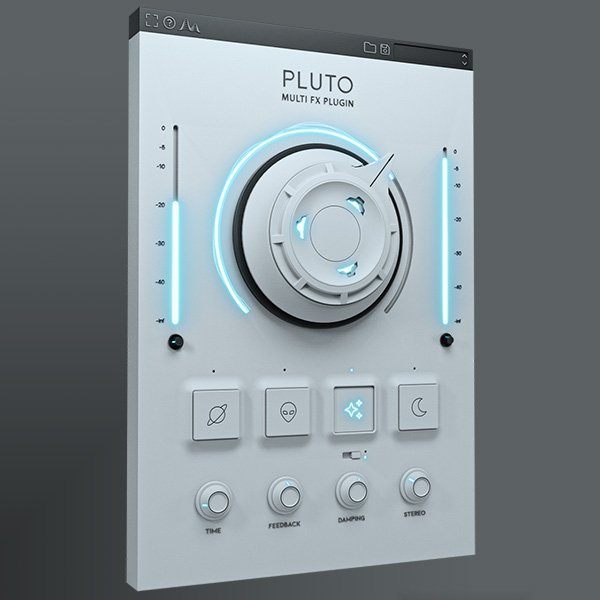
Unleash your creativity with Cymatics – Pluto (Windows), a multi-FX sound design powerhouse built to transform any sound into something fresh and inspiring. 🚀 Packed with 30+ advanced FX parameters, Pluto gives you the freedom to reshape melodies, instruments, and samples with everything from subtle analog-style warmth to extreme, futuristic transformations.
Explore product features & full description
🌌 Cymatics – Pluto (Windows): The Ultimate Sound Design Multi-FX Plugin 🎛️✨
Unleash your creativity with Cymatics – Pluto (Windows), a multi-FX sound design powerhouse built to transform any sound into something fresh and inspiring. 🚀 Packed with 30+ advanced FX parameters, Pluto gives you the freedom to reshape melodies, instruments, and samples with everything from subtle analog-style warmth to extreme, futuristic transformations.
Perfect for 🎹 melodies, 🎤 vocals, 🎸 guitars, 🥁 drums, and 🎶 synths, Pluto turns even the simplest sound into hundreds of unique variations—keeping your productions bold and original.
🔑 Key Features:
✨ 30+ Creative FX Parameters – endless sound-shaping possibilities
🌟 Shimmer Reverb – lush, sparkling atmospheres
🏛️ Hall Reverb – classic wide ambience
🎚️ Granular Delay – glitchy, experimental textures
📼 Tape Delay – warm, vintage-style character
🎵 Wow/Flutter – analog-inspired tape wobble & chorus effect
🎛️ Mod FX – Chorus, Phaser & Flanger with full tweak control
🎧 Stereo Widening & Modulation Tools – immersive, spacious mixes

Compatibility checklist
- Windows 10,11 (64Bit Only)
- VST3, VST
- Formats: VST3 · VST
Requirements vary by supplied version. Confirm your setup with support before purchasing.
Delivery & activation
- Complete your purchaseReview compatibility and purchase details.
- Download your filesAccess available downloads through your order and account.
- Follow the included setup guideContact GetPlugins if you need installation help.
Activation, where included, is provided by GetPlugins. Publisher-account registration, transferable publisher keys and a publisher-issued licence are not included. Read the activation policy.
Frequently asked questions
How do I receive my download?
After payment, access available files from your order details and GetPlugins account. Contact support if a download is missing.
What activation is included?
Follow the activation instructions supplied with your download. Activation is provided by GetPlugins. Confirm device allowances and reinstall arrangements before ordering.
Will this work with my computer and DAW?
Check the compatibility information for this listing and ask us to confirm the exact supplied build. Libraries may require a compatible sampler or additional software.
What if I need installation help?
Email support@getplugins.io with your order number, operating system, DAW and any error message.
Which updates are included?
Activation and updates are separate. Confirm the available version and update arrangements before ordering; do not assume access to future publisher releases.
How do I request a refund?
Contact support with your order number and issue details. Read our Refund Policy for eligibility and the request process.

Reviews
There are no reviews yet.