



Discover IZotope – Velvet (Windows)
💡 Smarter De-Essing with AI Precision Say goodbye to trial-and-error EQ tweaks! Velvet’s auto-learning algorithm detects sibilant frequencies and applies a 6-band dynamic EQ with pinpoint accuracy. Hit “Learn,” and let Velvet handle the technical stuff while you focus on your sound. 🔍🎛️
Explore product features & full description
🎙️ iZotope Velvet: The Smart Way to Silky-Smooth Vocals 🎶
Take your vocal production to the next level with iZotope Velvet, the intelligent de-esser and tone-shaper designed to deliver crystal-clear, polished vocals in seconds. Whether you're a music producer, podcaster, or voiceover artist, Velvet gives you full control over harsh sibilance, tonal balance, and unwanted mouth noises — all within a sleek, user-friendly interface. 🌟🎧
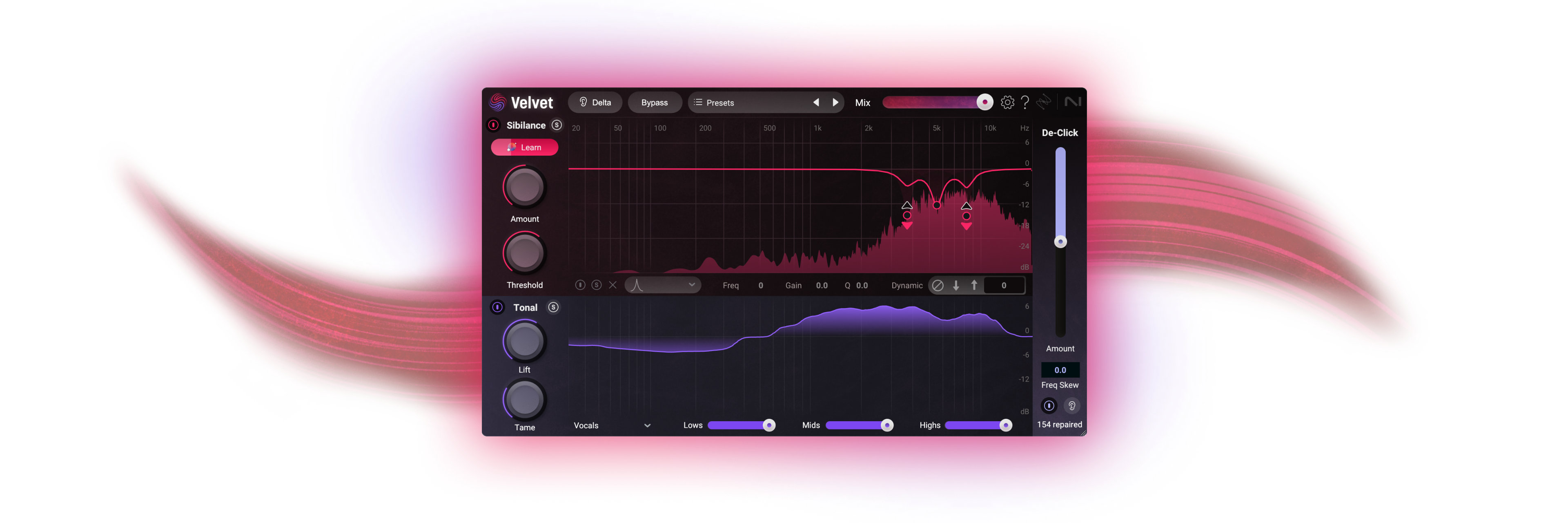
💡 Smarter De-Essing with AI Precision
Say goodbye to trial-and-error EQ tweaks! Velvet’s auto-learning algorithm detects sibilant frequencies and applies a 6-band dynamic EQ with pinpoint accuracy. Hit “Learn,” and let Velvet handle the technical stuff while you focus on your sound. 🔍🎛️
🎨 Dynamic Tone Control, Your Way
Shape your vocal tone effortlessly with Lift and Tame controls, tailored frequency sliders, and 8 expertly crafted vocal tone profiles. Whether you're going for subtle warmth or bold brilliance, Velvet makes vocal sculpting intuitive and fun. 🌈🔊
🧼 Mouth Noise? Clicks? Gone.
Tired of lip smacks and pops ruining your perfect take? Velvet includes a De-Click tool that smartly removes mouth noises and artifacts — preserving emotion, clarity, and performance integrity with just one simple slider. 🎤✨
🚀 Why Choose Velvet?
✅ Intelligent, self-learning de-esser AI
🎚️ Precise 6-band dynamic EQ for vocal shaping
🎯 8 customizable tone profiles for any vocal style
🔇 Built-in De-Click for a cleaner, professional sound
🖥️ Sleek, intuitive UI for fast, pro-level results
Compatibility checklist
- Windows 10,11 (64-bit Only)
- VST,VST3
- Formats: VST3 · VST
Requirements vary by supplied version. Confirm your setup with support before purchasing.
Delivery & activation
- Complete your purchaseReview compatibility and purchase details.
- Download your filesAccess available downloads through your order and account.
- Follow the included setup guideContact GetPlugins if you need installation help.
Activation, where included, is provided by GetPlugins. Publisher-account registration, transferable publisher keys and a publisher-issued licence are not included. Read the activation policy.
Frequently asked questions
How do I receive my download?
After payment, access available files from your order details and GetPlugins account. Contact support if a download is missing.
What activation is included?
Follow the activation instructions supplied with your download. Activation is provided by GetPlugins. Confirm device allowances and reinstall arrangements before ordering.
Will this work with my computer and DAW?
Check the compatibility information for this listing and ask us to confirm the exact supplied build. Libraries may require a compatible sampler or additional software.
What if I need installation help?
Email support@getplugins.io with your order number, operating system, DAW and any error message.
Which updates are included?
Activation and updates are separate. Confirm the available version and update arrangements before ordering; do not assume access to future publisher releases.
How do I request a refund?
Contact support with your order number and issue details. Read our Refund Policy for eligibility and the request process.







Reviews
There are no reviews yet.