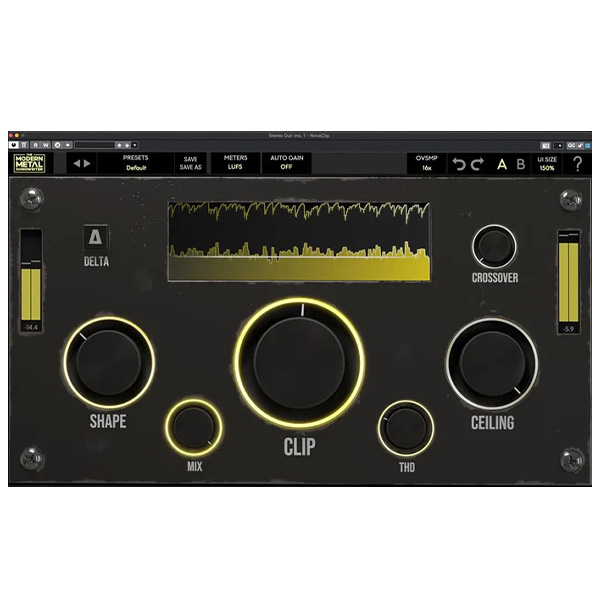
Modern Metal Solutions – NovaClip (Windows)
£22.00
Discover Modern Metal Solutions – NovaClip (Windows)
Fine-tune how different bands (lows, mids, highs) are clipped to preserve punch while shaping tone across the spectrum. Perfect for dialed-in, tight low end and crispy highs. 🎚️📈
🥁 Drums – Slam and tighten with impact
🎸 Guitars – Add bite and clarity
🎸 Bass – Sculpt fat, controlled low-end
Explore product features & full description
🔑 NOVAClip – Power Features Built for Pros & Creators
🔥 Crossover Frequency Control
Fine-tune how different bands (lows, mids, highs) are clipped to preserve punch while shaping tone across the spectrum. Perfect for dialed-in, tight low end and crispy highs. 🎚️📈
🎛️ World-Class Saturation Engine
Add harmonic richness, analog warmth, and musical character with advanced saturation modes — giving your mix depth, grit, and pro-level presence. 🎸💥
✨ Shape Control for Transients
Whether you want soft, warm clipping or razor-edged attack, NOVAClip’s shaping curve lets you control your tone with pinpoint accuracy. 🪞🔊
⚙️ Auto Gain Compensation
Forget level matching — NOVAClip keeps your output consistent while you experiment creatively. Focus on the sound, not the volume. 🔄🎚️
⚡ Zero-Latency Performance
Get instant, real-time feedback with true zero-latency processing, making NOVAClip ideal for both studio mixing and live environments. 🎧⏱️
🎵 Expansive Preset Library
Speed up your workflow with genre-optimized presets for:
-
🥁 Drums – Slam and tighten with impact
-
🎸 Guitars – Add bite and clarity
-
🎸 Bass – Sculpt fat, controlled low-end
-
🎚️ Mastering – Polish your mix with focused aggression
🌟 Why NOVAClip Stands Out
| 💡 Feature | 🚀 Benefit |
|---|---|
| 🎚️ Intuitive Interface | Easily achieve pro-level loudness without technical hassle |
| 🔥 Aggression + Musicality | Balance raw energy with tonal clarity |
| 🧰 Element-Specific Presets | Instant enhancement for drums, guitars, bass & masters |
| ⚡ Real-Time Workflow | Create without delay thanks to zero latency |
| 🎧 Trusted by Professionals | Used by top producers across heavy and modern genres |
Compatibility checklist
- Windows 10,11 (64-bit Only)
- VST3, AAX
- Formats: VST3 · AAX
Requirements vary by supplied version. Confirm your setup with support before purchasing.
Delivery & activation
- Complete your purchaseReview compatibility and purchase details.
- Download your filesAccess available downloads through your order and account.
- Follow the included setup guideContact GetPlugins if you need installation help.
Activation, where included, is provided by GetPlugins. Publisher-account registration, transferable publisher keys and a publisher-issued licence are not included. Read the activation policy.
Frequently asked questions
How do I receive my download?
After payment, access available files from your order details and GetPlugins account. Contact support if a download is missing.
What activation is included?
Follow the activation instructions supplied with your download. Activation is provided by GetPlugins. Confirm device allowances and reinstall arrangements before ordering.
Will this work with my computer and DAW?
Check the compatibility information for this listing and ask us to confirm the exact supplied build. Libraries may require a compatible sampler or additional software.
What if I need installation help?
Email support@getplugins.io with your order number, operating system, DAW and any error message.
Which updates are included?
Activation and updates are separate. Confirm the available version and update arrangements before ordering; do not assume access to future publisher releases.
How do I request a refund?
Contact support with your order number and issue details. Read our Refund Policy for eligibility and the request process.

Reviews
There are no reviews yet.