Navie D – noteGRABBER (Windows)
£10.00
Discover Navie D – noteGRABBER (Windows)
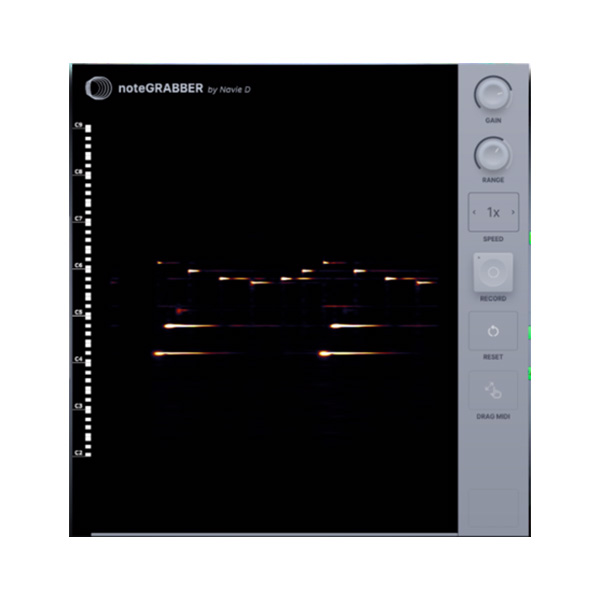
See the notes in any sample. Then convert them to MIDI for your beats. 100% accuracy, because you control everything
Explore product features & full description
See the notes in any sample. Then convert them to MIDI for your beats. 100% accuracy, because you control everything
Possibilities
noteGRABBER makes sampling easy
Sampling has an important legacy in music. 90% of the greatest beats use samples (according to Rock The Bells).
However many producers find sampling difficult because there aren’t many sampling plugins. That’s where noteGRABBER comes in. It’s an audio-to-MIDI conversion tool that’s 100% accurate, showing you every note in your sample and letting you pick and choose what you want. With noteGRABBER, you can add instruments, create new patterns, and build around your samples more easily. It’s a game-changer for anyone looking to be part of the sampling tradition. Think of noteGRABBER as your secret weapon to make sampling easy and fun.
Make sampling easy
noteGRABBER makes sampling easy. It shows you every note in your sample. Whether you’re an experienced sampler or just starting, note that GRABBER will take your sampling to the next level.
Save time
noteGRABBER eliminates the need for trial and error. It allows you to grab notes from your sample. This speeds up your workflow, allowing you to focus on creating music, not guesswork.
Enhance your creativity
noteGRABBER opens up new creative possibilities by showing you new ways to look at your sample. You can layer instruments, create complex bass lines, and experiment with unique melodies. Sampling made easy.
Compatibility checklist
- Windows 10,11 (64Bit Only)
- VST3 Only
- Formats: VST3
Requirements vary by supplied version. Confirm your setup with support before purchasing.
Delivery & activation
- Complete your purchaseReview compatibility and purchase details.
- Download your filesAccess available downloads through your order and account.
- Follow the included setup guideContact GetPlugins if you need installation help.
Activation, where included, is provided by GetPlugins. Publisher-account registration, transferable publisher keys and a publisher-issued licence are not included. Read the activation policy.
Frequently asked questions
How do I receive my download?
After payment, access available files from your order details and GetPlugins account. Contact support if a download is missing.
What activation is included?
Follow the activation instructions supplied with your download. Activation is provided by GetPlugins. Confirm device allowances and reinstall arrangements before ordering.
Will this work with my computer and DAW?
Check the compatibility information for this listing and ask us to confirm the exact supplied build. Libraries may require a compatible sampler or additional software.
What if I need installation help?
Email support@getplugins.io with your order number, operating system, DAW and any error message.
Which updates are included?
Activation and updates are separate. Confirm the available version and update arrangements before ordering; do not assume access to future publisher releases.
How do I request a refund?
Contact support with your order number and issue details. Read our Refund Policy for eligibility and the request process.

Reviews
There are no reviews yet.