


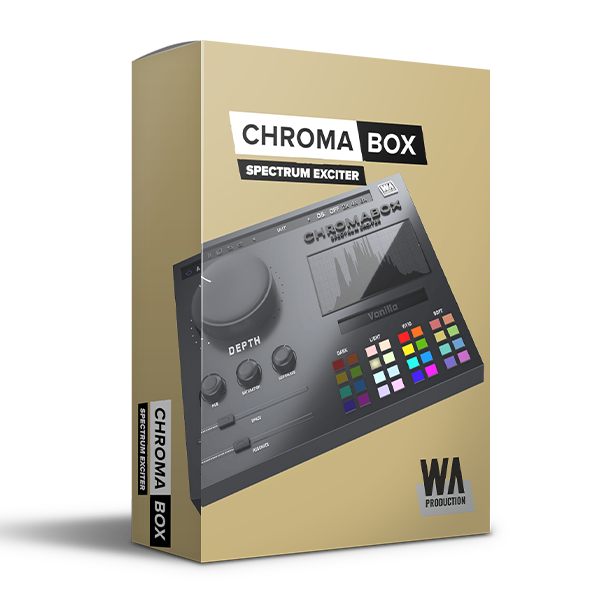
Discover W.A Production – ChromaBox (Windows)
Whether you're dialling in subtle enhancements or pushing the boundaries of sonic experimentation, this knob is the starting point. Turn the Depth dial to scale every other parameter with this single control, introducing saturation, 3D effects, frequency shaping and more. The harder you twist the dial, the more outrageous the effect will become, so use…
Spectrum Exciter plugin with one-click transformations
Unique processing modules
32 color quick access palette
Explore product features & full description
One Knob To Rule Them All
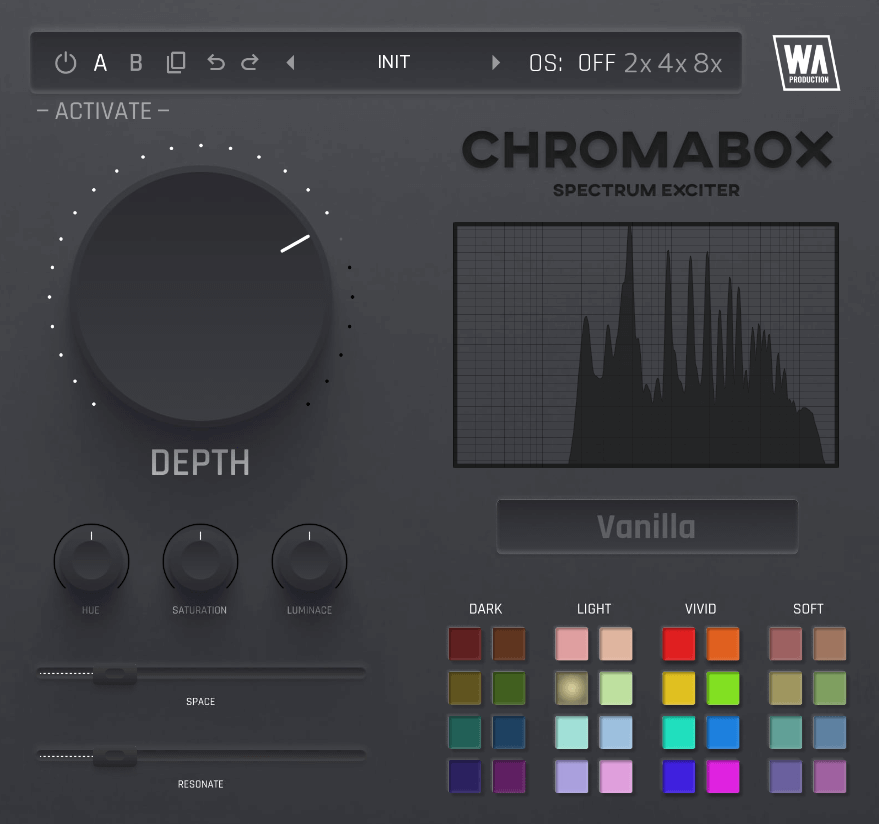
Whether you're dialling in subtle enhancements or pushing the boundaries of sonic experimentation, this knob is the starting point. Turn the Depth dial to scale every other parameter with this single control, introducing saturation, 3D effects, frequency shaping and more. The harder you twist the dial, the more outrageous the effect will become, so use with care.
Color Your World
Controls for Hue, Saturation and Luminance shape the color profile in interesting and sometimes surprising ways. Tweak these dials to give your guitars sparkle, or give acoustic instruments more body. For quick and easy transformations, the 32 color palette gives a plethora of starting points for your sound shaping. Categorised into Dark, Light, Vivid and Soft, these different flavors of tone shaping are easy to browse and can give your audio an instant lift, with just one click.
Resonate the Space
Two controls which are integral to the creative mutations of ChromaBox are Space and Resonate. Space adjusts the amount of reflections within a simulated 3D space with character that’s dependent on color profile selection. Resonate controls resonant peaks that can ring out, again with timbre changes based on your chosen color profile.
Visual Feedback & Comparison
ChromaBox is built on vector graphics with a resizable interface. A live frequency spectrum is displayed on the right hand side, showing exactly what’s happening to the signal as it travels through the plugin in real time. This allows for accurate monitoring at every step of the chain. For those who like to experiment, contrast different processing chains with AB comparison and copy / paste. Use the undo / redo buttons to revert any changes.
Presets
ChromaBox includes a huge number of factory presets, suitable for all kinds of audio processing in multiple genres. Use the provided parameters as starting points for your own transformations, to bring the best out of your sounds.
W. A. Production are real-life producers making creative plugins to help you achieve studio quality processing quickly and easily. Enjoy!
Features:
- Spectrum Exciter plugin with one-click transformations
- Unique processing modules
- 32 color quick access palette
- Sound sculpting: Hue, Saturation, Luminance
- Space & Resonance adjustment
- Frequency spectrum monitoring
- AB comparison & Undo / Redo
- Resizable interface
- Responsive & CPU friendly
- Flexible factory presets
- Full PDF Manual & Tutorial video
Compatibility checklist
- Windows 10,11 (64Bit Only)
- Full Version
- VST3, AAX
- Formats: VST3 · AAX
Requirements vary by supplied version. Confirm your setup with support before purchasing.
Delivery & activation
- Complete your purchaseReview compatibility and purchase details.
- Download your filesAccess available downloads through your order and account.
- Follow the included setup guideContact GetPlugins if you need installation help.
Activation, where included, is provided by GetPlugins. Publisher-account registration, transferable publisher keys and a publisher-issued licence are not included. Read the activation policy.
Frequently asked questions
How do I receive my download?
After payment, access available files from your order details and GetPlugins account. Contact support if a download is missing.
What activation is included?
Follow the activation instructions supplied with your download. Activation is provided by GetPlugins. Confirm device allowances and reinstall arrangements before ordering.
Will this work with my computer and DAW?
Check the compatibility information for this listing and ask us to confirm the exact supplied build. Libraries may require a compatible sampler or additional software.
What if I need installation help?
Email support@getplugins.io with your order number, operating system, DAW and any error message.
Which updates are included?
Activation and updates are separate. Confirm the available version and update arrangements before ordering; do not assume access to future publisher releases.
How do I request a refund?
Contact support with your order number and issue details. Read our Refund Policy for eligibility and the request process.






Reviews
There are no reviews yet.