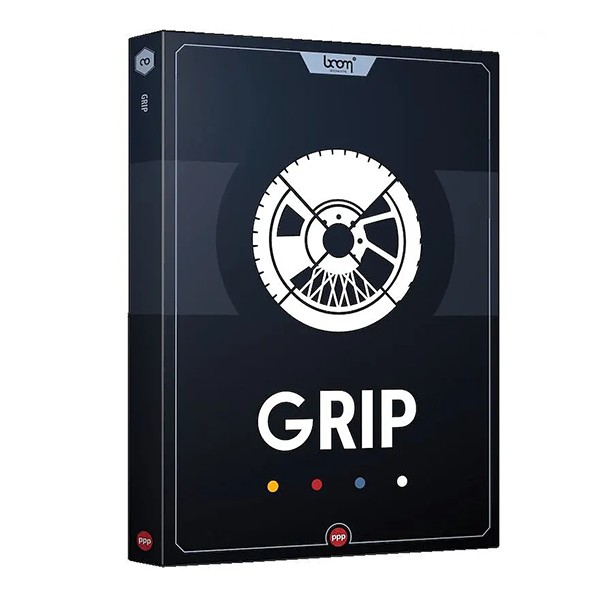
Boom Library Grip (Windows)
£15.00
Discover Boom Library Grip (Windows)
Designing vehicle sounds for motion picture? Done with the engine? Let’s tackle the other 50% – tire, wheel, and chassis interactions. Create highly dynamic and authentic skids, bumps, friction, rolling noise, and much more with a high variety of wheel configurations, ground materials, and perspectives. Customize and automate everything in real time!
Dynamically produce vehicle wheel and chassis sounds for motion picture
Choose from 5 base vehicle types
Automate every parameter
Explore product features & full description
DYNAMIC VEHICLE TYRE AND CHASSIS SOUND DESIGN
Designing vehicle sounds for motion picture? Done with the engine? Let’s tackle the other 50% – tire, wheel, and chassis interactions.
Create highly dynamic and authentic skids, bumps, friction, rolling noise, and much more with a high variety of wheel configurations, ground materials, and perspectives. Customize and automate everything in real time!
WHAT IS GRIP?
GRIP is a software plug-in for your favorite DAW that is used to create tire and chassis sounds for the motion pictures.
This in-the-box solution gets the job done fast, 100% configurable, automated ready, and pretty darn fun, admittedly.
WATCH THE TUTORIAL
KEY FEATURES
- Dynamically produce vehicle wheel and chassis sounds for motion picture
- Choose from 5 base vehicle types
- Automate every parameter
- Adjustable parameters:
- Speed
- Grip
- Chassis intensity
- Perspective: Interior / Exterior
- Perspective: Angle, Distance
- Grip / Skid Amount
- Skid Blending
- Skid Pitch
- Surface Blending
- Detail Amount
- Mix: Rolling, Skid, Detail, Chassis, Suspension
- Trigger Suspension impacts with a simple tap
- Simple but powerful in-the-box solution
- Eliminate the need for sample cutting, crossfading, pitching, and aligning
Compatibility checklist
- Windows 10,11 (64Bit Only)
- Full Version
- VST2, VST3, AAX
- Formats: VST3 · VST2 · AAX
Requirements vary by supplied version. Confirm your setup with support before purchasing.
Delivery & activation
- Complete your purchaseReview compatibility and purchase details.
- Download your filesAccess available downloads through your order and account.
- Follow the included setup guideContact GetPlugins if you need installation help.
Activation, where included, is provided by GetPlugins. Publisher-account registration, transferable publisher keys and a publisher-issued licence are not included. Read the activation policy.
Frequently asked questions
How do I receive my download?
After payment, access available files from your order details and GetPlugins account. Contact support if a download is missing.
What activation is included?
Follow the activation instructions supplied with your download. Activation is provided by GetPlugins. Confirm device allowances and reinstall arrangements before ordering.
Will this work with my computer and DAW?
Check the compatibility information for this listing and ask us to confirm the exact supplied build. Libraries may require a compatible sampler or additional software.
What if I need installation help?
Email support@getplugins.io with your order number, operating system, DAW and any error message.
Which updates are included?
Activation and updates are separate. Confirm the available version and update arrangements before ordering; do not assume access to future publisher releases.
How do I request a refund?
Contact support with your order number and issue details. Read our Refund Policy for eligibility and the request process.

Reviews
There are no reviews yet.