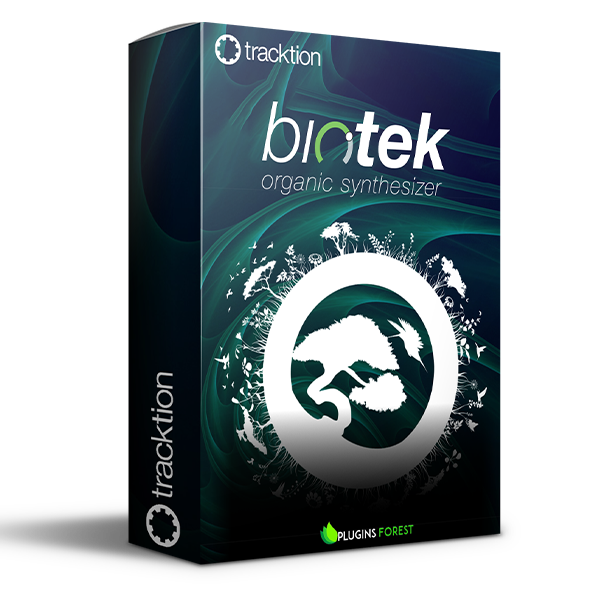
Tracktion Software BioTek 2 (Windows)
£30.00
Discover Tracktion Software BioTek 2 (Windows)
A powerhouse sampling and synthesis workstation offering unlimited sound design in a unique and inspirational environment – evolve your own sound.
Explore product features & full description
BIOTEK 2
A powerhouse sampling and synthesis workstation offering unlimited sound design in a unique and inspirational environment – evolve your own sound.
In a world full of virtual instruments, BioTek was designed to be different from the ground up. Not only is the engine more capable than existing offerings, but the choice to use natural and environmental samples gave the instrument its unique character. The user interface was designed to allow rapid access to inspirational parameters via macro controls on the main ‘Wild’ page whilst also presenting access to the deep editing environment. Extensive modulation and modifier routes are intuitively assigned and all parameters are available for DAW automation. Dive into the weird and wonderful immersive world of BioTek.
Spinal Saw Oscillator
The unique ‘Spinal Saw’ oscillator allows you to have up to 11 detuned sawtooth waves within a single oscillator. Considering BioTek features 4 oscillators per voice, this gives you a total of 44 sawteeth per sound layer – and you can have unlimited sound layers per patch. Perfect for making thick leads, huge pads, and rumbling synth basses – unleash the beast.
Granular Oscillator
The BioTek 2 granular oscillator extracts sound grains from the sample of your choice and redistributes them into dense clouds, scattered drops, or any density in between. This allows you to create everything from uniquely textured musical instruments to otherworldly soundscapes. The oscillator itself provides a useful visual reference for how the grains relate to the source sample, showing playback position and pitch relationships. The BioTek 2 granular oscillator brings a mighty storm surge of synthesis to an already powerful engine.

Deep Parameter Control
BioTek’s unlimited engine can scale to literally tens of thousands of parameters so managing the workflow is key. The intuitive system for importing your own samples and promoting parameters to the main ‘Wild’ macro page allows you to quickly construct your own instrument. The customizable ‘Wild’ page macro controls are immediately accessible to your DAW automation and new in version 2 is the ability to also access the entire parameter list from the deep editing pages. You have unprecedented control over all the instrument's sound-shaping tools.
Surgical Precision
No synthesizer is complete without a comprehensive filtering and effects section. BioTek has a full complement of both – 9 high-quality effects can be loaded into 4 effect slots per voice allowing for extensive creative sound shaping. Filtering is also extremely flexible with numerous types to choose from, now including Transistor Ladder and Sallen-Key in BioTek 2 – sculpt your sound with surgical precision.
Compatibility checklist
- Confirm the supplied build, operating system and required host before ordering.
- Formats: VST3 · VST2
Requirements vary by supplied version. Confirm your setup with support before purchasing.
Delivery & activation
- Complete your purchaseReview compatibility and purchase details.
- Download your filesAccess available downloads through your order and account.
- Follow the included setup guideContact GetPlugins if you need installation help.
Activation, where included, is provided by GetPlugins. Publisher-account registration, transferable publisher keys and a publisher-issued licence are not included. Read the activation policy.
Frequently asked questions
How do I receive my download?
After payment, access available files from your order details and GetPlugins account. Contact support if a download is missing.
What activation is included?
Follow the activation instructions supplied with your download. Activation is provided by GetPlugins. Confirm device allowances and reinstall arrangements before ordering.
Will this work with my computer and DAW?
Check the compatibility information for this listing and ask us to confirm the exact supplied build. Libraries may require a compatible sampler or additional software.
What if I need installation help?
Email support@getplugins.io with your order number, operating system, DAW and any error message.
Which updates are included?
Activation and updates are separate. Confirm the available version and update arrangements before ordering; do not assume access to future publisher releases.
How do I request a refund?
Contact support with your order number and issue details. Read our Refund Policy for eligibility and the request process.

Reviews
There are no reviews yet.