UVI Opal Compressor (Windows)
£15.00
Discover UVI Opal Compressor (Windows)
As emulation technology advances and the boundaries between digital and physical sound shaping become less defined, UVI has demonstrated a capacity to develop uncompromising sonic sculpting tools that are rooted in vintage hardware. With their Opal plug-in, they’ve delivered a masterclass in emulation expertise, boasting a suite of compression controls forged from the meticulously captured,…
Onboard presets are painlessly managed, stored, recalled, and navigated for plenty of radio-ready exploration
7 baselines take the form of painstakingly emulated hardware optical compressors, using cutting-edge technology to ensure every aspect of the physical models…
Streamlined UI makes sound shaping and navigation a breeze while eschewing the need for menu diving
Explore product features & full description
Vintage Character, Cutting-edge Control
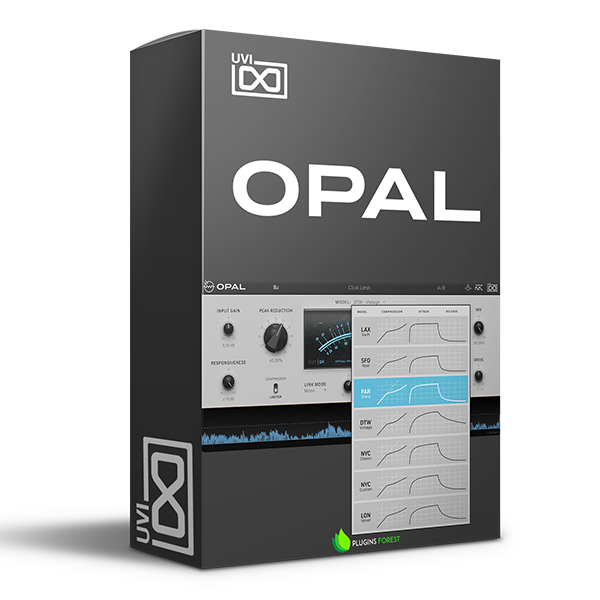
As emulation technology advances and the boundaries between digital and physical sound shaping become less defined, UVI has demonstrated a capacity to develop uncompromising sonic sculpting tools that are rooted in vintage hardware. With their Opal plug-in, they’ve delivered a masterclass in emulation expertise, boasting a suite of compression controls forged from the meticulously captured, faithful re-creation of seven iconic hardware optical compressors. Each model can be fired up at will, providing the baseline of distinctive character that defined their physical predecessors. From there, a streamlined interface allows you to easily and accurately dial in your sound, sans the menu diving. A suite of sound design tools accompanies the onboard presets, including a toggleable treble boost and tube simulation. The controls also include mid-frequency presence, drive, and responsiveness, in addition to a host of gain management tools and a 1-click sidechain. Production pros at Sweetwater love the real-time visual feedback between the VU meter and color-coded Gain Reduction Graph, providing all the information you need in an easily decipherable format.
Related Videos: Opal Optical Compressor Plug-in
https://youtu.be/yxrE7cb7QJI
UVI Opal Optical Compressor Plug-in Features:
- Onboard presets are painlessly managed, stored, recalled, and navigated for plenty of radio-ready exploration
- 7 baselines take the form of painstakingly emulated hardware optical compressors, using cutting-edge technology to ensure every aspect of the physical models is faithfully preserved
- Streamlined UI makes sound shaping and navigation a breeze while eschewing the need for menu diving
- Toggleable controls include treble boost, tube simulation, and a limiter mode for increased flexibility in sound design
- Drive, responsiveness, mid-presence, and gain-management controls are painlessly attenuated with user-friendly controls for maximum effect
- A/B snapshot allows you to quickly compare mixes for an unencumbered workflow
- One-click sidechain management means immediately engaging in evocative sound design
- Real-time visual feedback includes the VU meter, output, and gain reduction levels for versatile, accommodating compressor management
- The gain reduction graph includes color-coded indicators for gain reduction, input, and compression thresholds
Compatibility checklist
- Lifetime Activation & Access To Download
- Full Version
- Windows 10,11 (64Bit Only)
- VST2, VST3,AAX
- Formats: VST3 · VST2 · AAX
Requirements vary by supplied version. Confirm your setup with support before purchasing.
Delivery & activation
- Complete your purchaseReview compatibility and purchase details.
- Download your filesAccess available downloads through your order and account.
- Follow the included setup guideContact GetPlugins if you need installation help.
Activation, where included, is provided by GetPlugins. Publisher-account registration, transferable publisher keys and a publisher-issued licence are not included. Read the activation policy.
Frequently asked questions
How do I receive my download?
After payment, access available files from your order details and GetPlugins account. Contact support if a download is missing.
What activation is included?
Follow the activation instructions supplied with your download. Activation is provided by GetPlugins. Confirm device allowances and reinstall arrangements before ordering.
Will this work with my computer and DAW?
Check the compatibility information for this listing and ask us to confirm the exact supplied build. Libraries may require a compatible sampler or additional software.
What if I need installation help?
Email support@getplugins.io with your order number, operating system, DAW and any error message.
Which updates are included?
Activation and updates are separate. Confirm the available version and update arrangements before ordering; do not assume access to future publisher releases.
How do I request a refund?
Contact support with your order number and issue details. Read our Refund Policy for eligibility and the request process.

Reviews
There are no reviews yet.