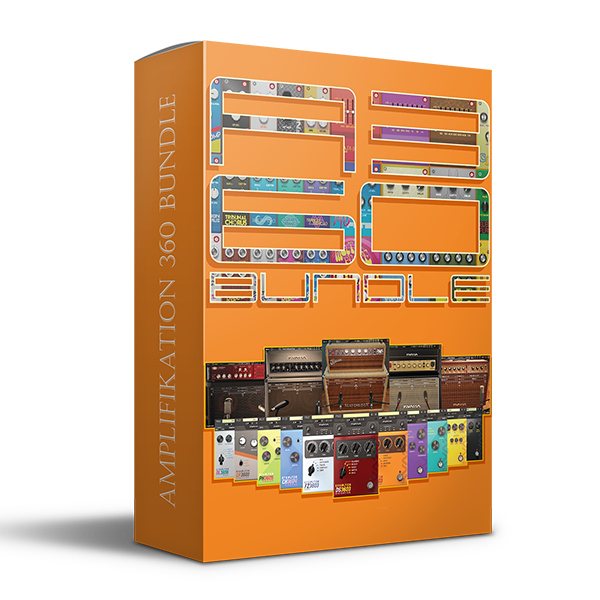
Kuassa Amplification 360 Bundle (Windows)

Wrapper, integrator, host, or just a platform for a guitarist. Mix, integrate, explore, and execute with the Kuassa…
Formats: VST3 · AAX · Standalone · VST

£30.00

Discover Kuassa Amplification 360 Bundle (Windows)

Wrapper, integrator, host, or just a platform for a guitarist. Mix, integrate, explore, and execute with the Kuassa Amplifikations and Efektors you own, which are automatically added to Amplifikation 360 as building blocks. Amplifikation 360 is a modular “playground” for stacking pedals, amps, and cabinets to create the perfect sound you want.

Free routing with an unlimited number of devices

Automatic registration of all your Amplifikation and Efektor plugins

Consolidates all Kuassa plugin features into a single interface

Explore product features & full description

Wrapper, integrator, host, or just a platform for a guitarist. Mix, integrate, explore, and execute with the Kuassa Amplifikations and Efektors you own, which are automatically added to Amplifikation 360 as building blocks. Amplifikation 360 is a modular “playground” for stacking pedals, amps, and cabinets to create the perfect sound you want.

Instantly combine all your existing Kuassa guitar plugins into Amplifikation 360. Try routing a Matchlock amp with a Caliburn cabinet, adding a series (and parallel routing) of Efektor pedals to get that spatial shoegazing wall of sound, more than live djent. riffs or even trippy psychedelic solos. Amplifikation 360 is a solution for rapid patch development with a unique, intuitive single-screen graphical interface.

Features of Amplification 360:

  • Free routing with an unlimited number of devices
  • Automatic registration of all your Amplifikation and Efektor plugins
  • Consolidates all Kuassa plugin features into a single interface
  • Assignable MIDI control for personalized setups
  • “Live mode” for seamless session changes while playing
  • Customizable and movable interface panels for optimal workflow
  • Built-in looper and audio player for jamming and practicing
  • Container Unit to combine effects with versatile routing options
  • Chromatic tuner for precise tuning on the fly
  • Real-time experimentation and patch creation for instant inspiration
  • Interconnectivity between pedals, amps, and cabinets for diverse sounds
  • Streamlined interface for easy tweaking and experimentation
  • Ability to craft unique guitar tones and textures effortlessly
  • Versatile enough for various genres and playing styles
  • Offers a dynamic and immersive playing experience
  • Provides a platform for creativity and sonic exploration
  • Tailored for both live performances and studio sessions
  • Seamless integration of your existing Kuassa plugins for a unified experience

https://youtu.be/t1tDVu6Byr4
Compatibility checklist

  • Windows 10,11 (64Bit Only)
  • AAX, VST3, VST, Standalone
  • Formats: VST3 · AAX · Standalone · VST

Requirements vary by supplied version. Confirm your setup with support before purchasing.

Delivery & activation

  1. Complete your purchaseReview compatibility and purchase details.
  2. Download your filesAccess available downloads through your order and account.
  3. Follow the included setup guideContact GetPlugins if you need installation help.

Activation, where included, is provided by GetPlugins. Publisher-account registration, transferable publisher keys and a publisher-issued licence are not included. Read the activation policy.

Frequently asked questions

How do I receive my download?

After payment, access available files from your order details and GetPlugins account. Contact support if a download is missing.

What activation is included?

Follow the activation instructions supplied with your download. Activation is provided by GetPlugins. Confirm device allowances and reinstall arrangements before ordering.

Will this work with my computer and DAW?

Check the compatibility information for this listing and ask us to confirm the exact supplied build. Libraries may require a compatible sampler or additional software.

What if I need installation help?

Email support@getplugins.io with your order number, operating system, DAW and any error message.

Which updates are included?

Activation and updates are separate. Confirm the available version and update arrangements before ordering; do not assume access to future publisher releases.

How do I request a refund?

Contact support with your order number and issue details. Read our Refund Policy for eligibility and the request process.

Customer Reviews

Reviews

There are no reviews yet.

Be the first to review “Kuassa Amplification 360 Bundle (Windows)”

Your email address will not be published. Required fields are marked *