Unison – Drum Monkey
AI-Powered Drum Loop Generator for Fast Music Production
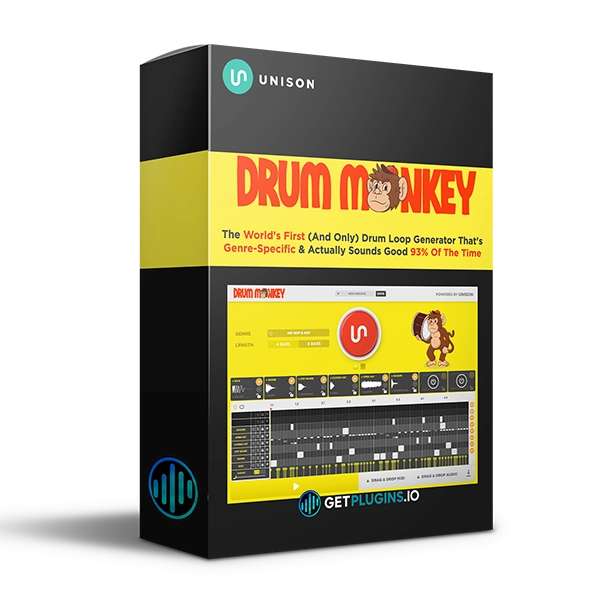
Unison Drum Monkey is a genre-focused drum loop generator designed to help producers create professional-quality drum patterns quickly and overcome creative blocks.
Instead of spending hours programming drums manually or searching through sample libraries, Drum Monkey lets you select a genre and duration, generate a new drum loop, and immediately drag it into your DAW as audio or MIDI.
With support for 30 music genres, Drum Monkey provides a fast workflow for creating drum grooves, rhythmic ideas, and production-ready patterns.
Explore our drum and percussion plugins for more tools designed to speed up music production.
Generate Drum Loops in Seconds
Drum Monkey simplifies drum creation into three simple steps:
1. Select your genre and duration.
2. Generate your drum loop.
3. Drag the result into your project as audio or MIDI.
This streamlined workflow allows you to move quickly from an idea to a usable drum pattern.
Genre-Specific Drum Generation
Drum Monkey is designed around genre-specific drum patterns, making it easier to generate grooves that fit the style of your production.
Create drum ideas for a wide range of musical genres and quickly experiment with different rhythmic approaches.
Whether you're producing electronic music, hip-hop, pop, house, or other styles, genre-focused generation gives you a useful starting point for your track.
Unlimited Drum Loop Inspiration
Creative blocks can slow down production. Drum Monkey provides an instant source of rhythmic inspiration by allowing you to generate new drum loops whenever you need a fresh idea.
Use generated patterns to:
- Start new tracks
- Build drum grooves
- Create beat variations
- Develop song arrangements
- Experiment with different genres
- Find new rhythmic ideas
- Break through creative blocks
For additional production tools, explore our music production plugins collection.
Audio & MIDI Workflow
Drum Monkey supports both audio and MIDI output, giving producers flexibility over how they use generated patterns.
Drag the generated loop directly into your DAW or export it for additional editing and processing.
MIDI output is especially useful when you want to customize individual drum notes, velocities, sounds, or timing.
Fast & Efficient Production
Drum Monkey is designed to reduce the time spent programming repetitive drum patterns.
Instead of building every groove manually, you can generate ideas quickly and then focus your time on arrangement, sound selection, mixing, and creative decisions.
This makes Drum Monkey particularly useful for producers who want to maintain momentum during the creative process.
Key Features
- Genre-focused drum loop generator
- AI-powered drum generation
- Support for 30 music genres
- Instant drum loop creation
- Unlimited pattern generation
- Adjustable loop duration
- Audio export
- MIDI export
- Drag-and-drop DAW workflow
- Fast creative workflow
- Drum pattern generation
- Ideal for overcoming creative blocks
Perfect For
- Music Producers
- Beat Makers
- EDM Producers
- Hip-Hop Producers
- Pop Producers
- House Producers
- Electronic Music Producers
- Trap Producers
- Songwriters
- Beginners
- Professional Producers
- Music Creators
Why Choose Unison Drum Monkey?
Unison Drum Monkey combines genre-focused drum generation with a simple workflow that makes creating new grooves fast and accessible. Instead of spending valuable production time manually programming every drum pattern, you can generate ideas instantly and export them as audio or MIDI.
Whether you're starting a new beat, looking for rhythmic inspiration, or developing a complete production, Drum Monkey gives you a quick way to create and experiment with new drum loops.
Explore more drum plugins, MIDI tools, and music production software for your studio. Unison Official









Reviews
There are no reviews yet.