IK Multimedia – Miroslav Philharmonik 2 (Windows)
£27.99
Discover IK Multimedia – Miroslav Philharmonik 2 (Windows)
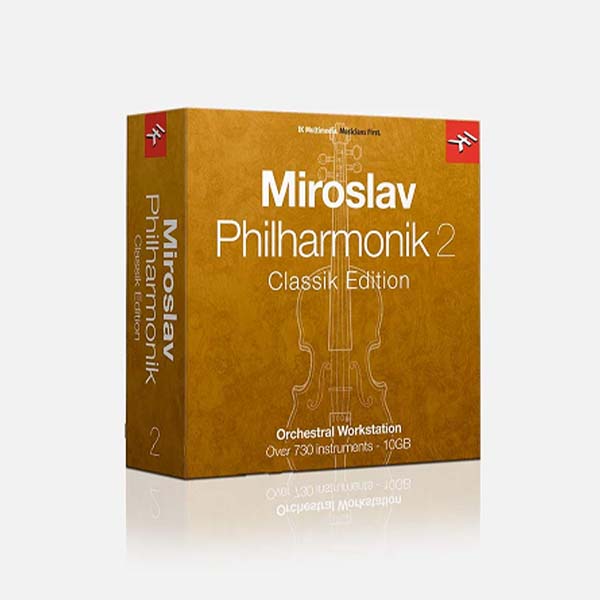
IK Multimedia Miroslav Philharmonik 2 CE enriches your symphonic palette with 733 instruments, covering every section of the orchestra. Since its introduction, Miroslav Philharmonik has been a staple of Sweetwater composers. The streamlined Philharmonik 2 CE delivers 10GB packed with new sounds, increased variety, and all the multi-articulation switching instruments from the full version, which…
An uber-expressive, cost-effective orchestral library
Produced and recorded by legendary composer/bassist Miroslav Vitous
733 instruments span the full orchestral gamut of Miroslav Philharmonik 2
Explore product features & full description
Value-packed Orchestral Library
IK Multimedia Miroslav Philharmonik 2 CE enriches your symphonic palette with 733 instruments, covering every section of the orchestra. Since its introduction, Miroslav Philharmonik has been a staple of Sweetwater composers. The streamlined Philharmonik 2 CE delivers 10GB packed with new sounds, increased variety, and all the multi-articulation switching instruments from the full version, which provides instant access to staccato, legato, pizzicato, sustains, and more. Under your baton, strings will soar, woodwinds will dance, and brass will thrill. IK Multimedia Miroslav Philharmonik 2 CE is a cinematic sonic extravaganza and a stunning value.
A universe of emotional orchestral sound - plus killer FX
Miroslav Philharmonik 2 CE delivers a universe of emotional orchestral sounds, as well as 34 amazing plug-in effects from IK Multimedia's renowned SampleTank 3. These can be controlled on their own, or - for sonic sculpting on the fly - via each instrument's eight macros, which provide easy access to regularly used parameters. IK Multimedia Miroslav Philharmonik 2 CE also ships with ConvoRoom convolution reverb, plus four pro-grade mastering processors from T-RackS.
IK Multimedia Miroslav Philharmonik 2 CE Features:
- An uber-expressive, cost-effective orchestral library
- 10GB+ of 44.1kHz, 16-bit content
- Produced and recorded by legendary composer/bassist Miroslav Vitous
- 733 instruments span the full orchestral gamut of Miroslav Philharmonik 2
- Numerous articulations per instrument, with articulation swapping
- Ships with ConvoRoom convolution reverb
- Includes 34 studio FX from SampleTank 3
- Comes with 4 pro-grade mastering processors from T-RackS
- Multichannel mix interface with:
- 16 channels, 4 insert effects per channel
- 4 stereo effects returns (each with 5 insert effects)
- Master channel (with 5 insert effects)
- Instrument Edit Page with:
- Formant-preserving pitch shifting engine
- Time-stretching engine
- 10 filter types and 8 macros per instrument for quick multi-parameter editing
- Powerful 64-bit engine based on SampleTank 3
- Recorded in CNSO Studios, Prague
- Miroslav Philharmonik 2 CE can be used as a:
- Standalone orchestral workstation
- DAW plug-in (Standalone, AAX, VST)
- SampleTank 3 add-on instrument collection

Compatibility checklist
- Confirm the supplied build, operating system and required host before ordering.
- Formats: VST3 · VST2 · AAX · Standalone
Requirements vary by supplied version. Confirm your setup with support before purchasing.
Delivery & activation
- Complete your purchaseReview compatibility and purchase details.
- Download your filesAccess available downloads through your order and account.
- Follow the included setup guideContact GetPlugins if you need installation help.
Activation, where included, is provided by GetPlugins. Publisher-account registration, transferable publisher keys and a publisher-issued licence are not included. Read the activation policy.
Frequently asked questions
How do I receive my download?
After payment, access available files from your order details and GetPlugins account. Contact support if a download is missing.
What activation is included?
Follow the activation instructions supplied with your download. Activation is provided by GetPlugins. Confirm device allowances and reinstall arrangements before ordering.
Will this work with my computer and DAW?
Check the compatibility information for this listing and ask us to confirm the exact supplied build. Libraries may require a compatible sampler or additional software.
What if I need installation help?
Email support@getplugins.io with your order number, operating system, DAW and any error message.
Which updates are included?
Activation and updates are separate. Confirm the available version and update arrangements before ordering; do not assume access to future publisher releases.
How do I request a refund?
Contact support with your order number and issue details. Read our Refund Policy for eligibility and the request process.

Reviews
There are no reviews yet.