Tokyo Dawn Labs – TDR Arbiter (Windows)
£20.00
Discover Tokyo Dawn Labs – TDR Arbiter (Windows)
Step into the future of dynamic range control with TDR Arbiter, the latest innovation from Tokyo Dawn Labs — now optimized for Windows. 🪟 Whether you're a mixing engineer, mastering guru, or sound designer, Arbiter is your new secret weapon for achieving surgical control over your audio dynamics.
Intelligent Dual-Stage Dynamics Processor ⚙️
Independent Attack/Release Curves for total envelope shaping
Multiband Detection Architecture for precise frequency targeting 🎯
Explore product features & full description
🎛️ Tokyo Dawn Labs - TDR Arbiter 🎚️
Step into the future of dynamic range control with TDR Arbiter, the latest innovation from Tokyo Dawn Labs — now optimized for Windows. 🪟 Whether you're a mixing engineer, mastering guru, or sound designer, Arbiter is your new secret weapon for achieving surgical control over your audio dynamics.
🚀 Key Features:
-
Intelligent Dual-Stage Dynamics Processor ⚙️
-
Independent Attack/Release Curves for total envelope shaping
-
Multiband Detection Architecture for precise frequency targeting 🎯
-
Mid/Side & Stereo Processing Modes
-
Scalpel-like Precision, even on complex material 🪒
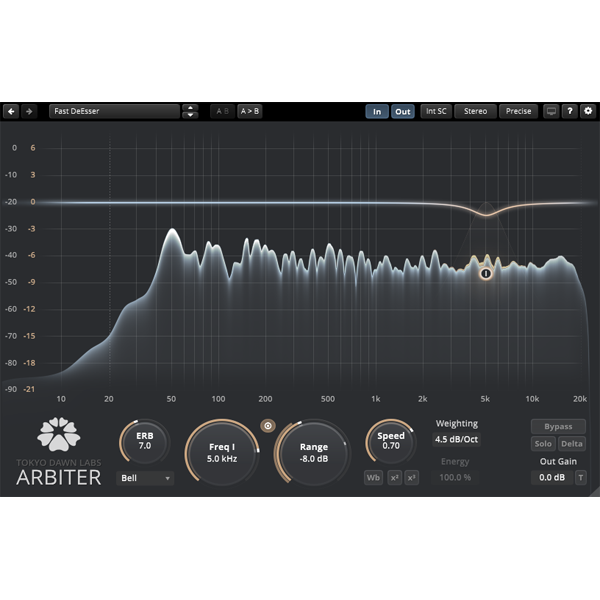
TDR Arbiter doesn’t just tame dynamics — it redefines them. With its crystal-clear metering, innovative interface, and deep customization options, you'll feel empowered to sculpt sound with clarity and finesse.
🎨 Sleek GUI: Elegant, resizable interface built for long sessions without fatigue.
📈 Visual Feedback: Advanced meters & real-time analysis to make informed decisions fast.
🧠 Smart Algorithms: Driven by psychoacoustic principles and years of audio research.
🎶 From subtle glue to bold dynamics transformation — Arbiter has you covered.
✅ Compatible with all major DAWs on Windows (VST/VST3/AAX)
✅ Lightweight and CPU-efficient
✅ Trusted by audio professionals worldwide 🌍
Compatibility checklist
- Windows 10,11 (64-bit Only)
- VST3, AAX
- Formats: VST3 · AAX
Requirements vary by supplied version. Confirm your setup with support before purchasing.
Delivery & activation
- Complete your purchaseReview compatibility and purchase details.
- Download your filesAccess available downloads through your order and account.
- Follow the included setup guideContact GetPlugins if you need installation help.
Activation, where included, is provided by GetPlugins. Publisher-account registration, transferable publisher keys and a publisher-issued licence are not included. Read the activation policy.
Frequently asked questions
How do I receive my download?
After payment, access available files from your order details and GetPlugins account. Contact support if a download is missing.
What activation is included?
Follow the activation instructions supplied with your download. Activation is provided by GetPlugins. Confirm device allowances and reinstall arrangements before ordering.
Will this work with my computer and DAW?
Check the compatibility information for this listing and ask us to confirm the exact supplied build. Libraries may require a compatible sampler or additional software.
What if I need installation help?
Email support@getplugins.io with your order number, operating system, DAW and any error message.
Which updates are included?
Activation and updates are separate. Confirm the available version and update arrangements before ordering; do not assume access to future publisher releases.
How do I request a refund?
Contact support with your order number and issue details. Read our Refund Policy for eligibility and the request process.

Reviews
There are no reviews yet.