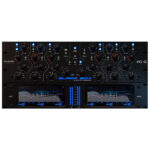
PSP PianoVerb2 (Windows)

PSP PianoVerb2 is a redesigned and improved creative resonant reverb plug-in based on our famed freeware plug-in PSP…
Formats: VST3 · VST2 · AAX

£20.00 £14.00

Discover PSP PianoVerb2 (Windows)

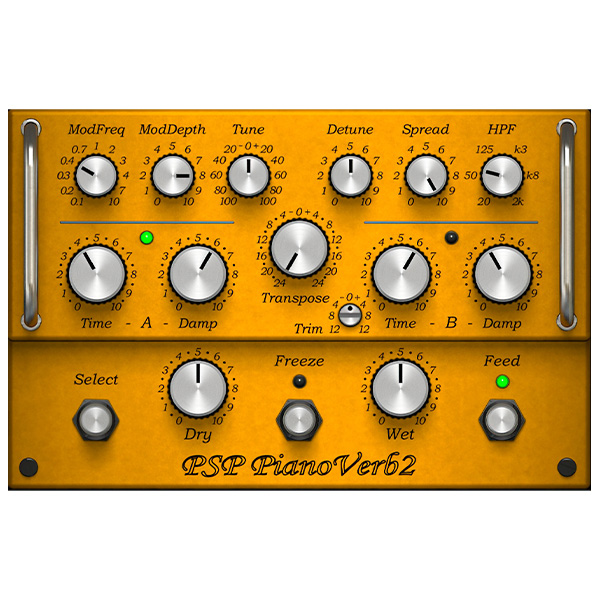
PSP PianoVerb2 is a redesigned and improved creative resonant reverb plug-in based on our famed freeware plug-in PSP PianoVerb. This new version offers a redesigned GUI with a new resizing feature and preset management system. Like the original PianoVerb, it creates its unique sound with twelve resonant filters that mimic the behavior of piano strings.…

Explore product features & full description

PSP PianoVerb2

a creative resonant reverb!

PSP PianoVerb2 is a redesigned and improved creative resonant reverb plug-in based on our famed freeware plug-in PSP PianoVerb. This new version offers a redesigned GUI with a new resizing feature and preset management system. Like the original PianoVerb, it creates its unique sound with twelve resonant filters that mimic the behavior of piano strings. The ability to transpose, tune, and detune the set of strings allows you to set up PianoVerb2 to deliver a wide range of repercussions ranging from traditional wide spread reverb to unique and unusual resonances

With the addition of a brand-new modulation section and the ability to set up multiple settings of time and damping and decay freezing (via the A/B comparison function) , this plug-in delivers amazing options for creative use. Add to that some other amazing new additions such as a high pass filter section, independent dry/wet controls, and a reverb tail freeze control, it's easy to see how PianoVerb2 has become a comprehensive and truly unique algorithmic reverb.

Whenever you want to add some natural resonance to a weak piano track, vitalize your lead guitar with a bit of sustain, or simply add a touch of a unique reverb to a track, PSP PianoVerb2 can do the job!

Compatibility checklist

  • Windows 10.11 (64Bit Only)
  • VST3, VST2, AAX
  • Formats: VST3 · VST2 · AAX

Requirements vary by supplied version. Confirm your setup with support before purchasing.

Delivery & activation

  1. Complete your purchaseReview compatibility and purchase details.
  2. Download your filesAccess available downloads through your order and account.
  3. Follow the included setup guideContact GetPlugins if you need installation help.

Activation, where included, is provided by GetPlugins. Publisher-account registration, transferable publisher keys and a publisher-issued licence are not included. Read the activation policy.

Frequently asked questions

How do I receive my download?

After payment, access available files from your order details and GetPlugins account. Contact support if a download is missing.

What activation is included?

Follow the activation instructions supplied with your download. Activation is provided by GetPlugins. Confirm device allowances and reinstall arrangements before ordering.

Will this work with my computer and DAW?

Check the compatibility information for this listing and ask us to confirm the exact supplied build. Libraries may require a compatible sampler or additional software.

What if I need installation help?

Email support@getplugins.io with your order number, operating system, DAW and any error message.

Which updates are included?

Activation and updates are separate. Confirm the available version and update arrangements before ordering; do not assume access to future publisher releases.

How do I request a refund?

Contact support with your order number and issue details. Read our Refund Policy for eligibility and the request process.

Customer Reviews

Reviews

There are no reviews yet.

Be the first to review “PSP PianoVerb2 (Windows)”

Your email address will not be published. Required fields are marked *