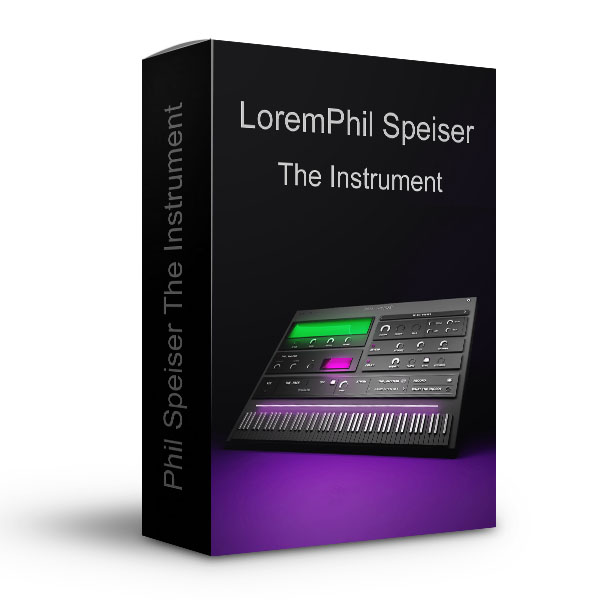
THE_INSTRUMENT will be your new musical brain – and you are the director!
From now on it’s about your ideas, and the fun of turning them into reality with endless inspiration. When I made my first track using the a prototype of THE_INSTRUMENT after months of developing and countless drawbacks, I instantly knew:
A new era of making music has just begun. I know I’m promising a lot here – but I also know you won’t be disappointed. This is my masterpiece!
NO FILLER SOUNDS. I MEAN IT!
Using gear worth thousands of dollars, I designed, recorded, layered and mixed sounds that are ready to be played. Of course you can adjust the sounds to your liking but you don’t need to add any processing. They are release ready!
More than 100 unique instruments in all genres are already included. THE_INSTRUMENT will get free frequent sound updates to make sure you always have the most up-to-date sounds for your productions. Instantly available inside of the plugin.
REVOLUTIONARY COMPOSING TOOLS
Hundreds of Chord, Rhythm, Bassline and Melody Presets will turn single notes into whatever you want them to be. You can also use the MELODY GENERATOR to create melodies that perfectly fit to your composition with one click.
The musical part is countless hours of me composing chord progressions, melodies and rhythms that will provide you with endless inspiration. In the background, an extremely advanced algorithm will make sure that whatever you select, combine and play, will always sound amazing and musical. The RECORD function will turn whatever you are generating into a midi file in case you want to use the composition outside of THE_INSTRUMENT and WHATTHECHORD will tell you the name of the current chord playing.
A WORKFLOW LIKE NO OTHER
My biggest goal was to completely make you forget about the technical aspect of music production and giving you the ability to focus on creating and being creative.
I included all the tools you might need, like for example THE_SHAPER that will instantly add a great side chain-effect or workflow tools like the ability to copy settings from one plugin-instance to another with the push of a button. In the background the intelligent engine will constantly work on making your process as fun and smooth as possible so you can focus on the exciting parts of making music.
- More than 100 unique Instrument Sounds of release ready quality - lifetime free sound updates
- Hundreds of Chord, Rhythm and Melody Presets - unlimited inspiration and results beyond your imagination
- Music Theory Algorithms that will turn whatever you input in the correct scales - never hit wrong notes again
- MIDI EXPORT - turn whatever you create into MIDI Files - Forget about buying MIDI Packs - create your own
- WHATTHECHORD - Integrated Chord Detection
- Intelligent Workflow Features - so you can focus on being creative








Reviews
There are no reviews yet.