Apisonic Audio – Speedrum 2 (Windows)
System Requirements:
- Windows 10,11 (64-bit Only)
- Instant Download | Full Version
- Lifetime Activation
- Future Free Updates
- VST, VST3, AAX, Standalone
£30.00
Guaranteed Safe Checkout
Features & Compatibility
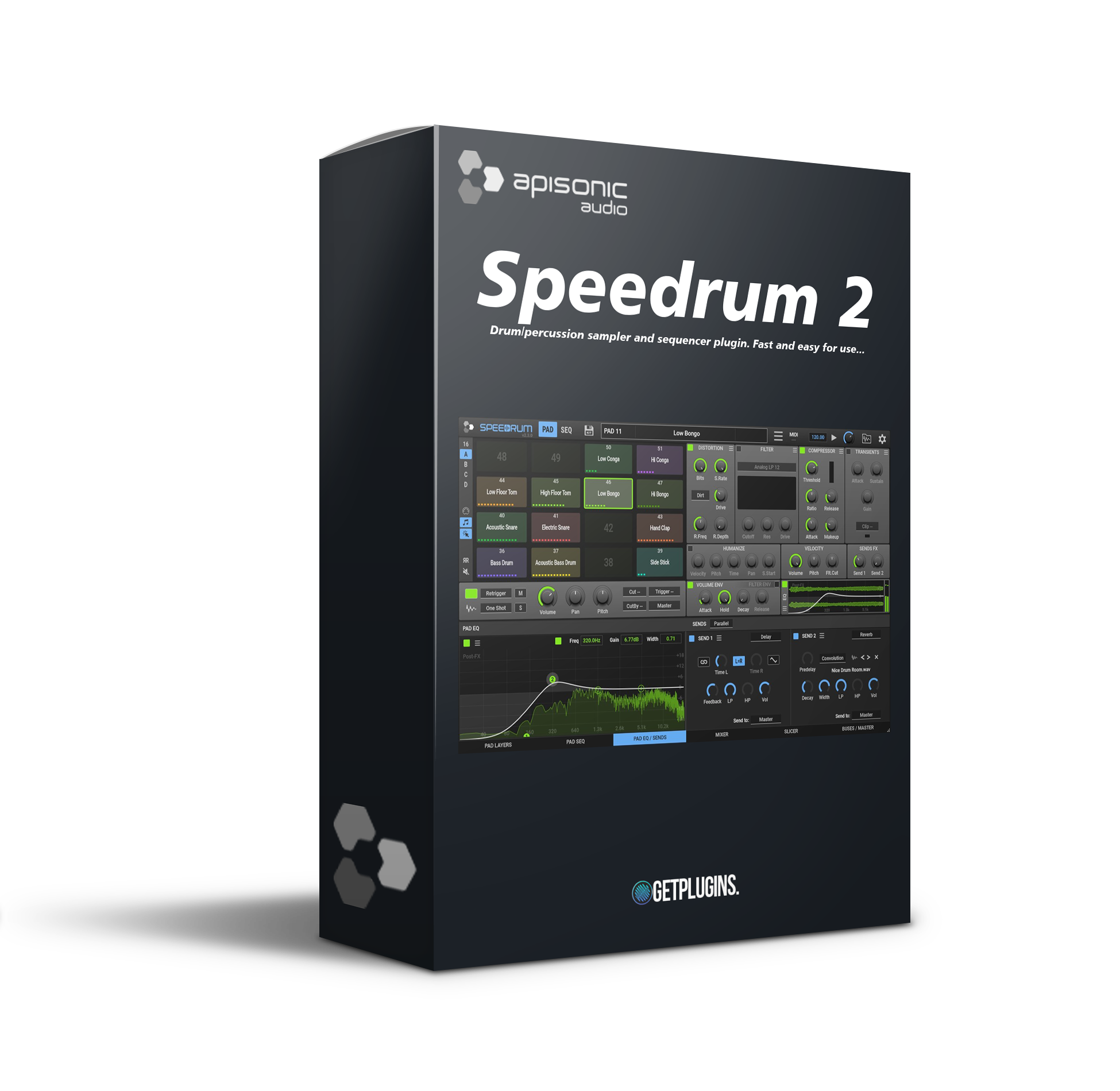
Speedrum v2.4.0 is a sample-based MPC-style virtual drum machine with a built-in step sequencer.
It is easy to learn and fast, but at the same time has powerful features that will be useful for both beginners and experienced producers.
64 pads with basic effects and 16 sample layers per pad. With the loop slicing function.
Features of Apisonic Labs Speedrum
- 16 drum pads
- 2–16 stereo outputs
- Adjustable start and stop
- AHD (attack-hold-release) envelope Basic pad controls
- Volume, pan, pitch
- Low-pass and high-pass filters
- Velocity-sensitive volume modulation
- Arrow buttons to cycle through all samples in the current folder. Drag-
and-drop sample loading
Basic Controls
All the basic controls at your fingertips: mute, solo, volume, pan, pitch…
- MIDI-learnable controls
- Voice mode: re-trigger or polyphonic
- 8 Cut and Cut By groups, plus a trigger pad
- Output pad for internal buses or 16 available stereo outputs
- Pads with the ability to select a specific pad or group
- Humanized sensitivity for velocity, pitch, time, and pan
- Volume and filter envelope for each pad
- Simple control of the effects sent.
Basic Effects
Four basic effects for further customization of the drum pad.
- Multiple distortion types
- Easily customizable multi-mode filter
- VCA-type compressor for percussion instruments
- Transient shaper
- Master gain control and hard clipper
- All-or-nothing mode
- Fully customizable effects chain.
4-band EQ
Complete control over four frequency ranges.
- Bell, lower, and upper shelves
- Spectrum analyzer
- Effect chain before and after
Pad Sends
Two channels for sending effects or output.
- Delay on FX send
- Reverb on FX send
- Or send all pad outputs to a specific output channel.
Sampler layers
16 sampler layers for each pad with a dedicated editor.
- Each layer has basic controls, as well as low-pass and high-pass filters
- Time and pitch stretching
- Multiple-layer playback mode
- Moving layers by dragging, Multi-layer editing, Layer mixer
Waveform
Non-Destructive Editor with Scalability.
- Waveform display of the loaded sample
- Adjustable sample start and end
- MSEG volume envelope editor
- Arrow buttons to cycle through all samples in the current folder
- Adjustable velocity ranges in Velocity mode
View Pad Sequence
View the sequencer for the selected pad only.
- Easily add and remove notes
- Adjust the speed, probability, repeats, and offset of the notes graph
- Adjust panning, pitch, and filtering with the notes graph
Humanization
Different types of humanization.
- Shuffle (swing or syncopation)
- Humanization of speed and note placement
- Various randomization options
Loop Slicer
Cut loops into individual drum parts.
- Easily add or remove slicer markers
- Drag slices to fill mattes or layers
- Different modes for mattes or layers with one click
- Same zooming and navigation as the Layer Editor
- Time stretching.
Two cutting modes
Different algorithms for different results.
- Transients – with threshold and duration controls
- BPM – with BPM and split controls
- Selectable output channel
- Attack/dissonance for splits sent to layers
- Groove export to MIDI
Sequencer
A special function for arranging notes.
- 16 patterns with 64 tracks
- 16/32/64 step pattern
- 16/32 layout preview
- Speed modifier
- Several types of humanization
- Drag and drop midi export
- Input midi recording
- Host tempo or manual tempo.
Browser
Built-in browser for samples and drums.
- Drag and drop sample loading
- Sampler or kit information
- Unlimited folders with favorite colors
- Sample preview option
- Output channel selection
- Automatic loading of the selected sample
- Direct cut for pads/layers

Reviews
There are no reviews yet.